





Standaard toont je bibliotheek een kort bericht wanneer er niets weer te geven is. Je kunt dit vervangen door je eigen tekst, wat handig is om bezoekers te begeleiden of je tone of voice te laten aansluiten.
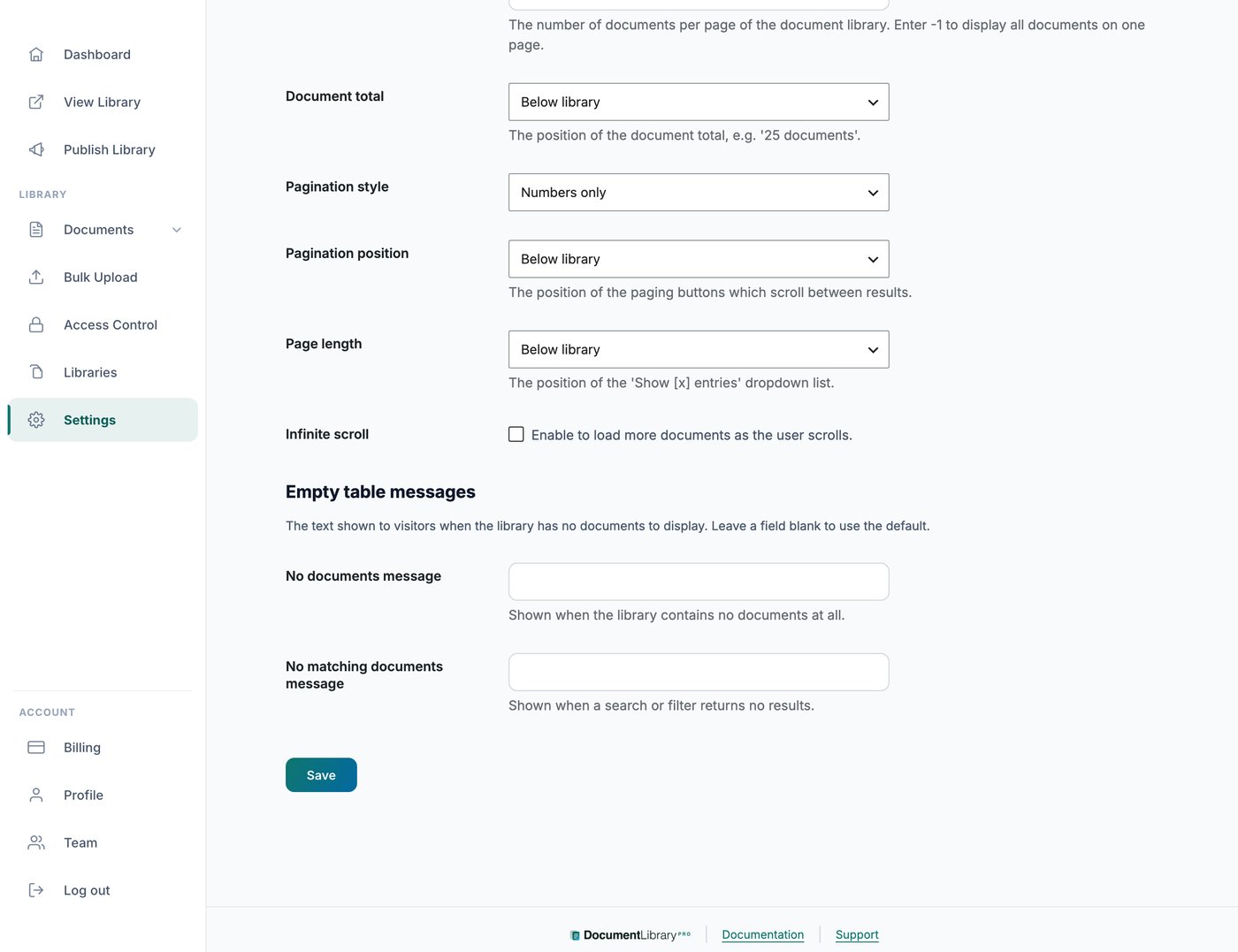
Waar je dit vindt
Openen Instellingen en ga naar de Advanced tabblad. Daar vind je velden voor de berichten voor een lege bibliotheek.
De twee berichten
Je kunt twee aparte berichten instellen. Het ene verschijnt wanneer de bibliotheek helemaal geen documenten bevat. Het andere verschijnt wanneer de zoekopdracht of filter van een bezoeker geen overeenkomende documenten oplevert, zodat je elk bericht op de situatie kunt afstemmen, bijvoorbeeld door bezoekers te vragen hun filters te wissen en het opnieuw te proberen.
Verschillende berichten voor verschillende bibliotheken
De berichten op het Advanced tabblad gelden voor elke bibliotheek.
Om in sommige bibliotheken andere tekst te gebruiken, bijvoorbeeld bibliotheken in een andere taal, open je Instellingen en ga naar de Vertalingen tabblad. Stel in de Lege en laadstatussen sectie Bibliotheek is leeg en Niets gevonden.
Een bericht dat op het Vertalingen tabblad is ingesteld vervangt het Advanced tabbladbericht voor bibliotheken die die taal gebruiken. Zie voor een volledige handleiding je documentbibliotheek vertalen.