





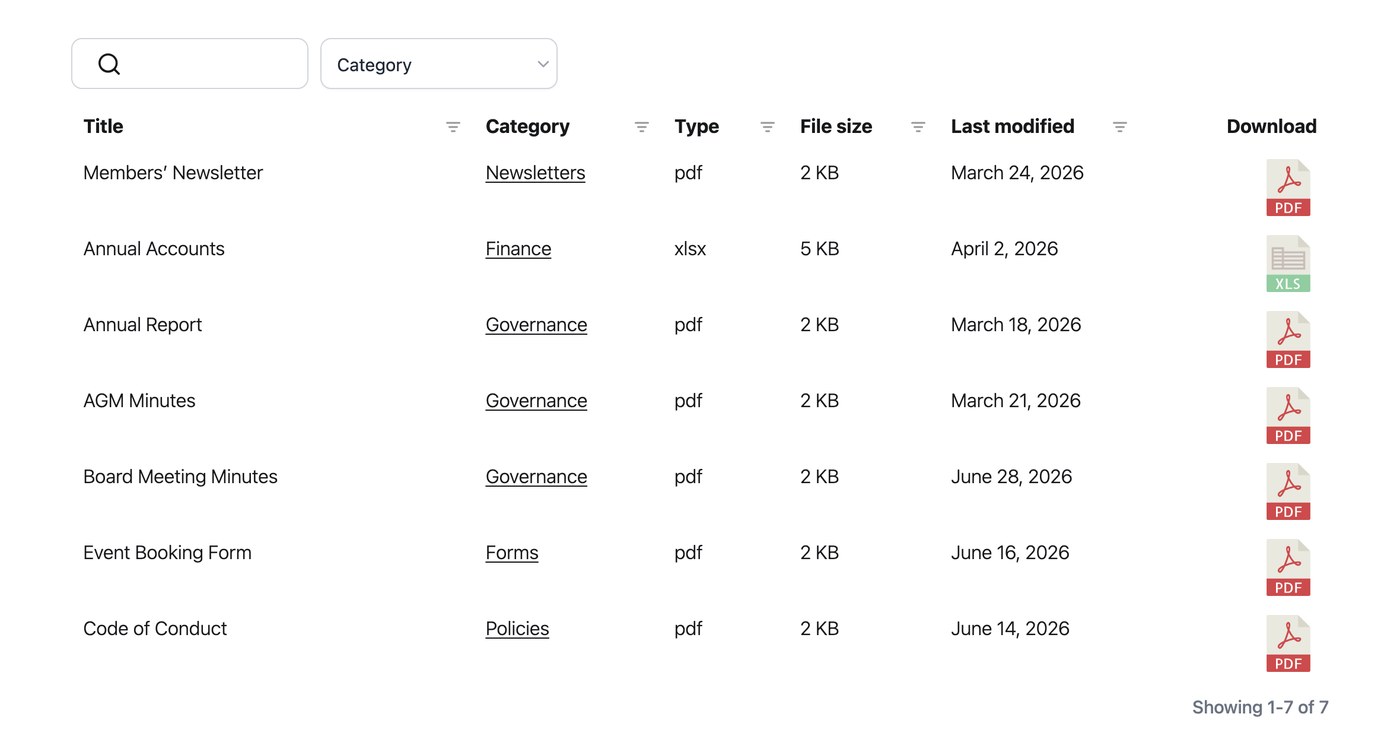
Document Library Pro peut afficher une date pour chaque document de votre bibliothèque et vous permet de contrôler le format de ces dates. Comme la colonne de date est traitée comme une date plutôt que comme du texte brut, elle trie également correctement la colonne par date au lieu de l’ordre alphabétique.
Ajouter une colonne de date
Pour afficher les dates dans votre bibliothèque, ajoutez la colonne de date à votre tableau ou grille dans l’onglet Affichage de vos réglages. Une fois la colonne en place, les visiteurs peuvent trier par celle-ci et les dates apparaissent dans le format choisi.
Format de date
Par défaut, les dates utilisent le format défini dans Réglages → Général. Vous pouvez modifier le format de date avec n’importe quelle chaîne de format valide. Par exemple, “F j, Y” affiche des dates comme “August 24, 2026”. Vous le définissez dans l’onglet Général de vos réglages, et cela s’applique à la colonne de date partout où elle apparaît.