Bibliothèque de documents pour manufacturers & distributors
Publish spec sheets, manuals, safety data sheets and price lists in one searchable library, so dealers and customers find the right document for the right model without calling your sales team.
Trusted by major manufacturers including Finn Corporation, FI-Foil, McMillan Flow Products, Shingle Belting and Ginetta.
| Product line | Model | Part number | Type de document | Langue |
|---|---|---|---|---|
| Pumps | CP-200 | 40212-SS | Spec sheet | EN |
| Pumps | CP-200 | 40212-IM | Installation manual | EN |
| Pumps | CP-200 | 40212-IM-ES | Installation manual | ES |
| Compressors | AX-15 | 51107-SDS | Safety data sheet | EN |
| Compressors | AX-15 | 51107-CAD | CAD drawing | EN |
| Compressors | AX-15 | 51107-PL | Dealer price list | EN |
| Compressors | AX-15 | 51107-WF | Warranty form | EN |
Built for the documents you ship with every product
Every product document, findable by model and part number
Stop wasting time emailing files to customers. From the public spec sheet to the dealer-only price list, Document Library Pro keeps your technical documentation searchable, filterable and current.
Fiches techniques
Datasheets and specifications, filterable by product line and model.
Manuals
Operator, installation and parts manuals, searchable by model number.
Safety data sheets
SDS and compliance certificates, with the current revision on top.
CAD & drawings
DWG, DXF and STEP files, previewed as images and downloaded in a click.
Price lists (dealer login)
Dealer and distributor price lists, locked to logged-in dealers by role or password.
Sales training
Product training slides and videos for your dealers’ sales teams.
Warranty forms
Warranty registration and claim forms, ready to download in a click.
Multilingual versions
The English, Spanish and German version on one row, each with its own button.
Affichez-le à votre façon
Une bibliothèque, la mise en page de votre choix
Most teams use the searchable table. You can also switch to a visual grid or organize everything into folders.
Vue tableau Le plus populaire
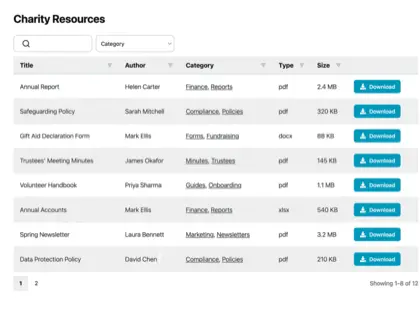
Un tableau triable et consultable, le format le plus choisi par nos clients.
Vue grille
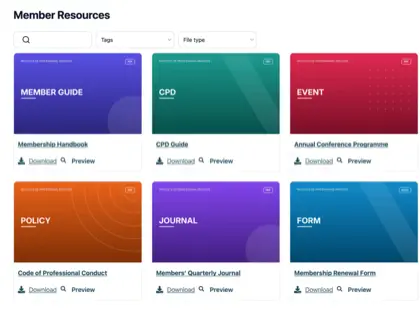
Visual cards with thumbnails - ideal for brochures, catalogs and training slides.
Dossiers
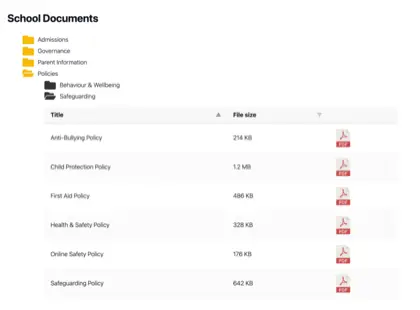
Regroupez les documents dans des dossiers navigables, comme un disque partagé.
Trouvez tout
Dealers find the right document for their model
Each document is tagged with its product line, model number and part number, so a search for “AX-15” brings back the spec sheet, the manual and the SDS together.
- Search model names, part numbers and the text inside each PDF as people type
- Filter by product line, model, document type and language
- Send a dealer a link to one model’s documents
We set up the part-number, model and language fields for you as part of the service de configuration gratuit.
Public et privé, réunis
Spec sheets for everyone, price lists for dealers only
Manufacturers share two kinds of document: Technical documentation any customer should reach, and price lists, sales training and marketing assets that only dealers should see. Do both from the same library.
- Open spec sheets, manuals and SDS to everyone
- Lock price lists and sales training to logged-in dealers by user role or password
- Ask for an email address before a brochure download
Load the catalog in one go
Load thousands of documents without adding them one by one
Your product documentation already exists in a PIM export, a shared drive or a spreadsheet. Import it from a CSV with the model and part number in the columns, or sync a Google Drive or Dropbox folder so a revised manual publishes itself.
- CSV import with product line, model, part number and language as columns
- Google Drive and Dropbox folder sync keeps the library current
- Version control keeps the old revision on file and the download link unchanged
- Auto-expiry removes last year’s price list on the date you set
FAQ
Questions from manufacturers, des réponses
Can dealers find documents by part number or model?
Yes. Each document carries custom fields for product line, model and part number. Those fields show as columns and filters in the library. A dealer types “40212” or “CP-200” and sees every document for that product. Search also looks inside the text of each PDF, so a part number printed in a manual is found too.
Can we keep price lists behind a dealer login?
Yes. Restrict a category, or individual documents, to logged-in users with a dealer role, or protect them with a password. Public spec sheets and manuals stay open to everyone in the same library. If you already run a dealer portal, embed the library inside it and let the portal’s login do the work.
How do we load thousands of existing documents?
Export them from your PIM or spreadsheet as a CSV, with a column for the file URL and one for each field, and import it in one go. You can also drag and drop whole folders of files, or sync a Google Drive or Dropbox folder so new revisions appear in the library without anyone uploading them. We’ll set up the fields and do the first import as part of the service de configuration gratuit.
Can we publish the same manual in several languages?
Yes. Attach up to three files to one document, each with its own download button, so the English, Spanish and German manual appear together on one row. Or add a language field and let dealers filter by it.
What happens when a manual is revised?
Upload the new revision to the same document. Version control keeps the previous versions on file, and the download link stays the same, so links in your dealers’ own systems don’t break.
Faut-il WordPress ?
No. If your site is on WordPress, install it as a plugin. If it isn’t, paste one embed snippet onto any other website or dealer portal - or let us host a standalone library on your own domain.
Quels types de fichiers peut-on ajouter ?
Any - PDFs, Word and Excel files, CAD drawings, images, video and ZIP archives. You can also link to files you host elsewhere, so everything shows in one library.
Give dealers and customers one searchable library for every product document
Set up your product documentation library as a WordPress plugin, embedded in your dealer portal, or a cloud library of your own.
Commencer gratuitementEssai 14 jours · Résiliation possible