Ajoutez une bibliothèque de documents à Shopify
Donnez aux acheteurs les documents dont ils ont besoin pour acheter en confiance. Ajoutez les fiches techniques, manuels, guides des tailles et certificats de vos produits à votre boutique Shopify dans une bibliothèque avec recherche et filtres.

Pourquoi ajouter une bibliothèque de documents à votre boutique ?
Des documents qui favorisent l'achat
Les acheteurs veulent souvent plus qu'une photo de produit avant d'acheter. Mettez les documents qui répondent à leurs questions à un clic - consultables, aux couleurs de votre marque et faciles à télécharger.
Fiches techniques
Dimensions, matériaux et caractéristiques techniques complètes pour chaque produit.
Manuels & guides
Guides d'installation et d'utilisation qui réduisent les questions avant-vente.
Guides des tailles
Aidez les acheteurs à choisir la bonne taille et à entretenir leur article.
Certificats
Maintenez à jour les garanties, les fichiers de sécurité et les documents de conformité.
Comment ça marche
Une bibliothèque de documents sur Shopify, en trois étapes
Installez l'application de bibliothèque de documents Shopify et elle fait le plus gros du travail pour vous. Pas de codes d'intégration, pas de modification du thème.
Installer l'application
Ajoutez Document Library Pro depuis le Shopify App Store en un clic. La facturation passe par votre compte Shopify, et vous disposez d’un forfait gratuit pour commencer.
Créez votre bibliothèque
L'application ouvre votre compte Document Library, où vous téléversez vos documents (ou les importez en masse) et les classez en catégories. Vous pouvez aussi synchroniser un dossier Google Drive ou Dropbox : vos documents se créent automatiquement.
Ajoutez-la à votre boutique
De retour dans Shopify, l'application crée une page Documents pour vous et ajoute un bouton “Insérer une bibliothèque de documents” à vos pages produit. Aucun code requis.
Une bibliothèque ou une par produit
Deux façons d'afficher vos documents sur Shopify
Les acheteurs recherchent, filtrent, prévisualisent et téléchargent sans quitter votre boutique. Utilisez ce qui convient - ou les deux.
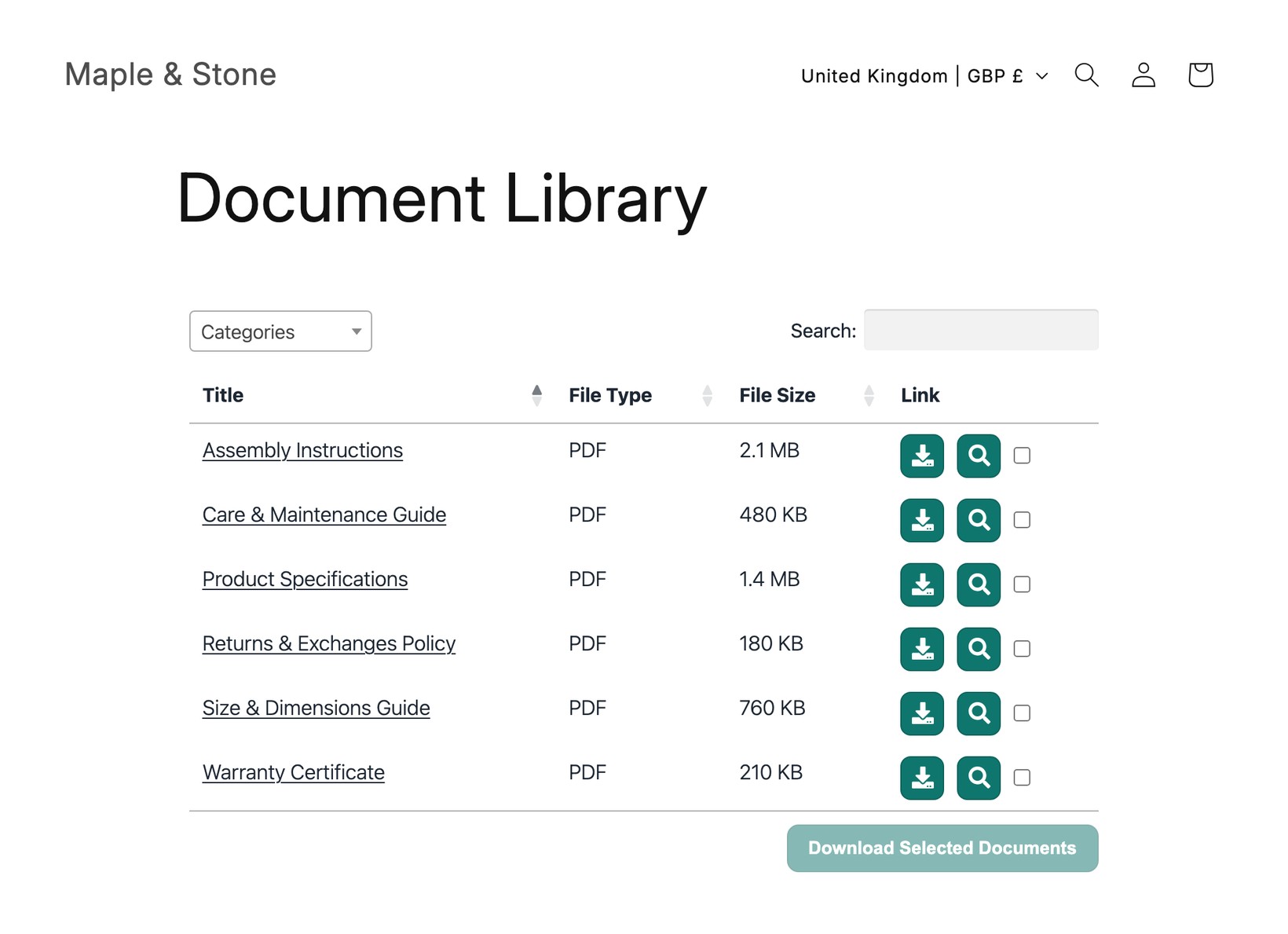
Une bibliothèque centrale
Un point central unique avec recherche qui liste tous les documents de votre boutique, lié depuis votre menu. Idéal pour les politiques, catalogues et téléchargements à l'échelle de la boutique.
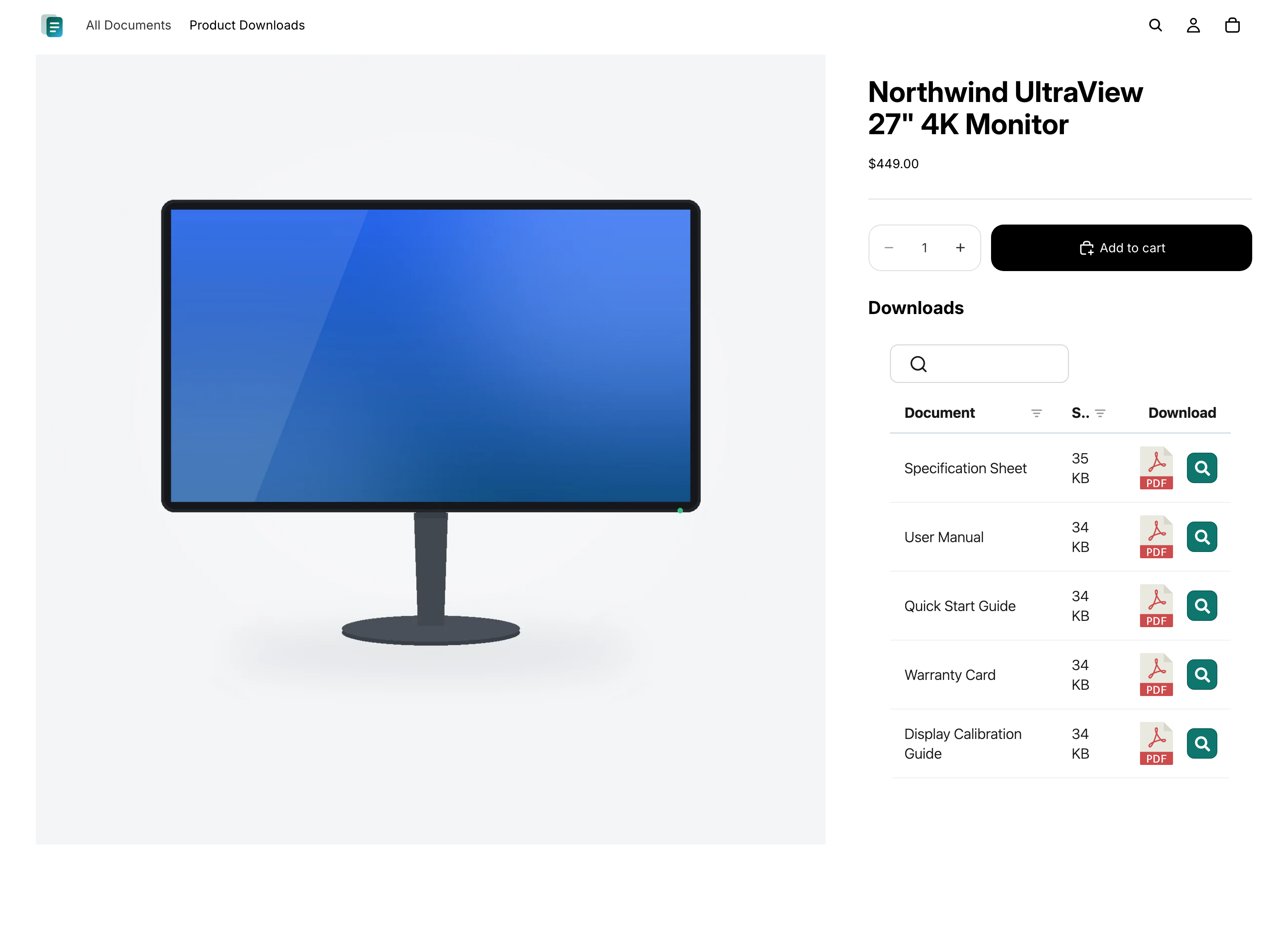
Documents sur chaque produit
Affichez les bonnes fiches techniques, manuels et certificats directement sur la page produit, afin que les acheteurs voient exactement ce qui s'applique à l’article qu'ils consultent.
Questions
Questions fréquentes
Document Library Pro peut-il réduire les e-mails demandant où trouver un document ?
Oui, si ces e-mails viennent de clients qui ne trouvent pas le bon fichier. Document Library Pro leur fournit une bibliothèque consultable et filtrable sur une page centrale ou sur la page produit concernée. Ainsi, l’équipe support peut orienter les clients vers un emplacement cohérent au lieu de joindre à chaque fois le même PDF.
Comment empêcher les clients de télécharger une version obsolète ?
Avec la formule Advanced, le contrôle des versions et l'expiration automatique des documents vous y aident. Le contrôle des versions vous permet de remplacer un document à un seul endroit afin que les bibliothèques affichent le fichier actuel. L'expiration automatique des documents vous permet de définir une date pour les documents sensibles au temps, comme les certificats, afin qu'ils soient retirés au lieu de rester disponibles après expiration.
Puis-je afficher un dossier Google Drive ou Dropbox sur ma boutique Shopify ?
Oui. Connectez un dossier partagé Google Drive ou Dropbox à une catégorie de votre bibliothèque de documents, et chaque fichier apparaît dans la bibliothèque de votre boutique Shopify sous forme de document consultable et téléchargeable. La bibliothèque reste automatiquement synchronisée avec le dossier, et aucune clé API n'est nécessaire.
Dois-je obtenir Document Library Pro ici ou sur le Shopify App Store ?
Les deux options utilisent la même bibliothèque de documents, vous obtenez donc les mêmes fonctionnalités dans les deux cas. Si vous vendez sur Shopify, nous vous recommandons d'installer l'application bibliothèque de documents Shopify - elle ajoute vos bibliothèques à votre boutique simplement, sans code, et la facturation passe par votre compte Shopify. Inscrivez-vous ici sur notre site web à la place si vous voulez intégrer la même bibliothèque ailleurs que sur Shopify (par exemple votre site web, un centre d'aide ou une autre plateforme).
Dois-je modifier du code ou mon thème ?
Non. L'application Shopify crée une page Documents pour vous et ajoute un bouton “Insérer une bibliothèque de documents” à vos pages produit. Si vous vous inscrivez plutôt ici sur notre site web, vous n’aurez qu'à coller un court code d'intégration dans la vue HTML d'une page Shopify ou d'une description de produit - toujours sans modification du thème.
Existe-t-il un forfait gratuit ?
Oui. L'application gratuite de bibliothèque de documents Shopify vous donne une bibliothèque avec jusqu'à 10 documents. Les forfaits payants ajoutent des documents illimités, plusieurs bibliothèques, l'import en masse, des bibliothèques protégées par mot de passe, la gestion des versions, et plus encore.
Ajoutez une bibliothèque de documents à votre boutique Shopify
Partagez les caractéristiques produit, manuels et guides dans une bibliothèque avec recherche que vos clients peuvent parcourir et télécharger. Installez-la gratuitement depuis le Shopify App Store.