





Par défaut, votre bibliothèque affiche un court message lorsqu’il n’y a rien à afficher. Vous pouvez le remplacer par votre propre formulation, ce qui est utile pour guider les visiteurs ou correspondre à votre ton.
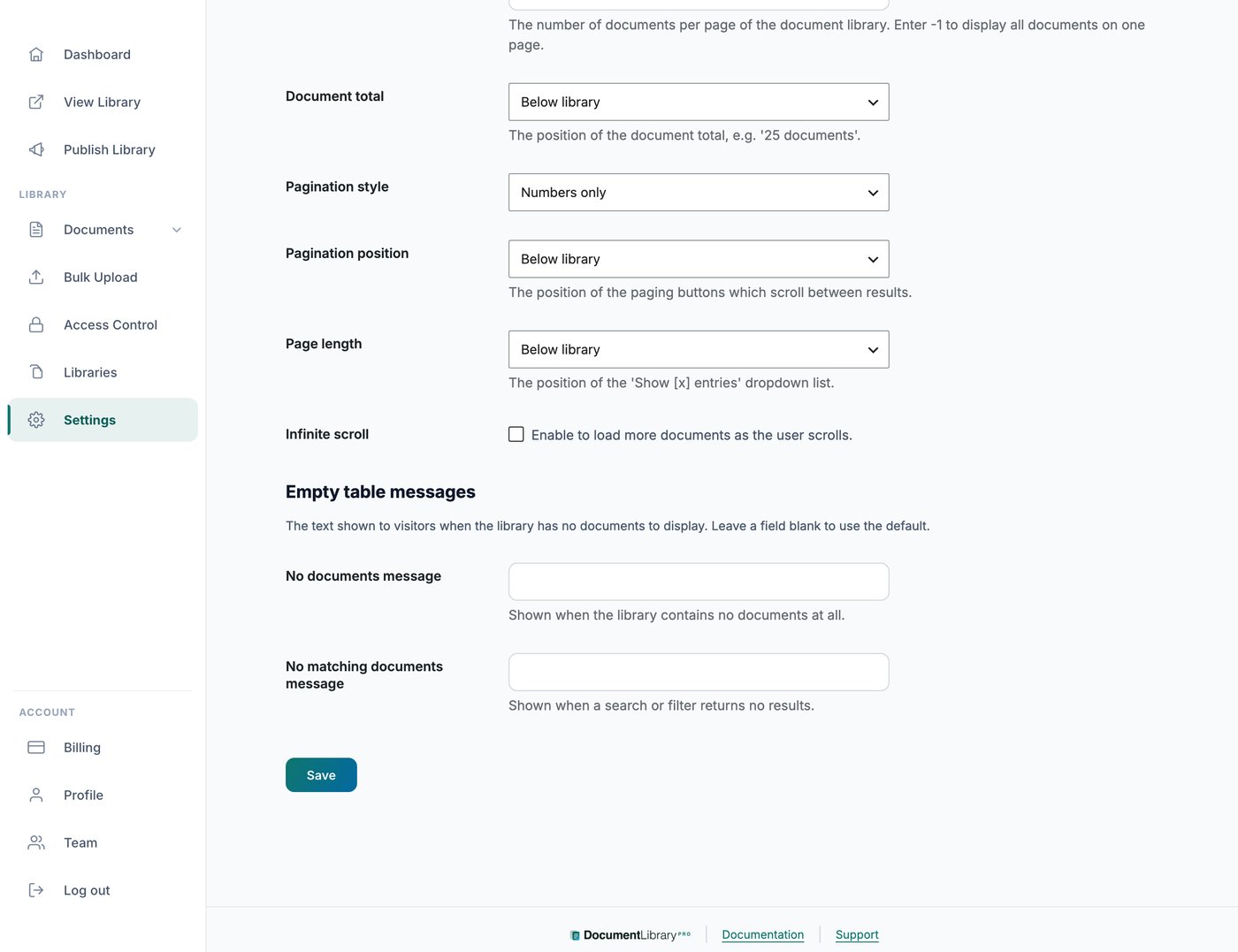
Où le trouver
Ouvrez Paramètres et accédez à la Avancé onglet. Vous y trouverez les champs des messages de bibliothèque vide.
Les deux messages
Vous pouvez définir deux messages distincts. L’un apparaît lorsque la bibliothèque ne contient aucun document. L’autre apparaît lorsqu’une recherche ou un filtre d’un visiteur ne renvoie aucun document correspondant, ce qui vous permet de formuler chaque message selon la situation, par exemple en invitant les visiteurs à effacer leurs filtres et à réessayer.
Messages différents pour différentes bibliothèques
Les messages dans l’onglet Avancé s’appliquent à chaque bibliothèque.
Pour utiliser un libellé différent dans certaines bibliothèques, par exemple des bibliothèques dans une autre langue, ouvrez Paramètres et accédez à la Traductions l’onglet. Dans la États vides et de chargement section, définissez La bibliothèque est vide et Aucun résultat.
Un message défini dans l’onglet Traductions remplace le message de l’onglet Avancé pour les bibliothèques qui utilisent cette langue. Pour un guide complet, consultez traduire votre bibliothèque de documents.