





Met documentverloop kun je elk bestand een einddatum geven, zodat het automatisch uit je bibliotheek verdwijnt zodra die datum voorbij is. Dit is handig voor tijdelijke aanbiedingen, prijslijsten met datum of papierwerk dat maar binnen een bepaalde periode beschikbaar mag zijn. Verloop is een Geavanceerd plan Functie.
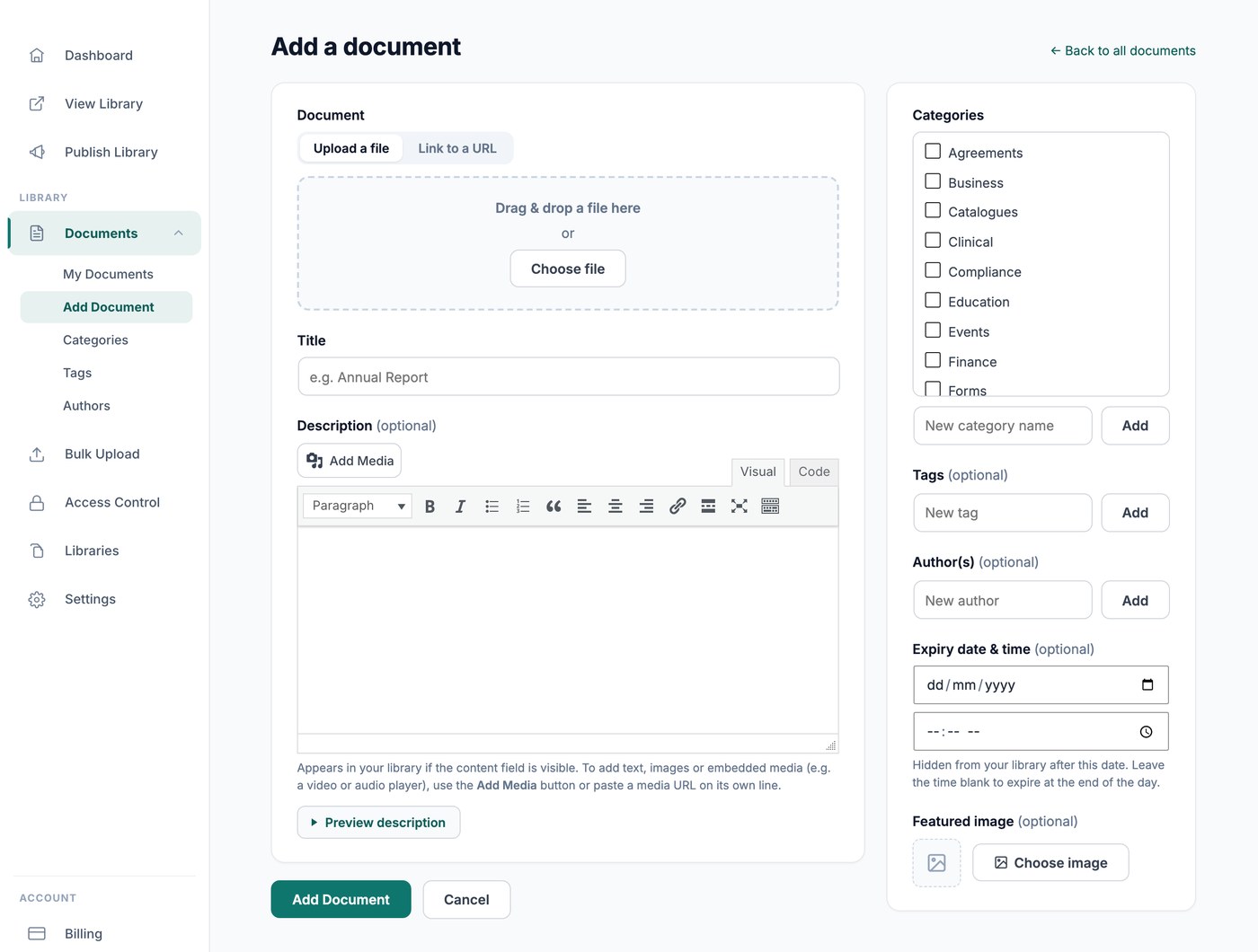
Een verloopdatum instellen
Open het document via Documenten → Mijn documenten en stel het Vervaldatum & -tijd veld in. De datum volgt de tijdzone die is ingesteld op het tabblad Algemeen van je instellingen. Wanneer die datum aanbreekt, wordt het document uit je bibliotheek verborgen, zodat bezoekers het niet meer kunnen zien of downloaden. Wis de vervaldatum om het terug te brengen.
Wat als verlopen telt
Verlopen documenten verdwijnen uit beeld zodra hun datum is verstreken. Documenten die vanuit een Google Drive- of Dropbox-map zijn gesynchroniseerd, kunnen geen vervaldatum krijgen, omdat de map de bron van waarheid is.