


Wild Apricot’s file storage gives your members a list of file links. You can keep your Wild Apricot site and add a searchable document library to any page with the Custom HTML gadget. Members can then search, filter, preview and download your documents without leaving the page.
Voordat je begint: You need a paid Wild Apricot plan. The free trial switches off custom code, so the Edit code button on the Custom HTML gadget stays greyed out until you upgrade. You also need to add our domain to your Wild Apricot JavaScript whitelist, which is covered in Step 2. Without it, Wild Apricot blocks the library.
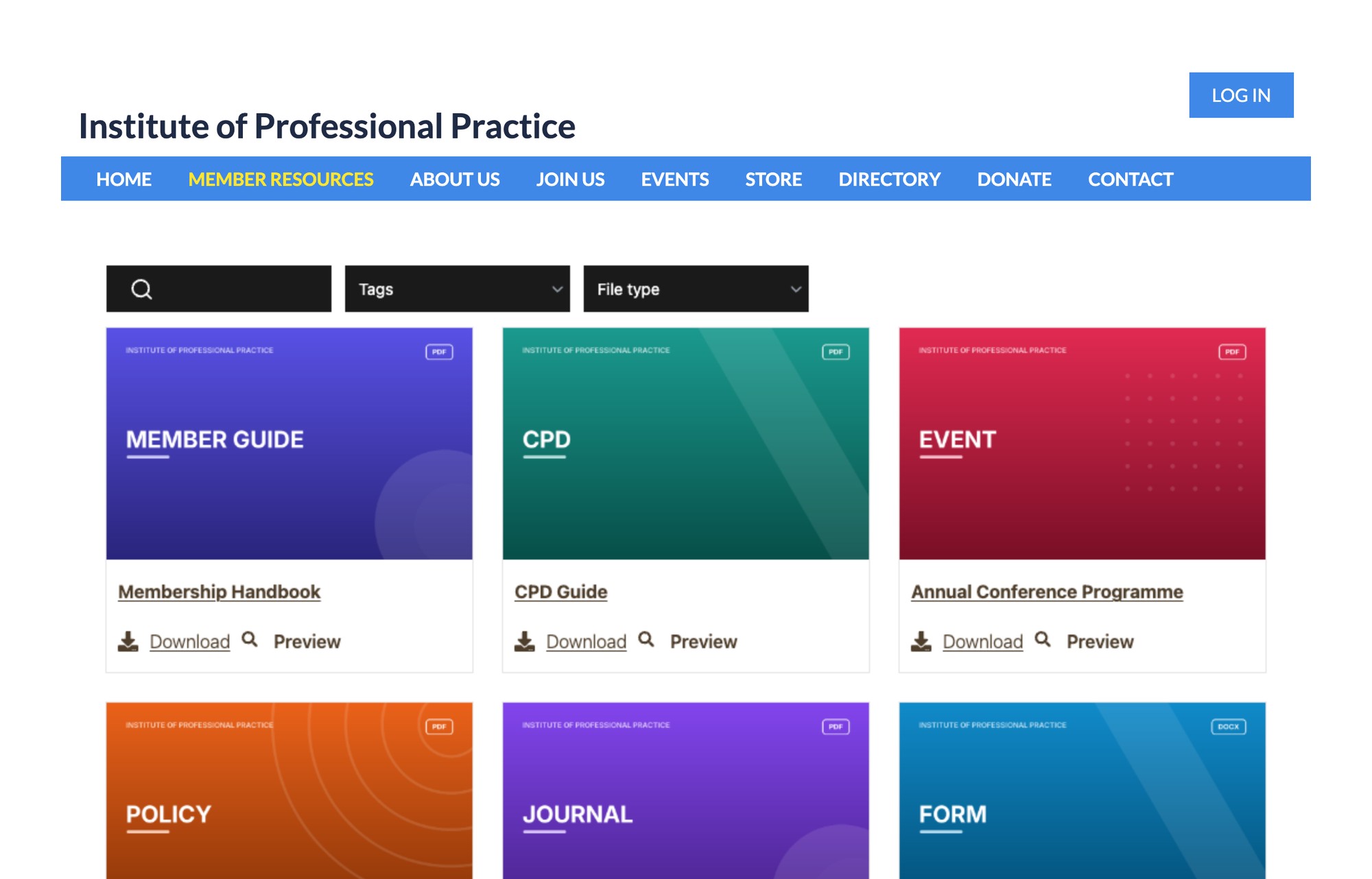
Stap 1: Kopieer je insluitcode
Log in to Document Library Pro en klik Bibliotheek publiceren, en klik daarna op Kopieer de code. If you’ve built more than one library, go to the Bibliotheken screen and copy the embed code for your Wild Apricot library from there.
Your code has two lines, like the example below, with your own library address in place of your-library:
<iframe src="https://your-library.documentlibrary.app/?dlp_embed=1" title="Document library" style="display:block;width:100%;border:0;height:600px;" loading="lazy"></iframe>
<script src="https://your-library.documentlibrary.app/?dlp_embed_resize=1" async></script>
Step 2: Add our domain to your JavaScript whitelist
Wild Apricot only loads code and embedded pages from domains on its whitelist. Our domain isn’t on its default list, so you need to add it once for the whole site.
- In your Wild Apricot admin, go to Website → Settings.
- onder Website security, klik op JavaScript whitelist.
- In de Custom whitelisted domains section, type *.documentlibrary.app in de Domain name box.
- Klik Add domain, then save the page.
If your library uses a custom domain, such as docs.yourassociation.org, add that domain as well.
Step 3: Create a page for your library
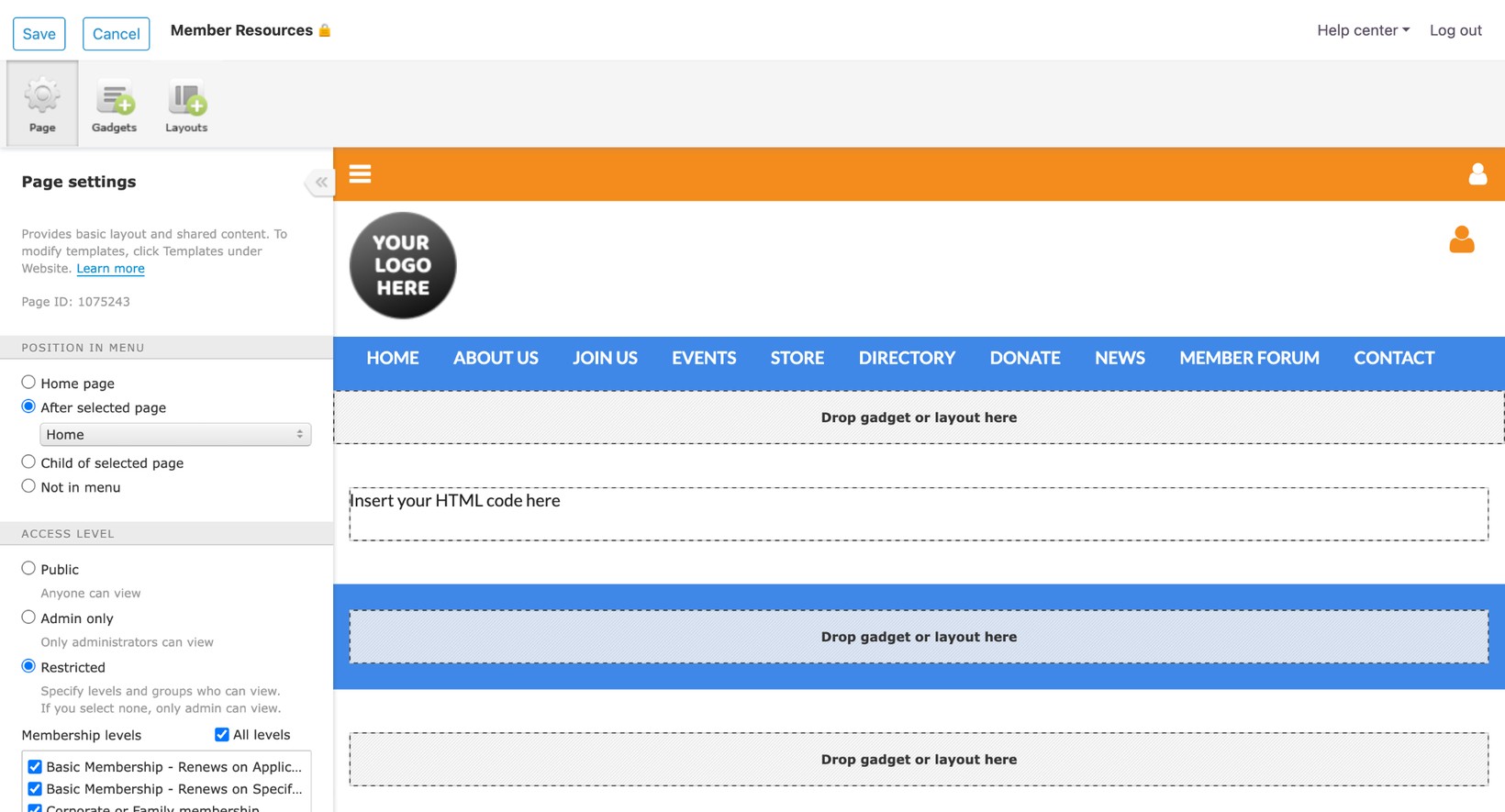
- Ga naar Website → Site pages en klik Add page.
- In Page settings, give the page a name, such as Member Resources.
- onder Position in menu, choose where the page appears in your menu.
- onder Access level, kies Openbaar for an open library. For a members-only library, choose Restricted and tick the membership levels that can see it.
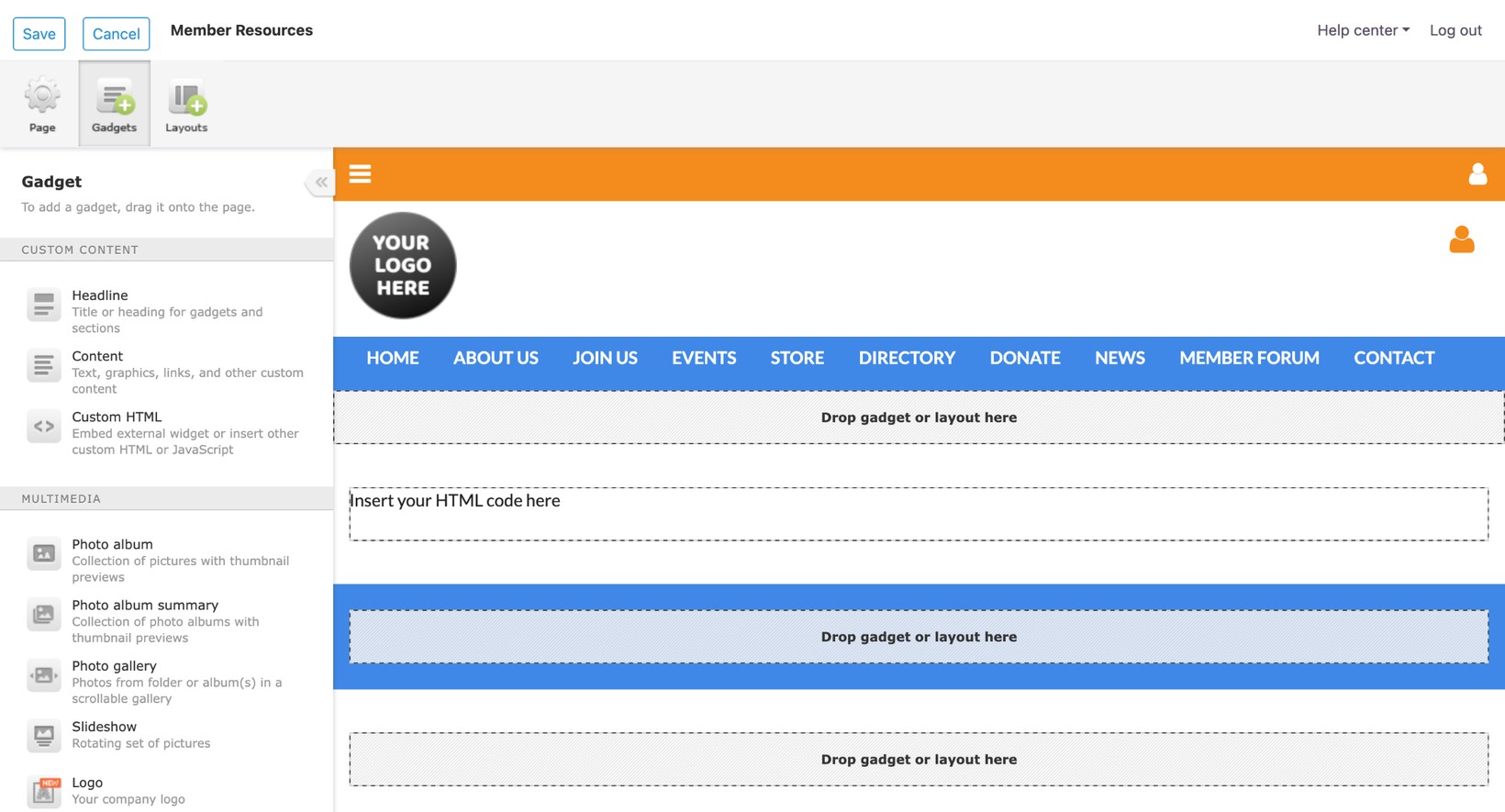
Step 4: Add a Custom HTML gadget
- Klik Gadgets at the top of the left panel.
- Sleep het Custom HTML gadget from the Custom content section onto the page, where it says Drop gadget or layout here.
- Click the gadget to open its settings, then click Edit code.
- Delete the placeholder text and paste the embed code you copied in Step 1. Paste both lines.
- Save the code, then click Opslaan at the top left of the page editor.
Step 5: Check the library on your Wild Apricot site
Klik Public view and open your new page. The search box, filters and documents should all appear, and the page grows to fit the library. When you add or change documents in Document Library Pro, the page updates straight away, so you don’t need to edit the gadget again.
Wie kan de bibliotheek zien
If you set the page to Restricted, Wild Apricot only shows it to members who are logged in at the levels you ticked. The library address inside your embed code only works inside an embed like this one. If someone opens that address in a browser tab, they won’t see the library.
The address on its own doesn’t fully protect your documents. If your association shares confidential papers, such as board minutes or salary surveys, add a password to your library as well. You can also stop people opening files from a copied link with the Directe bestandslinks blokkeren setting. You’ll find both options under Toegangsbeheer met het Advanced-abonnement.
If the library doesn’t appear
Grey box with a broken page icon
Wild Apricot is blocking the library. Check that *.documentlibrary.app is in your Custom whitelisted domains, as in Step 2.
Edit code is greyed out
Your Wild Apricot account is still on the free trial. Upgrade to a paid plan to add custom code.
The page shows Insert your HTML code here
The gadget is still empty. Open it again, click Edit code and paste the embed code.
Free setup for your Wild Apricot library
Our team can build your library for you at no cost. To ask for this, fill in the form on our gratis installatieservice pagina.