





Le composant Intégrer de Framer suffit pour placer votre bibliothèque de documents hébergée sur n’importe quelle page. Les étapes ci-dessous couvrent tout le processus du début à la fin.
Avant de commencer : Vous pouvez utiliser le composant Intégrer avec l’offre gratuite de Framer, et votre bibliothèque s’affiche dès que le site est publié. Notez que les sites gratuits sont publiés à une adresse framer.website et comportent un petit badge “Made in Framer”. Passer à une offre Framer payante supprime ce badge et débloque votre propre domaine personnalisé.
Étape 1 : copier votre code d’intégration
Dans votre tableau de bord hébergé, ouvrez Publier la bibliothèque pour trouver votre code d’intégration, puis copiez-le. La plupart des sites ont une seule bibliothèque, et la page Publier la bibliothèque est l’endroit où se trouve son code d’intégration. (Si vous avez créé plusieurs bibliothèques, copiez plutôt le code de celle que vous voulez depuis l’écran Bibliothèques .) Collez toujours le code exact provenant de votre propre tableau de bord, et non l’exemple ci-dessous :
<iframe src="https://your-library.documentlibrary.app/?dlp_embed=1" title="Document library" style="width:100%;border:0;height:600px;" loading="lazy"></iframe>
<script src="https://your-library.documentlibrary.app/?dlp_embed_resize=1" async></script>
Étape 2 : ouvrir la page de votre bibliothèque
Dans l’éditeur Framer, accédez à la page qui contiendra la bibliothèque. Si vous préférez utiliser une nouvelle page, créez-en une depuis le panneau Pages et donnez-lui un nom clair comme Bibliothèque de documents.
Étape 3 : ajouter un composant Intégrer
Choisissez Insérer, saisissez Intégrer dans le champ de recherche, puis faites glisser le composant Intégrer à l’endroit où la bibliothèque doit se trouver.
Étape 4 : coller votre code d’intégration
Gardez le composant Intégrer sélectionné afin que ses paramètres apparaissent à droite. Changez le type de URL à HTML, puis déposez le code de l’étape 1 dans le HTML .
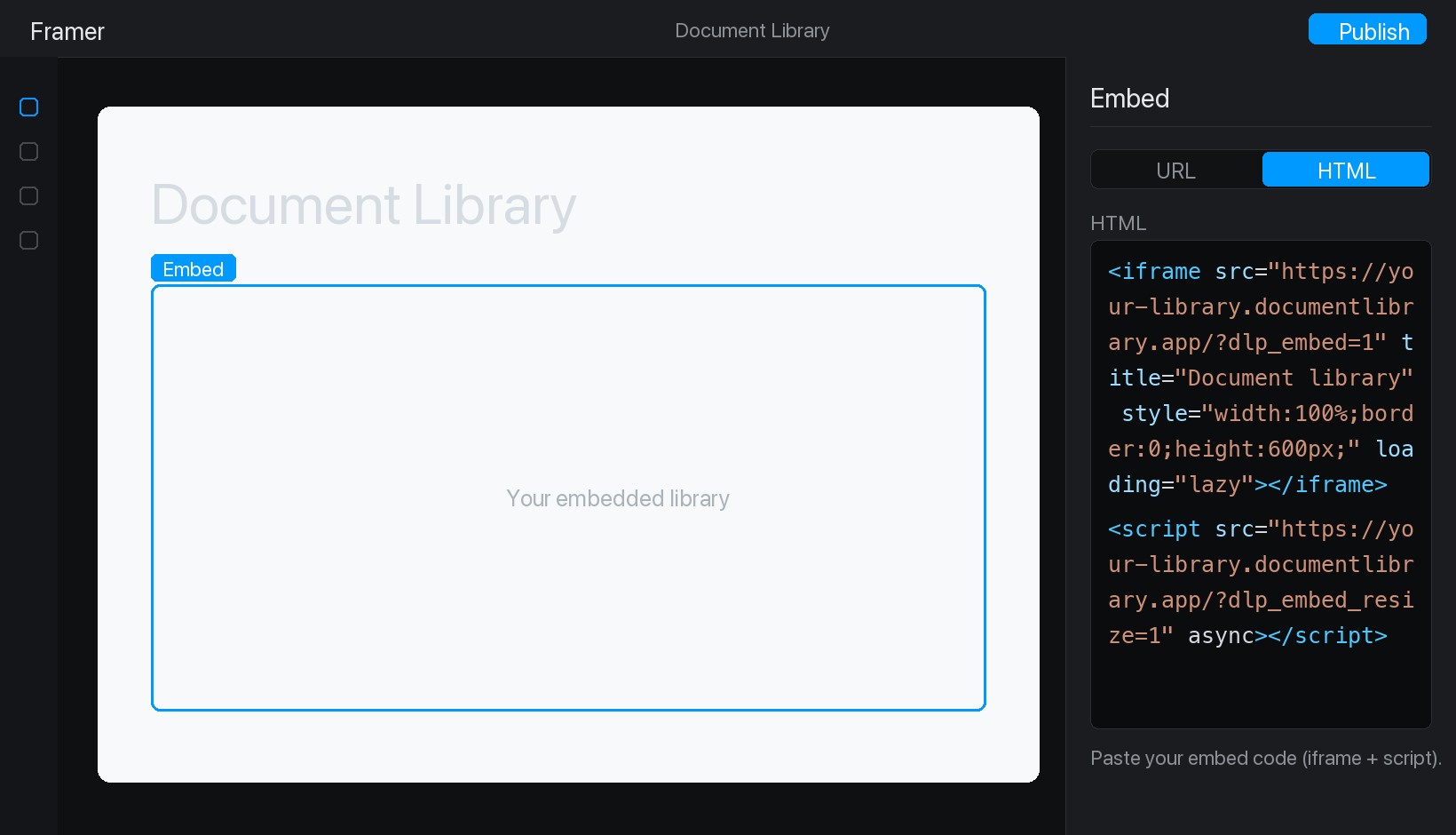
Étape 5 : publier et afficher votre bibliothèque
Cliquez sur Publier en haut à droite, puis ouvrez votre site en ligne. Votre bibliothèque de documents est maintenant en place, et les visiteurs peuvent la rechercher, filtrer par catégorie et prévisualiser ou télécharger n’importe quel document.