“SOP” stands for standard operating procedure, a written step-by-step instruction for doing a routine task the same way every time. An SOP library is a single, organized home for all of those procedures, so anyone can find the right one and follow it without asking a colleague.
Most teams already have their SOPs written. Getting people to use them is the harder job, and it comes down to a single moment. Someone needs the refund process at 4pm with a customer waiting.
If they can’t find it, or they can’t tell whether the version in front of them is current, they give up and guess. A good SOP library removes that hesitation. It puts the current procedure in front of the person at the second they need it.
I’ll start with how to tell whether your SOPs are a real library or just a pile of files. After that, I’ll cover structuring them, keeping them current without a full-time librarian, deciding who can see what, and getting your team to use the library once it exists.
Signs your SOPs aren’t really a library
You can have hundreds of well-written procedures and still not have a usable library. The test is simple. Can a new hire find and follow the right procedure on their own, in under a minute, and trust that it’s the latest version? If not, what you have is storage, not a library.
Here are the common signs that your SOPs need rescuing:
- People ask a colleague instead of looking, because searching is slower than asking.
- The same procedure exists in three places, and nobody agrees which copy is official.
- New starters get a folder link on day one and never open it again.
- You can’t tell at a glance when a procedure was last reviewed.
- Finding anything depends on knowing who saved it and what they decided to call it.
If two or more of these sound familiar, your storage is letting good procedures go to waste. The rest of this guide fixes that.
Three things people need in the first 30 seconds
Picture the person at 4pm again, mid-task, looking for how to process that refund. They need three things from your library, and they need them fast.
- Findability - they can search a keyword like “refund” or filter to the “Customer Service” category and land on the right document in seconds.
- Trust - the result they open is clearly the current version, with a visible review or update date, so they don’t second-guess it.
- Access - they can open or download it there and then, without requesting permission or hunting for a login.
Get those three right and the library earns its keep. Search and category filters do the finding. A visible “last reviewed” date does the trusting. And a published library that lives where people already work does the reaching.
For example, a maintenance team keeps its equipment manuals and standard procedures in one library, organized by department and embedded on the staff intranet. A technician searches “lockout”, opens the current procedure, and is back on the job in under a minute without tracking down a supervisor. That’s the whole point of the exercise.
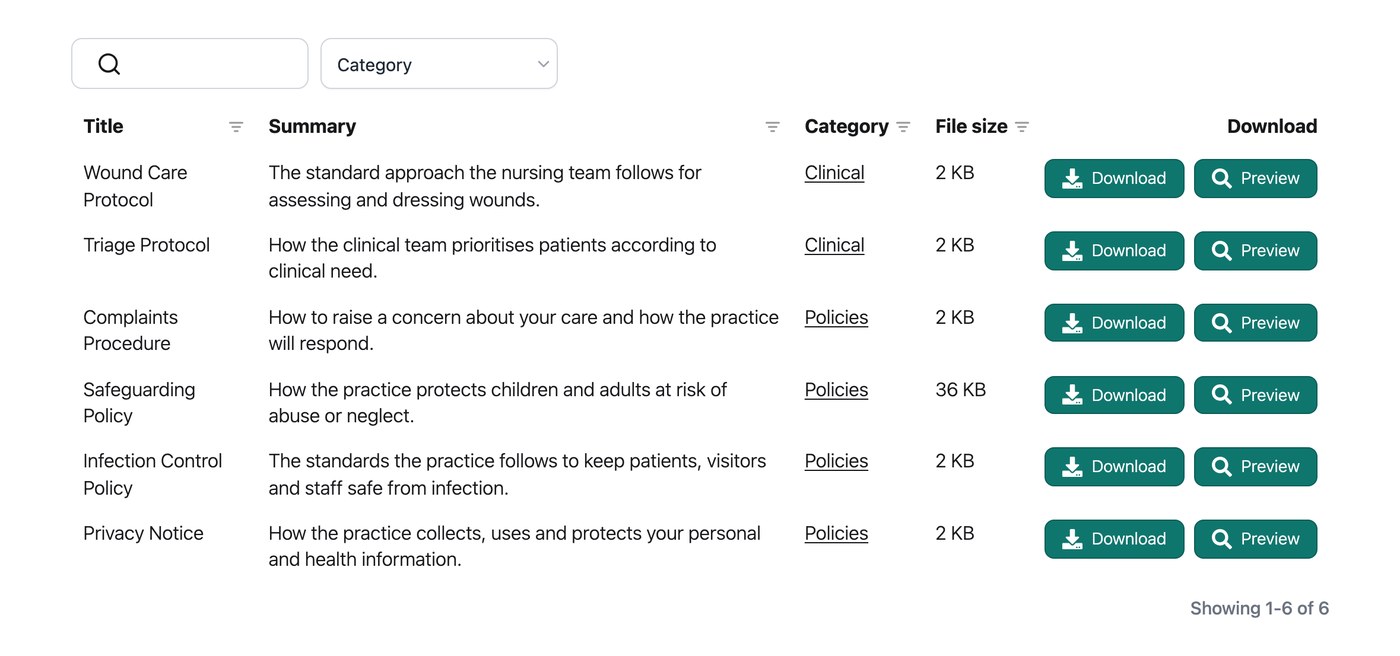
This is where a tool like Document Library Pro comes in. We built it to do one job well: publish a set of files as a library people can search, read and download from. It turns those files into a searchable, sortable library you can put on a web page or behind a login.
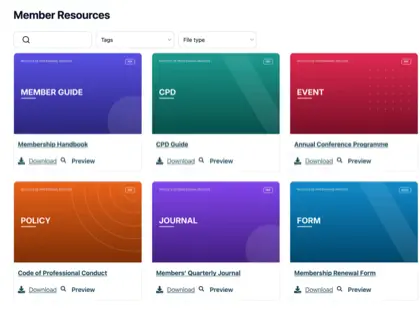
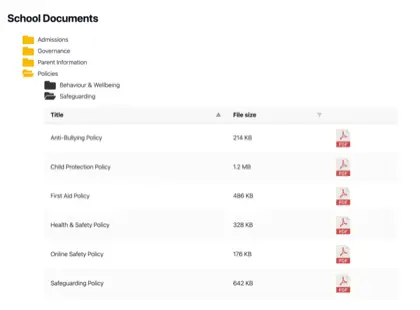
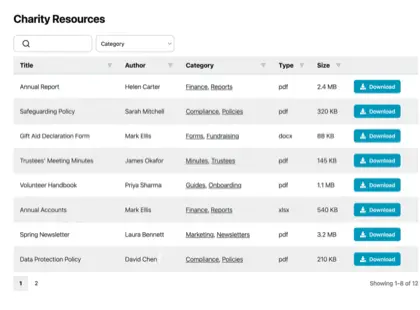
Visitors can search by keyword, filter by category, preview a document in the browser without downloading it, download what they need, and select several files to download together as a zip.
It’s available as a WordPress plugin for WordPress sites, and it can be embedded into almost any other platform too, including Shopify, Squarespace, Wix, Webflow, a custom site, a Salesforce document management setup or an internal intranet.
Structuring an SOP library so people can find things
Good structure means a person can predict where a procedure lives without being told. The fastest route to that is broad, obvious categories that match how your team thinks about work, rather than how your files happen to be saved.
Start with five to ten top-level categories named after functions everyone recognizes, for example Customer Service, Finance, HR, IT and Onboarding. Most procedures should sit one click away under a single category. If you find yourself building folders four levels deep, that’s a sign your categories are too narrow. For more on getting this right, see my guide to organizing your documents.
Consistent naming does the rest. A procedure titled “Refund Process - Customer Service - v3” tells a reader what it is, where it belongs and whether it’s current, all from the title. A few simple file naming conventions applied across the whole set will save your team far more time than any single procedure does.
If I were building an SOP library from scratch, I’d spend the first hour on categories and naming, not on the software. Get that part right and any decent library tool will make the procedures findable. Skip it, and no tool will save you.
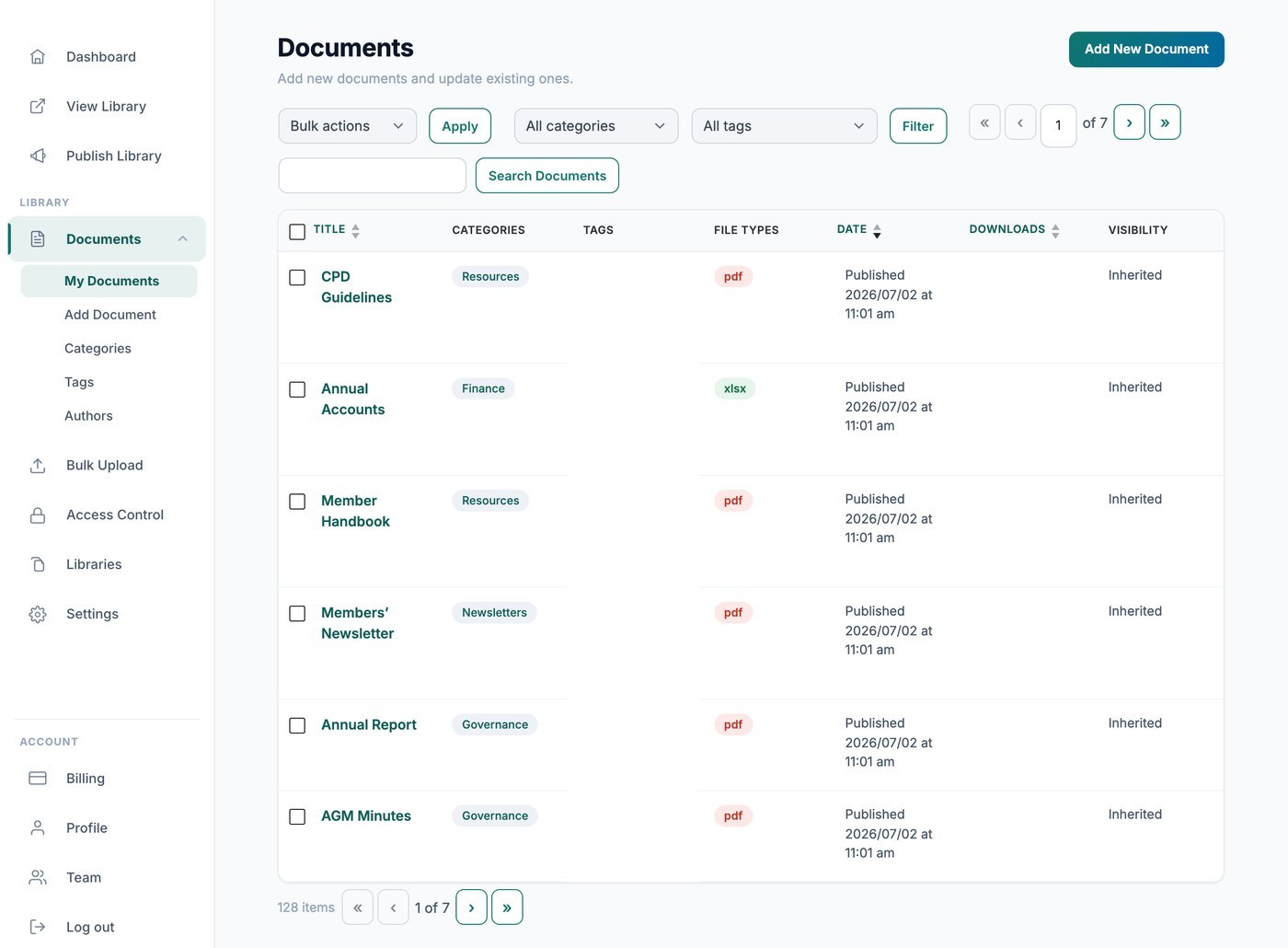
Once the categories and names are in place, you can present everything as a searchable document library that anyone can scan, the way readers expect. In our analysis of 500 sites using Document Library Pro, the table layout was the most popular choice and PDFs were by far the most common file type. That’s exactly what a working SOP library tends to look like.
Keeping SOPs current without a full-time librarian
An out-of-date procedure is worse than no procedure, because people follow it in good faith. The goal is to keep the library current without anyone babysitting it full time.
- Give every SOP a review date and a named owner, so responsibility is clear and nothing drifts for years.
- Show the last-reviewed date in the library itself, so readers can judge freshness at a glance.
- When a procedure changes, replace the old file rather than adding a second copy, so there’s only ever one current version.
- Archive superseded procedures out of the main view instead of deleting them, in case you need the history later.
This is really document version control applied to procedures. Keeping a single current copy, with a clear record of when it changed, is what stops the “which one is latest?” question for good. Standards like ISO 9001 expect documented procedures to be controlled and kept up to date, and a review date plus a single source copy is how you get there.
Some libraries can even flag or expire a document automatically on its review date. That turns the review cycle into a prompt, rather than something you have to remember.
Deciding who can see each procedure
Not every procedure should be public. Some SOPs are fine for anyone to read, and others belong only to staff or a single team. Sorting your procedures into a few access levels before you publish saves a lot of retrofitting later.
A lot of organizations already use Document Library Pro for exactly this kind of internal library, holding board minutes, policies, governance documents and standards that staff or members browse behind a login. SOPs sit naturally in the same place.
A simple split works for most teams: public procedures anyone can see, internal procedures for all staff, and restricted procedures kept to one department in a private space for staff. Decide which level each SOP belongs to, then publish accordingly.
Document Library Pro can password-protect a library so only people with the password can browse it. It’s worth knowing one limit before you rely on it. The password controls who can browse the library, but it doesn’t lock the underlying file address, so a determined person with a direct link could still reach a file.
For genuinely sensitive SOPs, the safe route is to embed the library on a site or intranet that already sits behind a login. That way the whole area is protected, not just the library view.
Getting a team to use the library
A perfect library nobody opens changes nothing. Adoption is mostly about making the library the easiest option in the room.
- Link to the relevant procedure from where the work happens, for example from your help desk, project tool or onboarding checklist, so people don’t have to go looking.
- Make search the default habit. If the library answers faster than a colleague does, people will use it.
- Tell everyone there is now one official place, and retire the old shared folders so there’s no competing copy to drift back to.
- Ask people what they couldn’t find. The gaps they hit are your next procedures to write or rename.
Adoption builds slowly, then holds. Once a few people get a fast, correct answer from the library instead of a Slack reply, the habit spreads on its own.
Frequently asked questions about SOP libraries
What’s the difference between an SOP library and a wiki or knowledge base?
A wiki or knowledge base is built for articles and pages you read on screen. An SOP library is built for documents, usually PDFs or office files, that people download, print or follow as a procedure. If your SOPs live as formatted files that need to stay intact and current, a document library fits the job better than a wiki.
How often should SOPs be reviewed?
A common approach is once a year for stable procedures, and straight away whenever the process itself changes. The exact frequency matters less than having a named owner and a visible review date, so an out-of-date SOP is easy to spot before someone follows it.
Where should SOPs be stored?
Wherever people already work, and in one place only. The exact tool matters less than avoiding scattered copies. A searchable library on your website or intranet works well, because staff reach it without a separate login or app to learn.
Can I keep an SOP library private to staff?
Yes. Document Library Pro lets you password-protect a library so only people with the password can browse it. For sensitive internal procedures, embed it on a site or intranet that already requires a login, which protects the files themselves as well as the library view.
Can people search inside the procedure documents?
Searching by title, category and description is built in, and full-text search inside the documents themselves works today. In practice, clear titles and categories already get people to the right procedure quickly.
Turn your procedures into something people use
You probably don’t need to write more SOPs. You need the ones you have to be findable, current and reachable the moment someone is stuck. That’s the difference between a folder of files and a library that does a job.
Document Library Pro gives your procedures a searchable, access-controlled home that you can publish on your website or intranet in an afternoon. You can try it free for 14 days to see how your team takes to it before you commit.