A members’ document library for associations & groups
Document management for associations, made simple. Put your bylaws, newsletters, member forms and training resources on any website - one searchable library, open to all or locked to members.
Trusted by professional associations and member organizations worldwide.
Built for the work you do
Every document your members need, in one place
From the public homepage to the members’ area, Document Library Pro keeps every resource searchable, filterable and on-brand.
Bylaws & governance
Constitution, bylaws and policies - members always reach the current version.
Member newsletters
Back issues members can browse, search and revisit any time.
Meeting minutes
Board and committee minutes and agendas, public or members-only.
Member forms
Membership, renewal and event forms ready to download in a click.
Training & CPD
Course materials, handbooks and continuing-education resources by topic.
Event materials
Programs, slides and handouts from conferences and member events.
Member directories
Directories, handbooks and reference documents for your membership.
Standards & guidance
Professional standards, guidance notes and best-practice documents.
Display it your way
One library, your choice of layout
Most teams use the searchable table - it’s the most popular layout - but you can switch to a visual grid or organize everything into folders, whatever suits your documents.
Table view Most popular
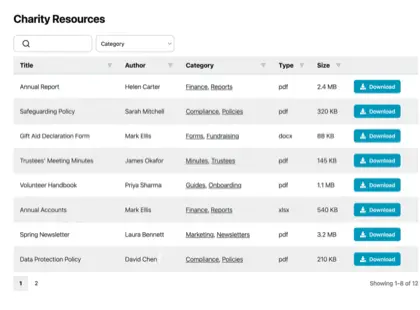
A sortable, searchable table - the layout most of our customers choose.
Grid view
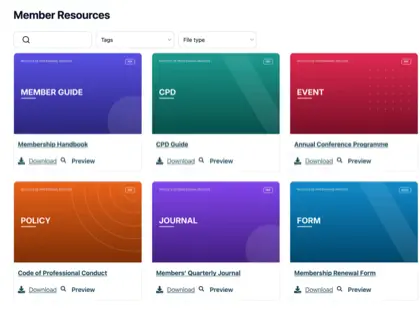
Visual cards with thumbnails - ideal for reports, toolkits and publications.
Folders
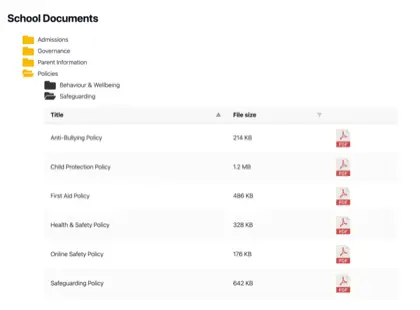
Group documents into browsable folders, just like a shared drive.
Find anything
Members find the right document in seconds
Stop sending members to a long page of links. Every form, newsletter and resource is searchable and filterable, so members go straight to what they need.
- Live search as people type
- Filter by topic, program or file type
- Share a filtered link straight to a family
Public and private, together
Members-only resources, public where you want
Associations share two kinds of document - public resources anyone can reach, and member-only files behind a login. Do both from the same library.
- Open public resources to everyone
- Password-protect part or all of your library
- Or embed it in a page your organization already protects, like an intranet
Customer story
How CE Dojo gives every course its own resource library

The challenge
CE Dojo runs compliance-based continuing education for medical professionals. They needed an easy way to show course resources inside each online course, without cluttering the page.
With Document Library Pro
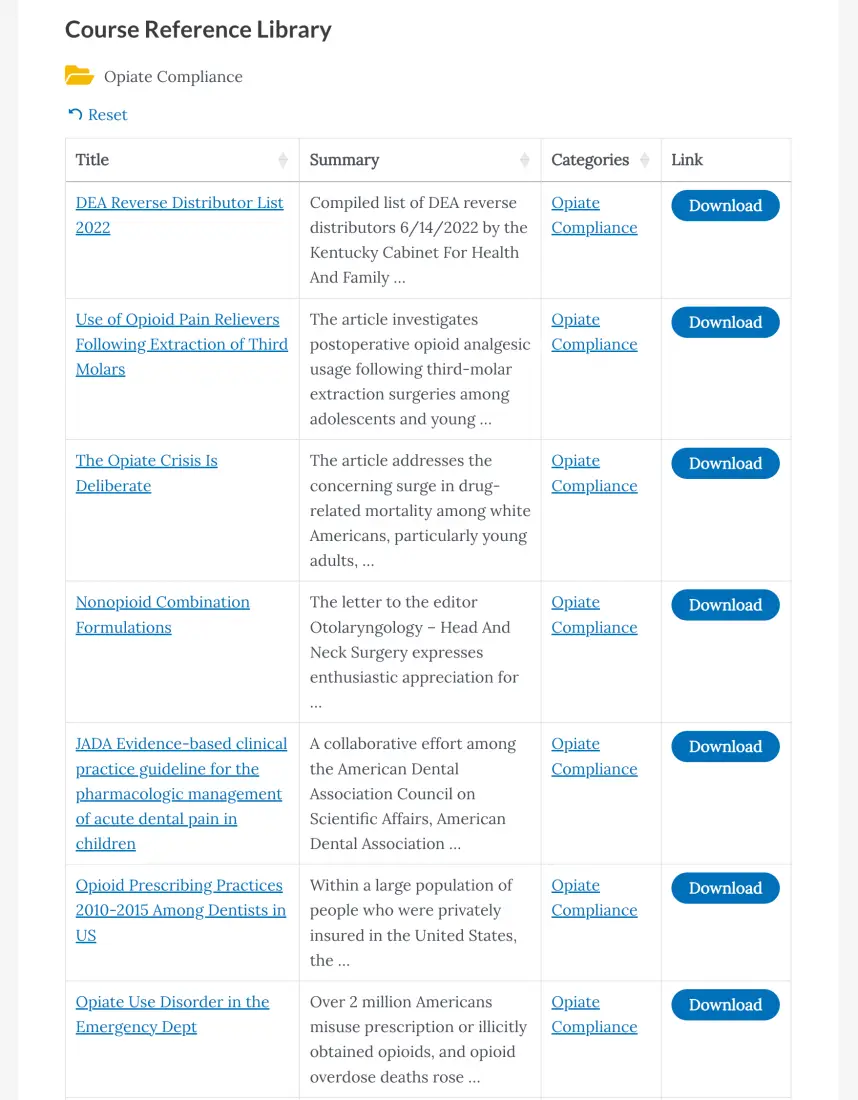
They used the folder layout to give every course its own resource folder - one click opens a searchable, sortable table of references, each with a download button.
The result
Students now reach descriptions, video lessons, assessments and resources from one organized page.
“I needed something that was easier to use and had more functionality. I’m happy with the functionality of the library.”
CE Dojo · Continuing education for medical professionals
FAQ
Questions from associations, answered
Can we keep some documents members-only?
Yes. Restrict documents to logged-in members by user role, while keeping public resources open to everyone - all in the same library. You can also password-protect a whole library.
Do we need WordPress?
No. If your association’s site is on WordPress, install it as a plugin. If it isn’t, paste one embed snippet onto any other website - or let us host a standalone library on your own domain, with no website needed at all.
Can supporters search and filter the documents?
Yes - that’s the point. Visitors search as they type and filter by category, topic or file type, so families and members reach the right document in seconds instead of scrolling a long page.
Can it handle resources for lots of courses or groups?
Yes. Use the folder layout to give every course, committee or group its own folder of resources - with no limit on the number of documents. CE Dojo runs one resource folder per online course this way.
What file types can we add?
Any - PDFs, Word and Excel files, slides, images, audio and video. You can also link to files you host elsewhere, so everything sits in one library.
Give your members searchable libraries for everything you share
Set up your association’s document library in minutes - as a WordPress plugin, embedded on any site, or a cloud library of your own.
Get Started Free14-day free trial · Cancel any time