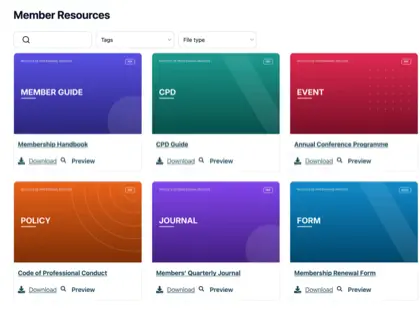
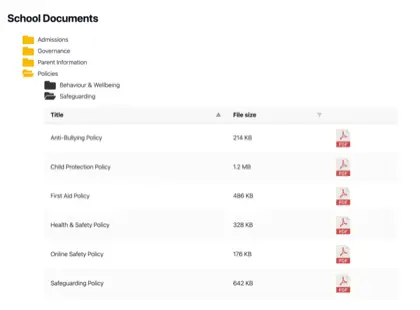
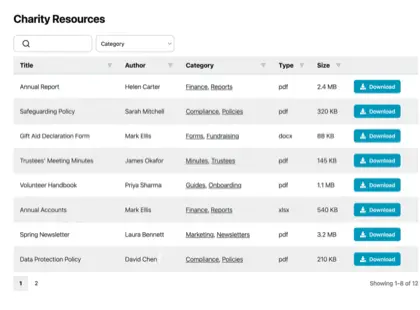
Cloud document management means storing, organizing and working with your documents through software that runs over the internet, rather than on a computer or server in your own office. Your files sit in a provider’s data center, and you reach them through a browser or an app from anywhere with a connection.
The label covers a wide range of tools, from full enterprise systems down to simple file storage, and they are not interchangeable. In this article I’ll explain what “cloud document management” really includes, the main types of tool that wear the name, and how to work out which one fits the job you’re trying to do.
What cloud document management means
Cloud document management is the practice of keeping your organization’s documents in online software instead of on local machines. The provider hosts the files, handles backups and security, and gives your people access over the web.
The appeal is straightforward. Nobody needs to email the latest version of a file around or hunt through a shared drive that only exists on one person’s laptop. Everyone works from the same online copy, updates show up for the whole team, and the documents survive a lost device or a failed hard drive.
However, there’s something worth understanding before you compare products: “Cloud document management” describes tools that do quite different jobs. Some control documents tightly for staff who log in, whereas others simply store files. A few are built to publish documents outward for the public to read. To choose the right cloud document management, you need to understand which type you need.
When we researched this space ourselves, we were surprised to see that almost every cloud document tool is built to store and control files for people who log in. Very few are built to publish a searchable library outward, to the public or a members’ area. That’s worth keeping in mind, because a lot of organizations need to do this and there are fewer options available.
The main types of cloud document tools
Most products that call themselves cloud document management fall into one of three groups:
- Cloud document management systems (DMS). A cloud DMS manages documents internally for a team. It adds version history, permissions, approval routing and audit trails. Tools like M-Files and DocuWare sit here, and SharePoint is the option most large organizations already have.
- Cloud storage and file sharing. Cloud storage keeps your files online and lets you share them with a link. Google Drive, Dropbox and Box are the familiar names. They store files rather than govern them.
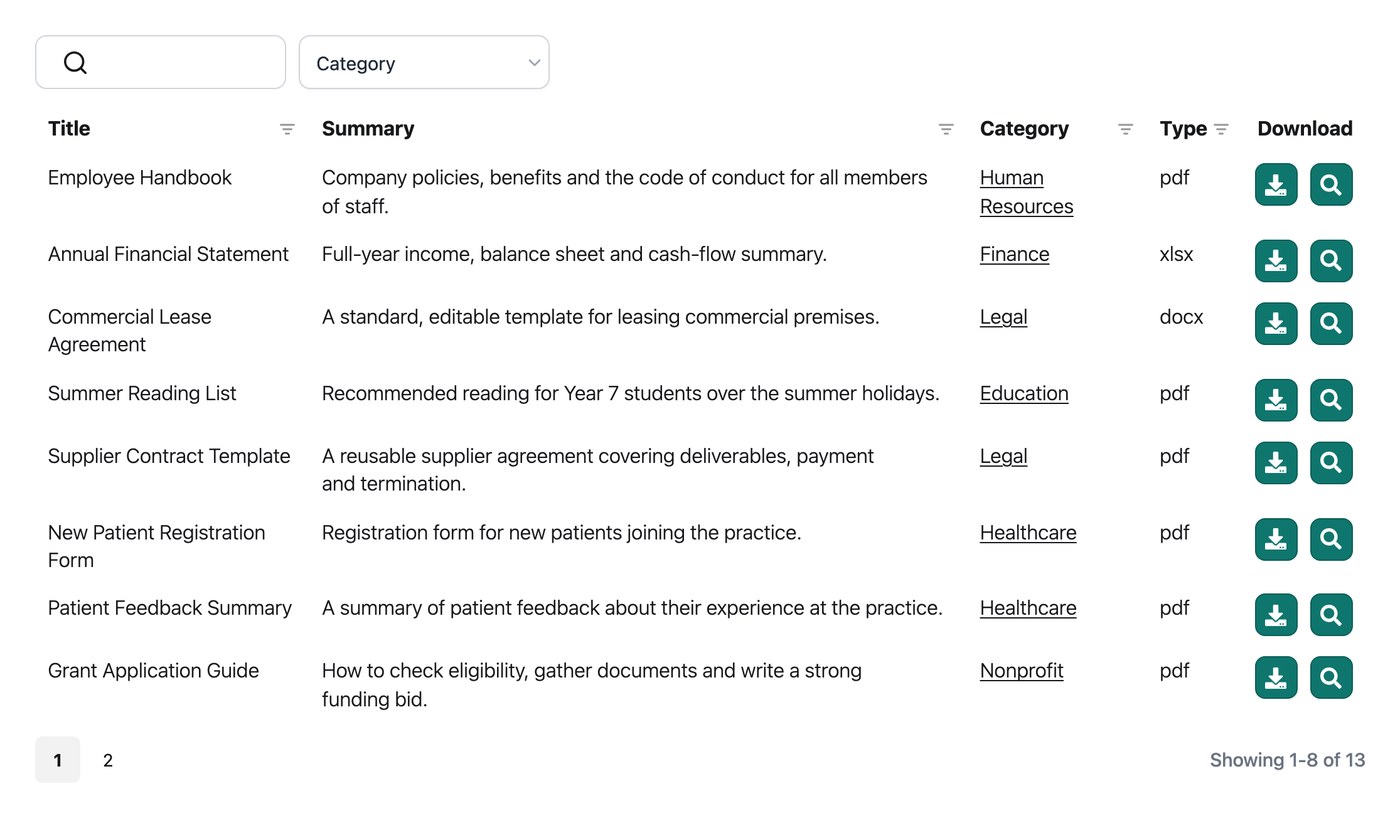
- Hosted document libraries. A hosted library publishes a set of documents as a searchable collection on your own website, for the public, your members or your clients to browse without an account. This is the smallest of the three groups, and the one most people don’t realize exists.
The reason the distinction trips people up is that the marketing for all three uses the same words: “secure”, “cloud”, “searchable” and “organized”. Read past the words and consider what the tool is built to do - this will make it much easier to choose the right cloud management for your organization.
Full DMS vs cloud storage vs a hosted document library
The cleanest way to tell the three apart is to ask who is meant to open the documents, and where.
A full DMS (document management system) is inward-facing. It assumes the people using your documents are your own staff, logging in to view, edit and approve files.
Cloud storage is similar in that it centers on people you grant access to, though it’s lighter on control and heavier on convenience.
A hosted document library is the opposite of both. It assumes the people reading the documents are outside your team, arriving on your website to find and download what they need.
Here’s how the three compare on the questions that decide the fit:
| Approach | Who it’s for | Where documents live | Main strength |
|---|---|---|---|
| Cloud DMS | Internal staff who log in | The vendor’s secure account | Version control, permissions, approvals |
| Cloud storage | You and people you share with | The vendor’s cloud drive | Easy storage and link sharing |
| Hosted document library | The public, members or clients | They’re stored in the cloud, and appear on your own website | Publishing a searchable, browsable library |
Plenty of organizations end up needing two of these at once. You might run an internal DMS or use Salesforce document management for your team and still have documents you want the public to find, which a system built for logged-in staff won’t do.
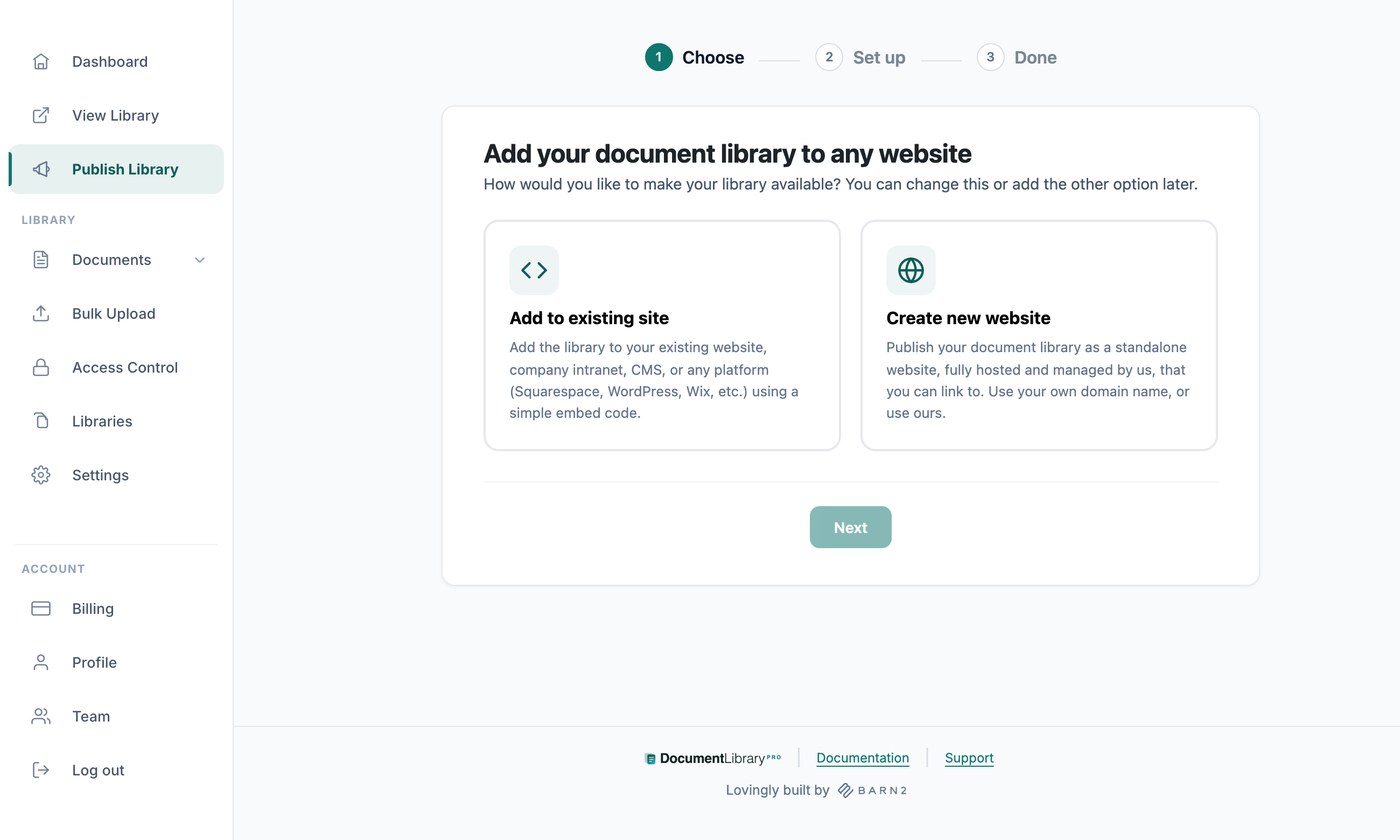
That second job is where a hosted library like Document Library Pro fits. It turns a folder of files into a searchable document library on your site that visitors can filter, preview and download from, no login required.
You can either use it as a plugin on a WordPress site (for organizations already using WordPress for their main website), or as an embed on any other platform. It complements an internal system rather than replacing it - for example, you can either store your files directly on the Document Library Pro cloud system, or you can continue storing them on Dropbox, Google Drive, OneDrive etc. and simply link to these files from Document Library Pro. You can even sync an entire Google Drive folder or Dropbox folder into your library automatically, so the documents create themselves.
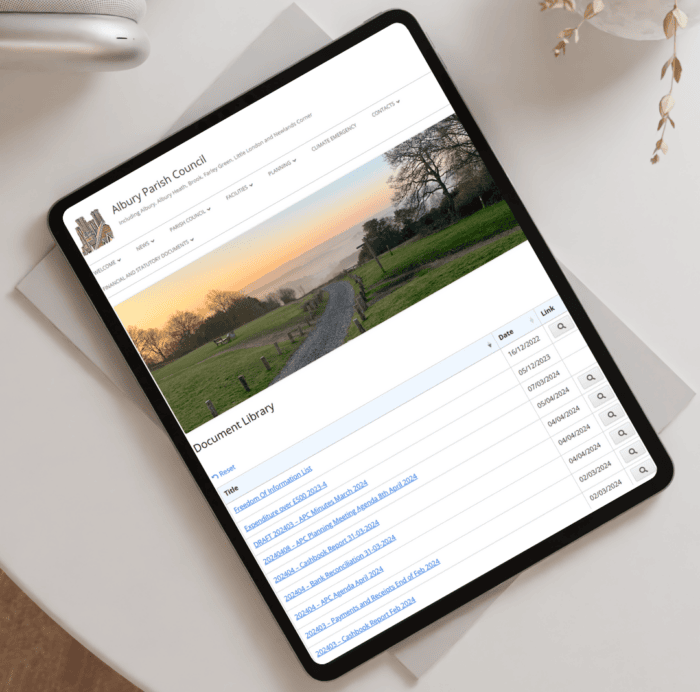
Let’s look at a real life example. Albury Parish Council in the UK uses a library like this to publish its statutory accounts where residents can find them:
If your need is internal cloud management only, then Document Library Pro isn’t the tool for that job, and I’d point you to a proper DMS instead. I compare the leading internal options in my guide to document management software.
Security and access in the cloud
Security often puts people off storing documents in the cloud, and for understandable reasons. Reassuringly, a reputable cloud provider almost certainly protects your files better than a folder on an office PC. They encrypt data, run their own backups, and patch their systems faster than most organizations could in-house.
What you control is access: who can open which documents, and how. The model is different for each type of tool.
- A cloud DMS gives you granular permissions, so you can decide that one team sees a folder, another can edit it, and a third can only view it.
- Cloud storage works mostly through shared links and folder invitations, which is simpler but blunter.
- A hosted library is built to publish, so its default is open. With Document Library Pro, you can gate the whole library behind a password for members, or require an email before a download.
Matching the access model to the sensitivity of the documents matters more than the brand of software. For a closer look at the choices involved, see my guide to secure document sharing.
How to choose cloud document management for your situation
When choosing cloud document management software, start with the job rather than the feature list. This means considering what you want the documents to do, and the right tool will naturally flow from that.
If your team needs to manage controlled documents internally, with versions and approvals and a record of who changed what, then you want a cloud DMS. SharePoint is the safe pick if you’re already on Microsoft 365, and a system like M-Files or DocuWare earns its cost in regulated fields.
If you mostly need to store files and share the occasional one with a colleague or client, cloud storage covers it without the overhead. Google Drive and Dropbox are hard to beat for that, and the free tiers go a surprisingly long way for a small team.
Say your goal is to get documents in front of people outside your organization. The public, your members or your clients land on your website and find what they’re after. None of the internal systems will do that, because that’s not their job and you need a hosted document library instead.
You can start a free 14-day trial of Document Library Pro and have a searchable cloud-based library live on your own site the same day.
Frequently asked questions about cloud document management
Is cloud document management safe?
For most organizations, yes, and usually safer than keeping files on local machines. Reputable providers encrypt your data, back it up automatically and maintain security standards that are hard to match in-house. Your main responsibility is controlling who has access and using strong logins.
What’s the difference between cloud storage and a document management system?
Cloud storage keeps your files online and lets you share them, but it doesn’t govern them. A document management system adds version control, permissions, approval workflows and audit trails on top, so it controls who can view, edit and approve each file.
Can cloud document management publish documents to the public?
Most of it can’t. Cloud DMS tools and storage services are built for internal, logged-in use, and a shared link isn’t a true public library. To publish a searchable collection on your own branded website, you need software designed for front-end display, such as Document Library Pro.
Do I need technical skills to use cloud document management?
It depends on the tool. Cloud storage like Google Drive or Dropbox needs almost none. A full DMS usually wants someone to configure permissions and workflows. A hosted document library sits in between, with a setup process that’s straightforward once you’ve worked through it the first time.
How much does cloud document management cost?
Pricing ranges widely. Cloud storage and small-team tools start free or at a few dollars per user a month. Enterprise DMS platforms are usually quote-based and priced per requirement. A hosted document library typically runs on a flat subscription rather than per-user fees, which keeps it predictable as your audience grows.