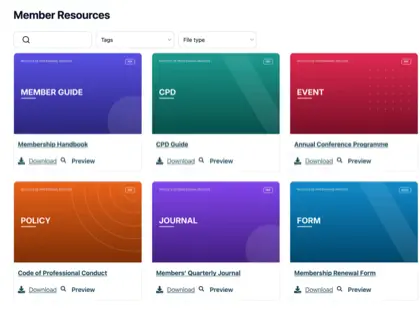
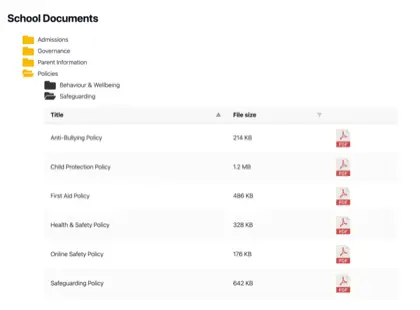
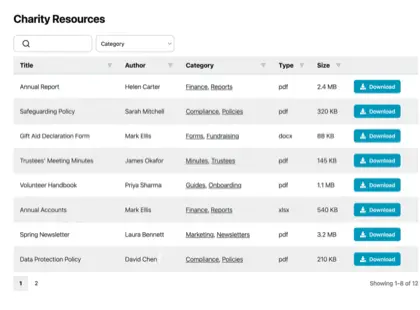
Document management for associations often causes a a frustration that most membership teams know well. Members email the office asking where to find a form or a policy you published months ago, and someone has to dig it out by hand. The files exist, but they are just hard to reach because the software you run your association on was never built to make documents findable.
Sound familiar?
The fix is to create a searchable document library that lives on your association’s website and works alongside the membership system you already pay for. That is what I’d recommend, and below I’ll explain where it fits, what goes in it, and how to keep the sensitive parts private.
What membership software leaves out
Your association management software is built to manage the membership itself: joining, renewals, dues, the member database, email and event registration. Documents tend to be an afterthought, handled with a basic file upload or a long page of links within the members area.
A page of links works for up to five files. Once you get past that, members can’t search it, can’t filter it and can’t tell which version is current. As a result, they give up and email you instead. The document side quietly becomes the office’s problem, while wasting your members’ time too.
Very few document tools can fix this problem. That’s because most of the options on the market are built for storage and internal file sharing. They’re simply not designed to publish documents and resources as a library that members and the public can search - and yet this is exactly what associations need.
Most associations need two types of document library
Once you start publishing documents properly, most associations find they really have two libraries (even if both sit on the same website):
- A public library that anyone can browse. This is home to your bylaws, annual report, newsletters and back issues, public meeting minutes and joining forms. It doubles as a shop window that shows prospective members what you produce, which is why a good public resource library is worth getting right.
- A members-only library behind a login. This holds board and committee papers, the member directory, training resources, renewal forms and event materials that only paid-up members should reach, much like a member portal.
When we analyzed associations that use Document Library Pro, we discovered that the vast majority were using it to create searchable PDF libraries. Most chose to list their PDFs in a table because of the structured data that it displays about each document.
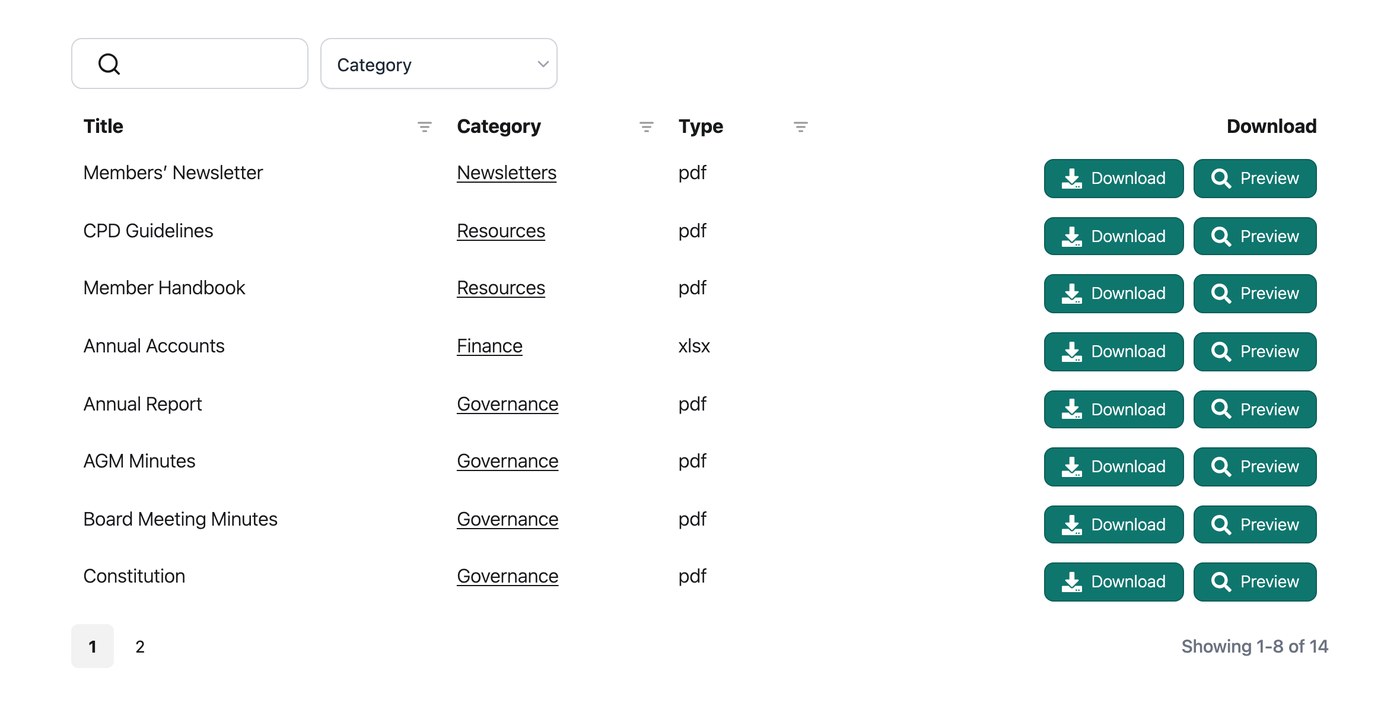
Fitting a library around the system you already have
If you’re creating a document library for your association, your goal should be to do this without disturbing the membership system you already run. Members shouldn’t need a second account or a separate site to access documents, and you shouldn’t have to move any of your membership data.
We built Document Library Pro to slot in this way. It turns your files into one searchable document library that members can search, filter by category, and preview in the browser without downloading. They can grab a single file, or select several and download them together as a ZIP.
Importantly, the document library fits into your existing members area. Whatever type of website or platform you use for the members area, you can embed your document libraries into it. If your association’s website is built on WordPress, then you can install the WordPress plugin. For all other platforms including Squarespace, Wix, Webflow, a custom site or an internal intranet, choose the hosted version and embed document libraries as needed. Either way, the library lives on the site members already visit.
Document Library Pro has two features that are particularly useful for associations’ documents:
- The front-end submission form lets committees or local chapters upload their own documents, with each one optionally held for approval. That way, the library isn’t one person’s job. Depending on the type of association you run, you can even let members submit documents to be shared with other members in the library.
- If you’re publishing documents in the public areas of your site, then the email capture feature lets you Use the document library as a membership lead magnet. This is an excellent way to turn a popular resource into a membership lead. It is the same approach that many nonprofits use to grow their supporter list.
Common questions from associations
Does a document library replace our association management software?
No. The two work together. Your association management software keeps running your membership, dues and events. Document Library Pro handles the documents, publishing them as a searchable library members and the public can browse on your own site.
How do we keep the members’ library private?
While Document Library Pro comes with a password protection option for each library, for most associations I would recommend simply embedding the library in your existing members area. This is already gated to members, so the library will automatically inherit the same protections.
Can members add their own documents?
Yes. A front-end submission form lets members, committees or local chapters upload documents directly, with the option to hold each one for approval before it appears in the library.
Which platforms does it work on?
Either install Document Library Pro as a WordPress plugin, or set up the hosted version and embed the libraries into any other platform like Squarespace, Wix, Webflow, a custom site, Salesforce or an internal intranet. This means that it fits whether your association is built on WordPress or something else. You can read more on the membership associations page.
Start with your most-requested documents
You don’t have to move everything at once. Begin with the files members ask for most, like your bylaws, the latest newsletter and the renewal form, and put those into a searchable library first. The rest can follow as you find the time.
Do that and your membership software carries on doing what it’s good at, while your documents finally get a home that does the same. When you’re ready, sign up for a free 14-day trial of Document Library Pro and build a library your members turn to first. If your association is a registered nonprofit or charity, you can also claim 15% off through our nonprofit discount page.