





Filters in hosted Document Library Pro add filter dropdowns which visitors use to narrow down the documents by selecting an option. Filters can appear above your library, inside the column headers, or both. For your main library you set the filters on the Search tab of your settings. For a library you have built, you set them at the Controls step of the Library Builder.
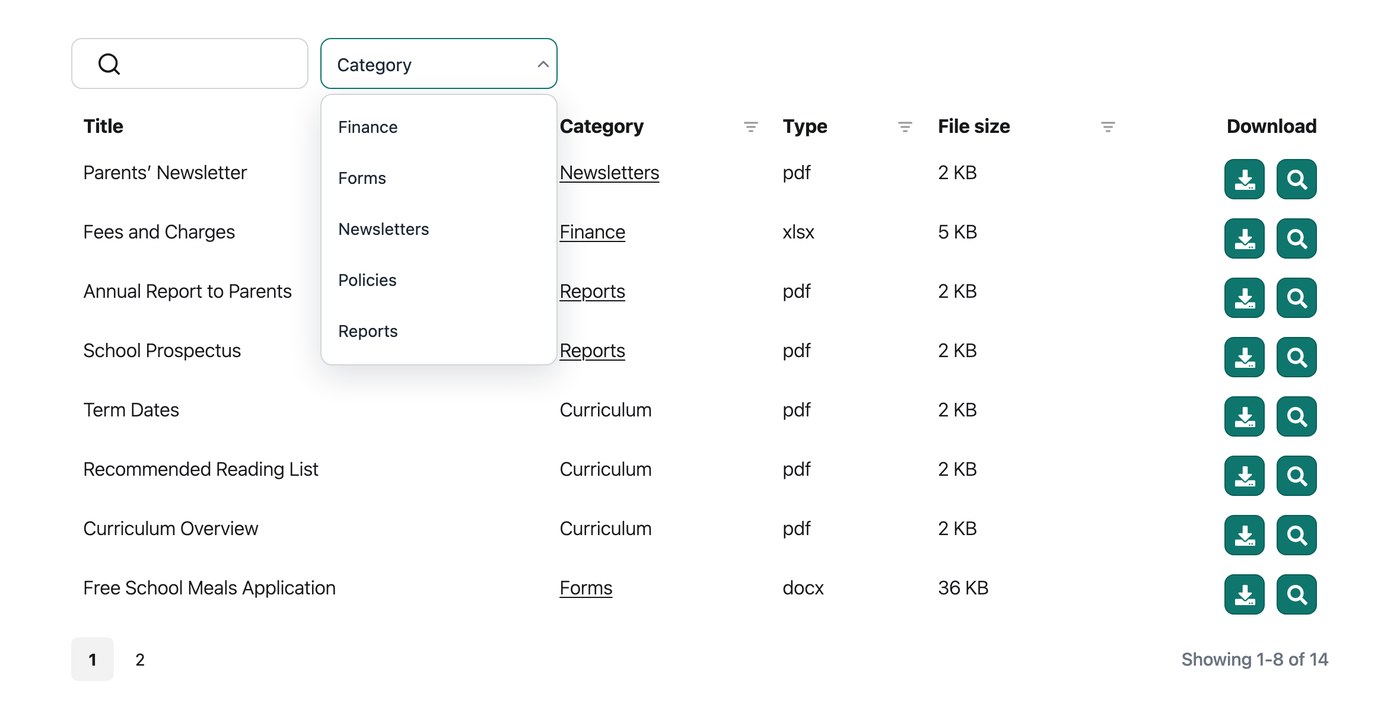
Available filters
You can create filter dropdowns for the following:
- Categories.
- Tags.
- Document author.
- File type.
How to add filters
You add filters in the Library Builder when creating or editing a library.
Once you switch on filter dropdowns, a drag-and-drop filter builder appears:
- Use the “Choose a filter” dropdown to add filters such as categories, tags or a custom taxonomy.
- Use the pencil icon to rename each filter.
- Drag the dotted handles on the left to reorder the filters. The filter at the top of the list appears on the left (or on the right for right-to-left languages).
Positioning the filters
Filters appear above the library by default. Using the Filter locations option on the Search tab of your settings, you can show them above the library, inside the column headers, or both:
- Display filter dropdowns above the table. Shows the filters in a row above the library.
- Show filters in column headers. Shows a filter inside the heading of each filterable column.
Filters in column headers
When you show filters in the column headers, columns that support filtering (such as categories, tags and authors) display a filter icon in the column heading. Visitors can click the icon to open a dropdown and filter the library without leaving the column they are looking at.
When a filter has 9 or more options, a search box appears at the top of the dropdown so visitors can quickly find the option they want. For shorter lists the search box is hidden, as it is not needed.
Multi-select filters
By default, each filter accepts a single choice at a time. Switch on the Multi-select filters option on the Search tab of your settings to let visitors select more than one option from each filter at once.
Active filters
Switch on the Active filters option on the Search tab of your settings to display a summary of the currently applied filters above the library. Visitors can always see exactly which filters are in effect and what they are looking at.
Filter counts
Switch on the Filter counts option on the Search tab of your settings to show the number of matching documents next to each option in the filter dropdowns. Visitors can see how many results each option will return before they select it.
How to rename the filters
To give a filter a custom heading, click its pencil icon in the filter builder and type your preferred wording. If you do not set one, the heading falls back to the matching field name in the library, and failing that, the name of the taxonomy itself.
Limitations
Filters are not supported in folder view. If you need filters above the library, keep folders switched off.
FAQ
Can I show the filters before the library loads?
No. The filters are designed to refine the list of documents, not to filter it before it first loads.
Can I list categories and sub-categories as separate filters?
Categories and taxonomies appear in a single dropdown. The list is nested and hierarchical, so visitors can see which are parent categories and which are children.
Can I control the order of the dropdown items?
Filter dropdowns are ordered alphabetically. If alphabetical order is not right for your data, such as months, you can add numbers in front of each term to control the order. For example, name month categories “01 - January”, “02 - February” and so on.
Can visitors select more than one option per filter?
Yes. Switch on the Multi-select filters option described above, and visitors can pick as many options as they like from each filter.