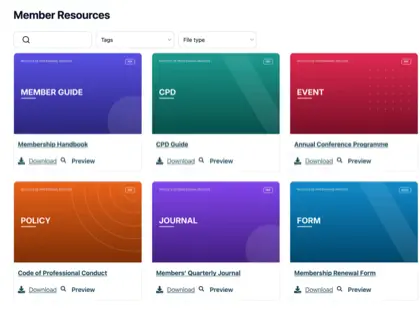
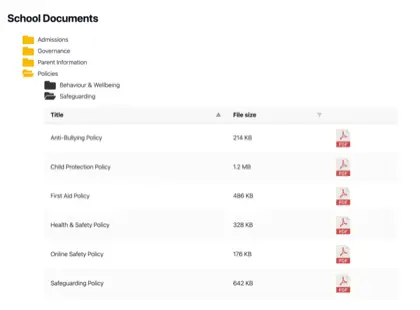
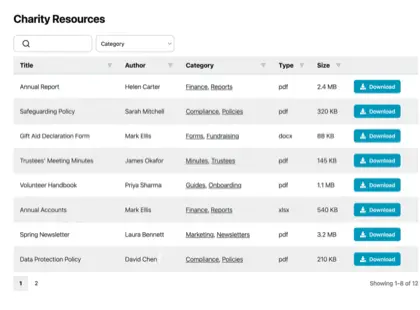
Document management for local government means giving a council one place to store, organize and publish the documents the public is entitled to see. That covers meeting agendas and minutes, budgets, policies and asset registers.
Most councils don’t need heavyweight enterprise software for their document management. More often, they just need a searchable library published on their existing council website.
Councils are unusual in that a large share of their documents have to be public by default. Open-government rules in most countries treat agendas, minutes, accounts and policies as records anyone can ask to see. Making documents public by default can also save time on manually processing Freedom of Information requests. All of this makes publishing a given - councils know they need to publish them on their website, and the question is the best document management system that will do this.
As the makers of Document Library Pro, we see how common this need is with these organizations. In our own analysis of 500 sites running the software, government bodies and parish councils made up roughly one in six of all users. They had all arrived at the same problem: a steady stream of public documents and nowhere tidy to put them.
My recommendation for almost any council is a searchable document library on the website they already run, and I’ll explain how and why to do this using Document Library Pro. I’ll cover what councils have to publish, why the usual page of links falls down, what a proper library looks like with a real council already doing it, and how to keep it current.
What councils are required to publish
Almost every council operates under transparency rules that force certain documents into the open. The exact list depends on where you are, but the shape is the same: they have to make records that show how public money is spent and how decisions are made available to residents.
In the United States, open-meetings and public-records laws - often called sunshine laws - vary state by state. They generally require councils to post meeting agendas in advance, publish minutes afterward, and treat most records such as contracts, budgets and reports as open to inspection. The deadlines and the fine print differ, so it’s always worth checking your own state’s statute.
In England, smaller councils have an even more specific list. Under the UK government’s transparency code for smaller authorities, parish and town councils with a turnover under £25,000 have a set list to publish. It includes spending over £100, draft minutes within a month of each meeting, agendas at least three clear days beforehand, and details of the land and buildings they own.
All of these documents has to sit on a publicly accessible website, free to view. Wherever the council sits, the duty is the same in spirit. Residents have a right to find these documents, which essentially makes a document management system with good findability a legal obligation rather than an optional extra.
The problem with burying documents in web pages
Most councils meet their duty to publish, but they do it in the worst possible way for their residents. The files are published as a long list of links on a web page, or worse, scattered across several pages with no single home. This technically counts as information-sharing. It just isn’t usable, which is against the spirit of openness.
The trouble starts for councils that need to publish more than a handful of documents. This applies to a big proportion of government organizations. For example, council produces minutes every month, agendas before every meeting, accounts every year, plus planning papers, policies and notices on top. Within a year or two that page is hundreds of links long, and a resident looking for last March’s minutes has to scroll and squint to find them.
It’s also fragile. When one person manages the page by hand, files get uploaded under inconsistent names and links break when the site is rebuilt. Old documents sit alongside current ones with no way to tell which is which.
In these situations, while the council has met the letter of the rule, they have also made the information almost impossible to use. That’s the opposite of what transparency is for!
The fix is the same one you’d apply to organizing documents on any drive: give the files a clear structure. The difference for a council is that part of the document management structure has to live somewhere residents can reach it, not on a staff computer or private intranet.
How to create a searchable public document library
A searchable document library turns that endless page of links into something residents can use. Instead of scrolling, a visitor types a keyword or filters by category, such as meeting type or year, and lands on the exact file they came for. That’s the job we built Document Library Pro to do.
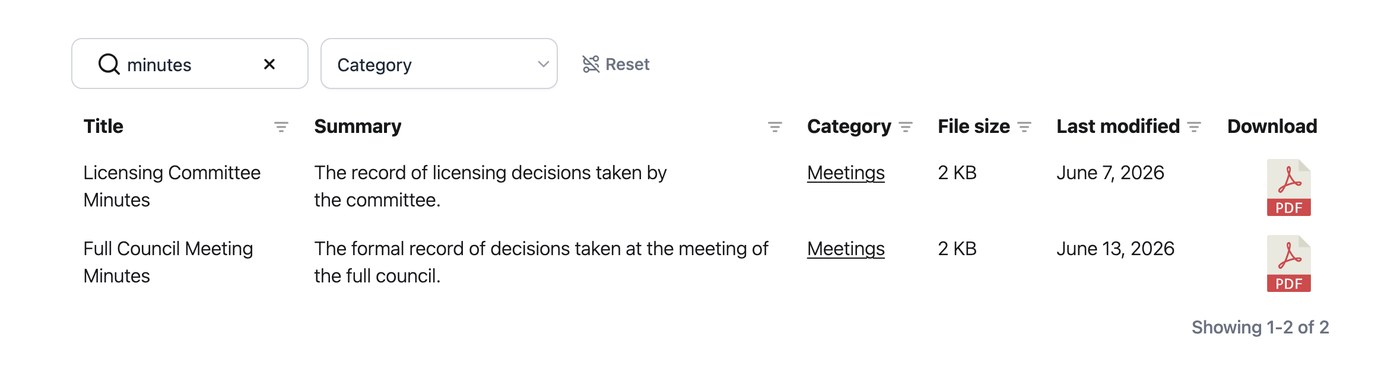
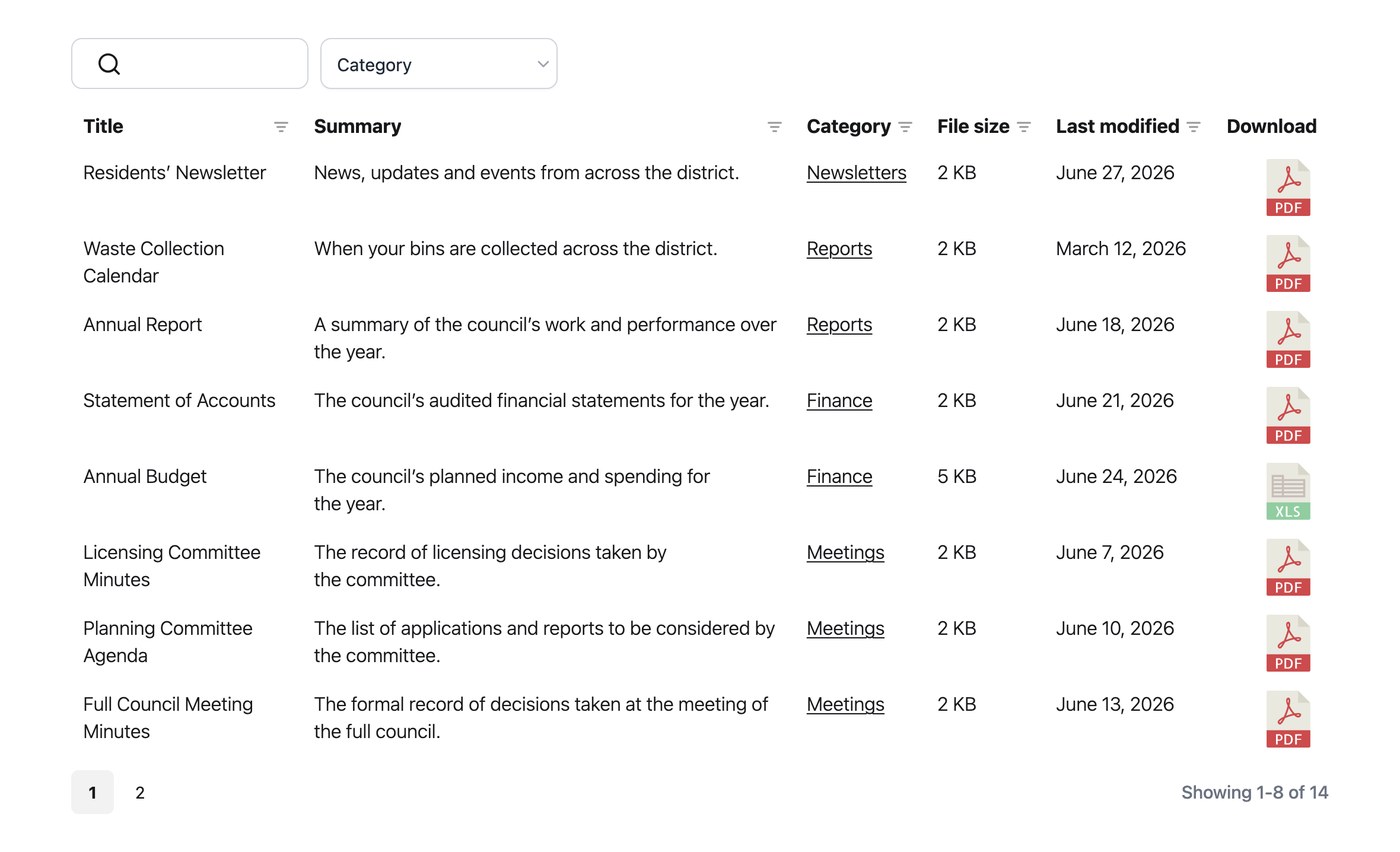
Document Library Pro takes the files that a council already produces and publishes them as a structured, searchable document library. Visitors can search by keyword and filter by category, such as committee or year. They can preview a document in the browser without downloading it, download what they need, or select several files and download them together as a single ZIP.
For a resident seeking a specific set of minutes or a budget report, that’s the difference between ten seconds and ten minutes. For councils specifically, a few features are particularly useful:
- Categories and filters. Group documents by committee, meeting type, year or topic, so a resident finds the right agenda or policy without scrolling a wall of links.
- Stable, permanent links. Each document keeps a fixed address, so a link to a policy in a notice or email still works months later.
- In-browser preview. A resident can read a document on the page before deciding whether to download it, which suits long meeting packs no one wants to save by accident.
- Access control where you need it. Keep the public records open to everyone, while restricting the occasional internal document, such as draft papers or councillor-only files, by password.
While Document Library Pro does have built-in password protection, the safest approach for private files is to place the restricted library inside a part of the site that already requires a login. The file is then protected, not only hidden from the library’s search.
Document Library Pro runs on whatever platform a council’s website uses. We originally built it as a WordPress plugin, and it’s still available that way. However, it now also works as a hosted library you can embed into any other platform. A council on Squarespace, Wix, Webflow or a custom-built site can publish the same searchable library without moving to a new system. The library lives on the council’s own website, which is much better than providing a separate portal that staff and residents have to learn.
Pro tip: If you’re starting from years of existing minutes and agendas, add them in batches rather than importing the whole back catalogue at once. A single very large import can be slow. Once the old documents are in, keeping up with each new meeting is the easy part.
Real example: Albury Parish Council
To help you visualize what all this looks like, I find it helpful to look at a council already running one. Albury Parish Council, a small local authority in England, publishes its public documents as a searchable library on its own website rather than as a list of links:
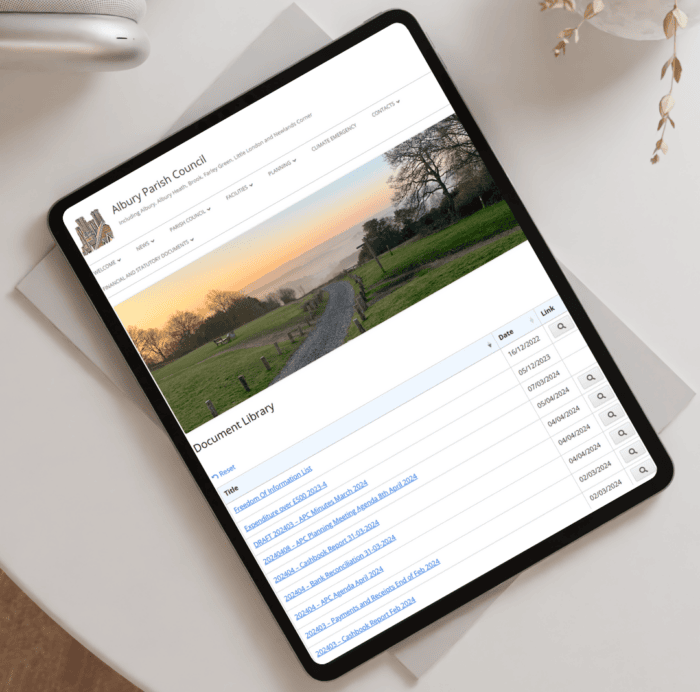
Their setup is exactly the kind of thing the transparency rules are reaching for. Minutes, agendas, finance documents and policies sit in one place, sorted into categories. A resident can search for what they want and open it in a couple of clicks, which covers the council’s publication duties and serves the people those duties exist for at the same time.
Albury isn’t an outlier. Across the council and government sites in our analysis, we kept seeing the same setup: a searchable table of PDFs, filtered by category, holding minutes, agendas, finance papers and policies.
PDFs are by far the most common file type these councils publish, and the table layout is the most popular choice because of the structured detail it shows for each document. I agree with this choice because the table view is the format that it easiest to search and scan large numbers of minutes and other documents.
It’s worth noticing is how simple and effordable the setup is. Albury didn’t commission a bespoke system or move to enterprise software. Instead, they just added a library to the website they already had, which is the realistic path for almost any parish or town authority.
You can see how other organizations approach their document management on our councils and government page.
Keeping records current and compliant
Publishing the documents is only half the job. Your library only earns residents’ trust if it stays current. It loses that trust fast when last year’s budget is sitting at the top of the list, or a superseded policy is still the first result.
Two simple habits keep it reliable:
- Agree how long each type of document stays available and when it gets archived or replaced. For a council this is partly set by law and partly your own call, and it’s really just a retention policy applied to what you publish.
- Give one person clear responsibility for the library, even when others can upload to it, so a new set of minutes goes up on schedule and nothing falls between roles.
Neither takes much time, and together they’re the difference between a library residents rely on and one they stop trusting. The same discipline helps any organization with publication duties, from a parish council to a homeowners’ association facing its own record-sharing rules.
Document Library Pro also comes with built-in version control. Enable this to keep a clear record of each document’s version history and ensure it’s always clear which is the current version.
Frequently asked questions about document management for government
What is the best way for a council to publish documents online?
For anything more than a handful of files, the best approach is a searchable document library on the council’s own website, rather than a long page of links or a shared cloud folder.
A library lets residents search and filter to the document they need, keeps each file at a stable address, and lets you separate open public records from the occasional internal document. It also keeps everything on the website people already associate with the council.
Do small councils need dedicated document management software?
Most small councils don’t. Enterprise document management systems are built for large internal teams and complex compliance workflows, which is more than most parish and town councils need or can fund. What a small council typically needs is a clear, searchable way to publish public documents on its existing website, which a document library handles without the cost or complexity of full enterprise software.
How can a council keep some documents private?
Use access control to restrict a library, or individual documents, to specific users, roles or a password, while keeping the public records open to everyone. For genuinely sensitive files, place the restricted library inside a part of the site that already requires a login, so the file itself is protected and not only hidden from the library’s search.
Can Document Library Pro be used by a council on any website?
Yes. Document Library Pro works as a WordPress plugin and can also be embedded into other platforms, including Squarespace, Wix, Webflow, a custom site or an internal intranet. It publishes a council’s files as a searchable, filterable library that you can keep fully public or restrict to specific people, so it fits whether the council’s site runs on WordPress or something else.
Make your council’s documents easy to find
For most councils, good document management comes down to one thing. Give the agendas, minutes, accounts and policies you already publish one searchable home on your own website, with the public records open and the rare sensitive file behind a login.
Get that in place and you spend less time fielding “where do I find” questions and rebuilding broken links, and more time on the work residents elected the council to do.
When you’re ready to set one up, you can try Document Library Pro free for 14 days and give your residents a public library they can rely on.