





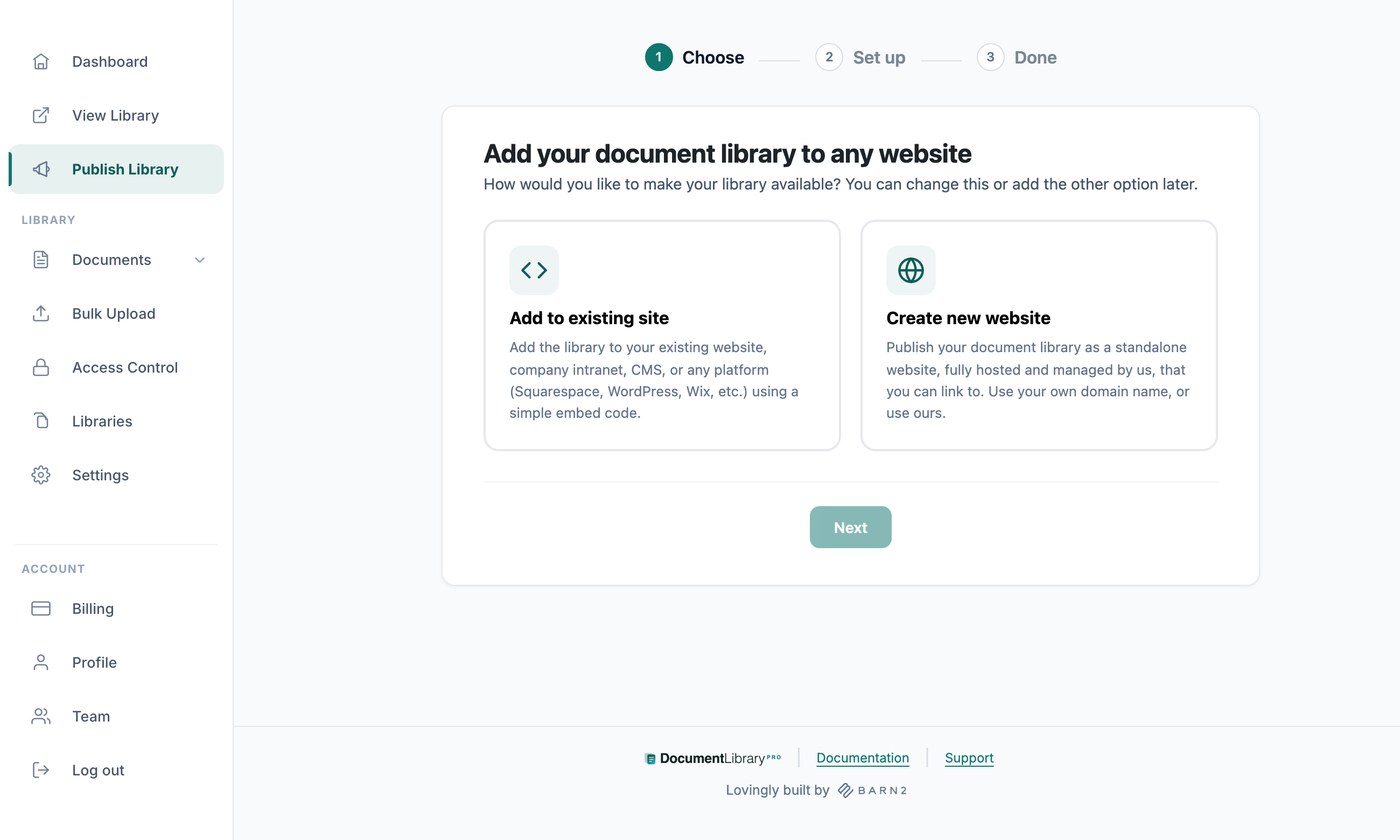
Hay dos formas de poner tu biblioteca de documentos delante de la gente, y puedes usar una o ambas:
- Insértala en tu sitio web, en cualquier página de un sitio que ya tengas.
- Usa el sitio web listo para usar que viene con tu cuenta y comparte el enlace.
Ambas se configuran en la página Publicar biblioteca de tu escritorio. La primera vez que la abres, un asistente breve te pregunta qué método quieres y lo configura. Después, la página muestra los ajustes de ambos.
Ver el tutorial completo
Insertar en tu sitio web
Un código de inserción es un pequeño fragmento de HTML que muestra tu biblioteca alojada dentro de una página de tu propio sitio. Abre Publicar biblioteca y copia el código con el botón Copia el código . Tu código tiene este aspecto, con tu propia dirección web en lugar de la nuestra:
<iframe src="https://your-library.documentlibrary.app/?dlp_embed=1" title="Document library" style="display:block;width:100%;border:0;height:600px;" loading="lazy"></iframe>
<script src="https://your-library.documentlibrary.app/?dlp_embed_resize=1" async></script>
La primera línea es el iframe, que muestra la biblioteca. La segunda línea es un pequeño script que permite a la biblioteca redimensionarse para ajustarse a su contenido y abre las vistas previas de documentos dentro de la página. Pega ambas líneas donde quieras que aparezca la biblioteca.
El Cómo añadirlo a tu sitio web incluye los pasos para WordPress, Squarespace, Wix, Shopify, Webflow, Google Sites, GoDaddy, Framer y cualquier otra plataforma, cada uno con un enlace a las instrucciones completas. Haz clic en Mostrar vista previa en directo para ver la biblioteca como la verán tus visitantes.
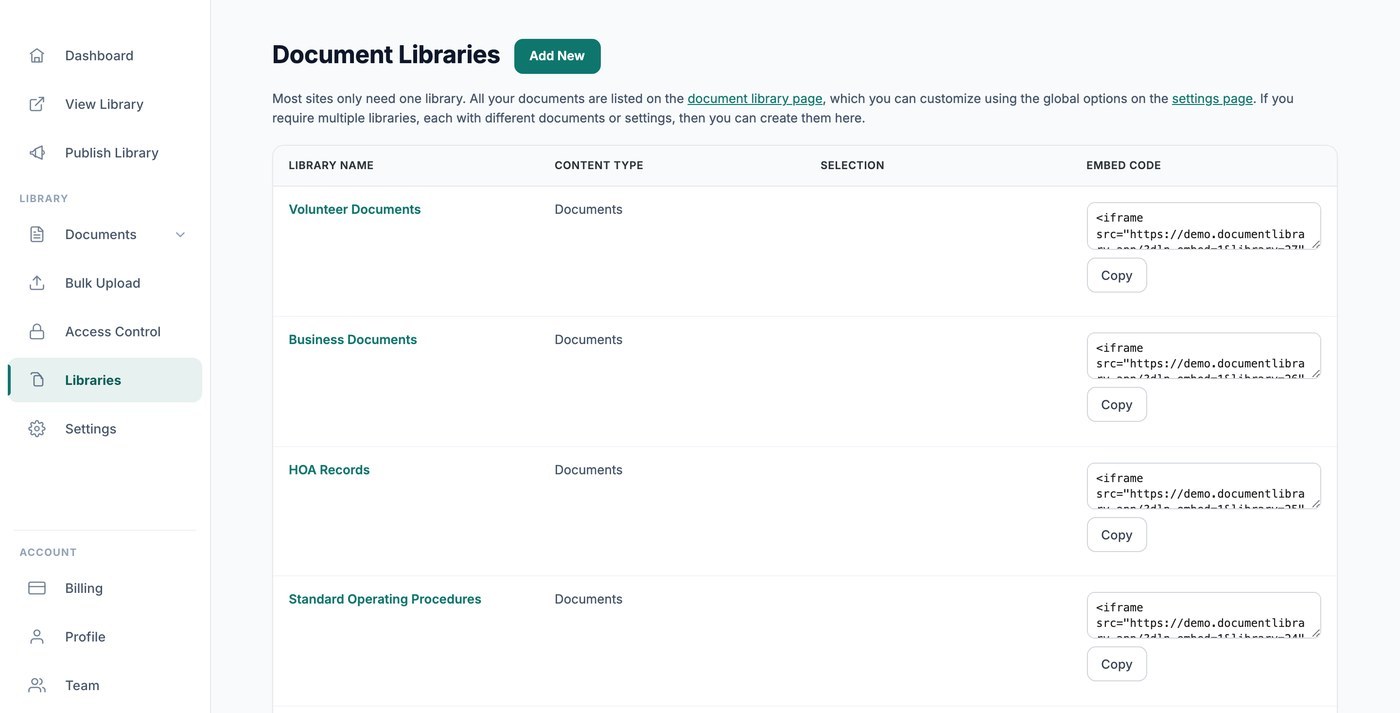
Si has creado bibliotecas adicionales, cada una tiene su propio código de inserción debajo del principal y en la pantalla Bibliotecas. Consulta crear una biblioteca con Library Builder.
Dónde puede aparecer tu inserción
Por defecto, tu inserción funciona en cualquier sitio web. Para limitarla, lista los dominios con permiso para mostrarla, uno por línea, y haz clic en Save. Los navegadores la bloquean en todos los demás lugares. Deja el campo en blanco para permitir cualquier sitio.
Rellena esto si tu biblioteca está protegida con contraseña o acepta envíos de documentos, para que nadie pueda ponerla en un sitio propio.
Tu código de inserción contiene una dirección para mostrar tu biblioteca dentro de un iframe. Esa dirección solo funciona dentro de un elemento insertado. Si alguien la abre en una pestaña del navegador, la biblioteca no aparecerá. Las páginas de la biblioteca permanecen ocultas para los motores de búsqueda a menos que publiques la página independiente. Si publicas esa página, la dirección lleva a las personas allí.
La dirección no es 100% infalible. Si nadie debe acceder a tus documentos desde ningún lugar que no sea la página de la biblioteca insertada, protege tu biblioteca de documentos con contraseña y activa Bloquear enlaces directos a archivos. Ambos ajustes forman parte del plan Advanced y están en la página Control de acceso .
Código de inserción del formulario de envío
Debajo del código de tu biblioteca hay un Código de inserción del formulario de envío. Pégalo en cualquier sitio web para que la gente pueda enviar documentos a tu biblioteca. Consulta aceptar envíos de documentos de los visitantes.
Tu sitio web
Cada cuenta incluye un sitio web listo para usar para tu biblioteca, que no necesita configuración ni un sitio web propio. Haz clic en Abre para verlo.
- Dirección del sitio web - La dirección de tu biblioteca, con el formato your-slug.documentlibrary.app. Usa Copiar enlace para compartirla.
- Usar tu propio dominio - Introduce una dirección propia, como docs.yourcompany.com, y haz clic en Solicitar dominio. Lo configuramos contigo en un plazo de dos días laborables. Consulta usar un dominio personalizado con tu biblioteca de documentos alojada.
- Título de la página de inicio - El encabezado de la parte superior de tu sitio web. El valor por defecto es Biblioteca de documentos.
- Texto introductorio (opcional) - Texto que se muestra encima de tus documentos, por ejemplo una explicación breve o una dirección de contacto.
- Página de inicio - Elige qué muestra la página de inicio: Todos los documentos o una de las bibliotecas que has creado. Esto importa cuando algunas de tus bibliotecas están protegidas con contraseña y la vista de todos los documentos no debería ser pública.
Clic Save cuando hayas terminado. Para dar estilo al sitio web, usa las opciones Logotipo, Color de marca y Fuente en la pestaña Marca de tus ajustes.
Envíos de documentos
Marca Permitir que los visitantes envíen documentos a la biblioteca para permitir que la gente añada sus propios documentos y luego elige dónde vive el formulario en Ubicación del formulario de envío de documentos:
- Añadir un enlace encima de la biblioteca de documentos - Los visitantes llegan al formulario desde tu biblioteca. Define el texto en Texto del enlace del menú.
- Usar una página separada y no listada - El formulario está en su propia página, oculto del menú y de los motores de búsqueda. Define su Encabezado de la página de envío de documentosy luego comparte la dirección con Copiar enlace.
Si los documentos nuevos se retienen para tu aprobación se define en la pestaña General de tus ajustes.
Usar ambos métodos
Elijas el método que elijas en el asistente, puedes añadir el otro en cualquier momento. Busca la tarjeta al pie de la página Publicar biblioteca y haz clic en Crear sitio web o Obtener código de inserción.
Siguientes pasos
- Añade tu biblioteca a WordPress, Wix, Shopify, Squarespace o cualquier otra plataforma.
- Protege tu biblioteca de documentos con una contraseña, en el plan Advanced.
- Comprueba cómo ven tu biblioteca los motores de búsqueda si quieres que tus documentos aparezcan en los resultados de búsqueda.