





Je gehoste documentbibliotheek toevoegen aan GoDaddy Websites + Marketing komt neer op het invoegen van een HTML-sectie. Hier is de volledige uitleg.
Voordat je begint: Zowel aangepaste HTML als publiceren vereisen een betaald GoDaddy Websites + Marketing-abonnement, en de bibliotheek wordt pas zichtbaar nadat je site live gaat.
Stap 1: Kopieer je insluitcode
Open in uw gehoste dashboard Bibliotheek publiceren om uw insluitcode te vinden en deze te kopiëren. De meeste sites hebben een enkele bibliotheek, en de pagina Publiceren bibliotheek is waar de insluitcode zich bevindt. (Als u meer dan één bibliotheek hebt gebouwd, kopieert u de code voor degene die u wilt uit Bibliotheken scherm in plaats daarvan.) Plak altijd de exacte code van uw eigen dashboard, niet het onderstaande voorbeeld:
<iframe src="https://your-library.documentlibrary.app/?dlp_embed=1" title="Document library" style="width:100%;border:0;height:600px;" loading="lazy"></iframe>
<script src="https://your-library.documentlibrary.app/?dlp_embed_resize=1" async></script>
Stap 2: Open de pagina voor je bibliotheek
Ga in de GoDaddy-site-editor naar de pagina waarop de bibliotheek wordt weergegeven, of voeg een nieuwe pagina toe via de sitenavigatie en geef deze een naam zoals Documentenbibliotheek. Scrol omlaag naar de exacte plek waar je de bibliotheek wilt tonen.
Stap 3: Voeg een HTML-sectie toe
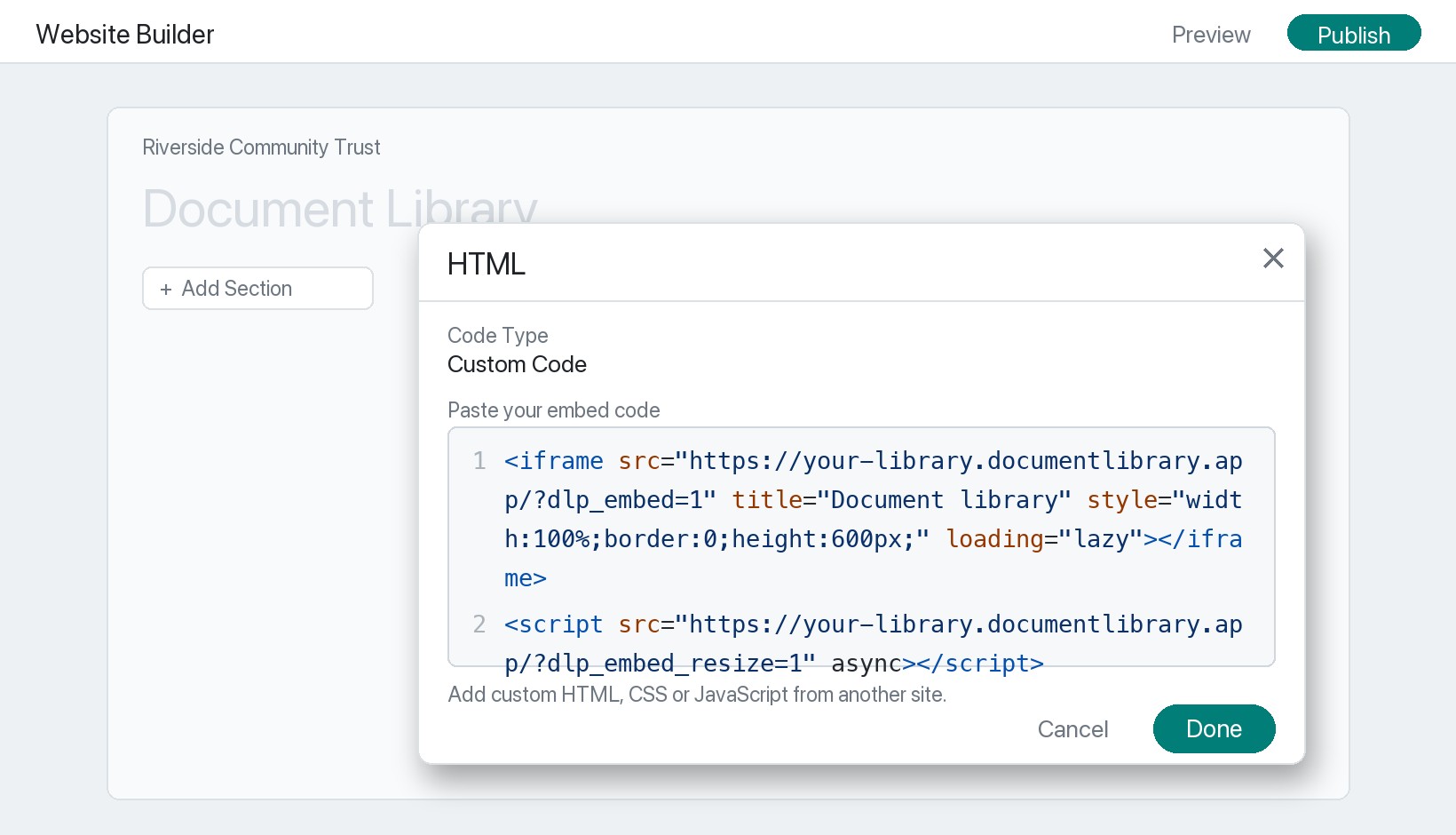
Klik Sectie toevoegen, zoek naar HTML, en klik op Toevoegen. GoDaddy voegt dan een HTML-sectie in met een Custom Code .
Stap 4: Plak uw insluitcode
Controleer of het codetype is ingesteld op Custom Code, plak het fragment uit stap 1 in het veld en klik op Klaar.
Stap 5: Publiceer en bekijk je bibliotheek
Klik Publiceren rechtsboven en open de pagina om je documentbibliotheek te zien, klaar voor bezoekers om te zoeken, op categorie te filteren en elk document te bekijken of te downloaden. Eén ding om rekening mee te houden: terwijl je nog aan het bewerken bent, toont GoDaddy vaak een placeholder op de plek van de HTML-sectie. Dat is normaal, en de echte bibliotheek wordt op de gepubliceerde pagina weergegeven.