





Hosted Document Library Pro funziona con qualsiasi tipo di file, inclusi i fogli di calcolo Excel. Li carichi nello stesso modo di qualsiasi altro documento e i visitatori possono scaricarli direttamente dalla tua libreria.
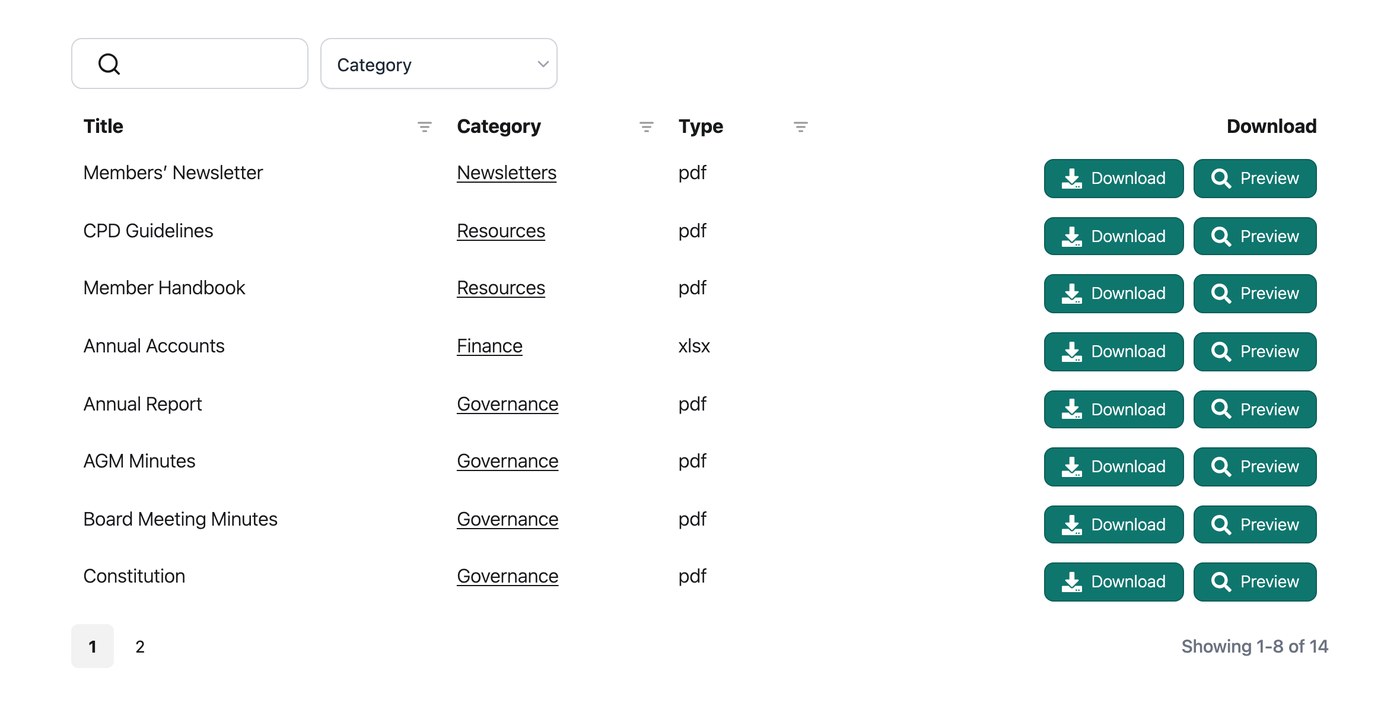
Aggiungere un foglio di calcolo alla tua libreria
Nella schermata Add Document, carica il tuo file Excel come file del documento, proprio come faresti con un PDF o un'immagine. Comparirà quindi nella tua libreria con un pulsante di download, pronto perché i visitatori lo salvino sul proprio dispositivo e lo aprano in Excel o in un'app compatibile per fogli di calcolo.
Posso permettere alle persone di visualizzare un foglio di calcolo senza scaricarlo?
I fogli di calcolo sono meglio offerti come download, perché sono progettati per essere aperti in un programma per fogli di calcolo. Se vuoi che i visitatori possano visualizzare un file archiviato su un servizio come Google Drive senza scaricarlo, puoi aggiungerlo alla tua libreria come documento collegato invece che come caricamento. Nella schermata Add Document, incolla il link di visualizzazione pubblico del file come URL del documento, e la voce della libreria aprirà quel link quando viene cliccata.
Il breve video qui sotto, tratto da una delle nostre sessioni Q&A live, mostra diversi modi in cui le persone condividono fogli di calcolo in una libreria di documenti: