





You can invite other people to help manage your hosted document library, which is useful when more than one person looks after your documents.
Invite a team member
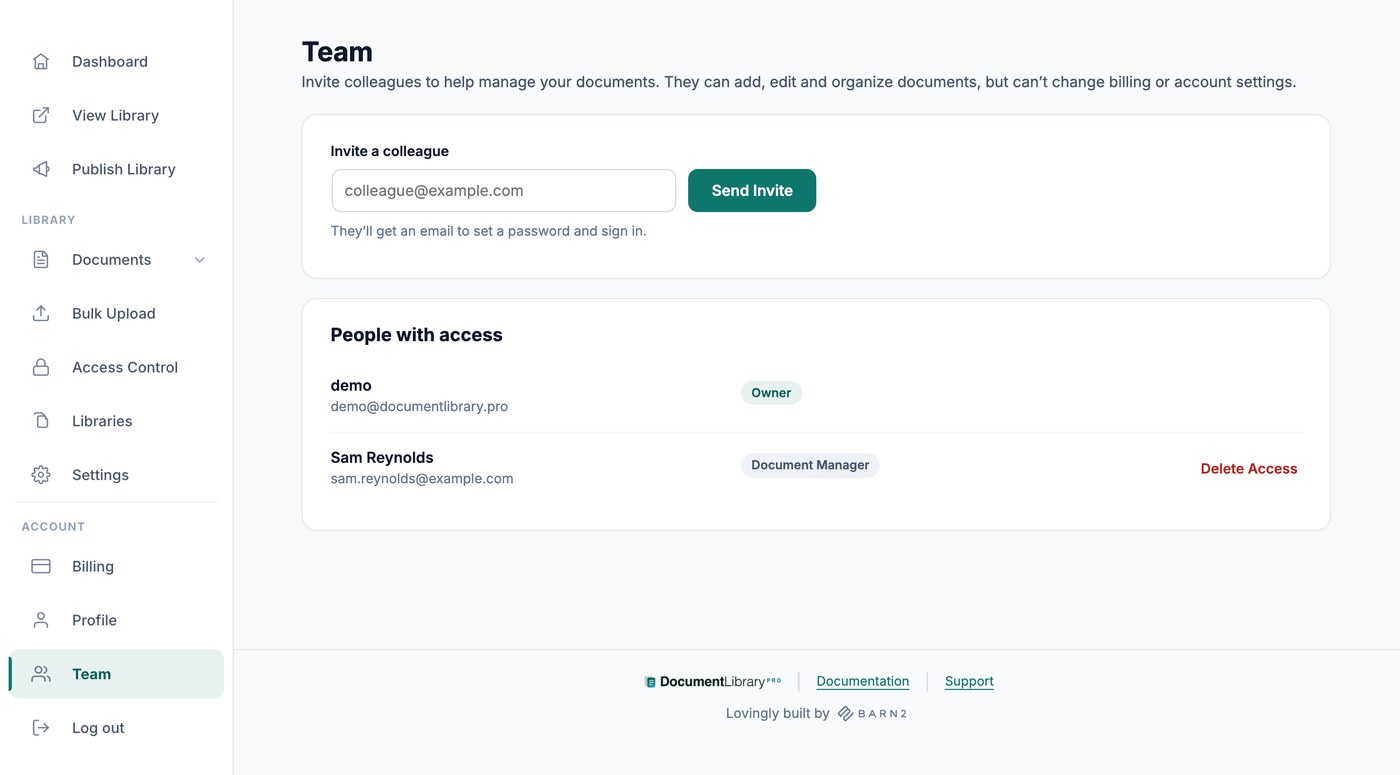
Open Team from the Account section of your dashboard menu and invite the people you want to add.
Enter their email address under Invite a colleague and click Send Invite. They get an email to set a password and sign in.
Everyone with access is listed under People with access, with their role beside their name: Owner for you, and Document Manager for the people you invite. Anyone who has not signed in yet shows as Invite pending.
What team members can do
Team members you invite can add, edit, and import documents, categories, tags, and authors, so they can fully manage the content of your library.
What team members cannot do
Document Managers only see the parts of the dashboard which hold documents. Publish Library, Libraries, Access Control, Settings, Billing and Team are yours alone as the account owner, so your subscription, your embed code and your global settings are never changed by accident.
Remove someone’s access
On the Team screen, click Delete Access beside the person you want to remove. They can no longer sign in, and the documents they added stay in your library.