A single committee meeting produces three files on the same day: The agenda, the minutes and the slides the finance officer presented. All three come from one meeting and belong under one title.
Until now, a document library gave you one file per entry. Three files meant three rows in the library, and a search returned all three of them.
You can now attach up to three files to a single document in Document Library Pro. The document keeps its title, description and categories. Each file gets its own download and preview button.
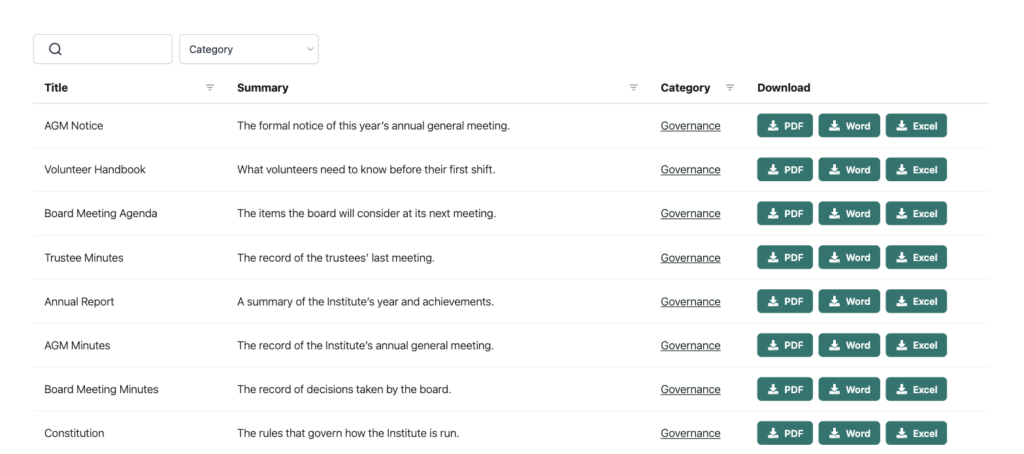
What your visitors see
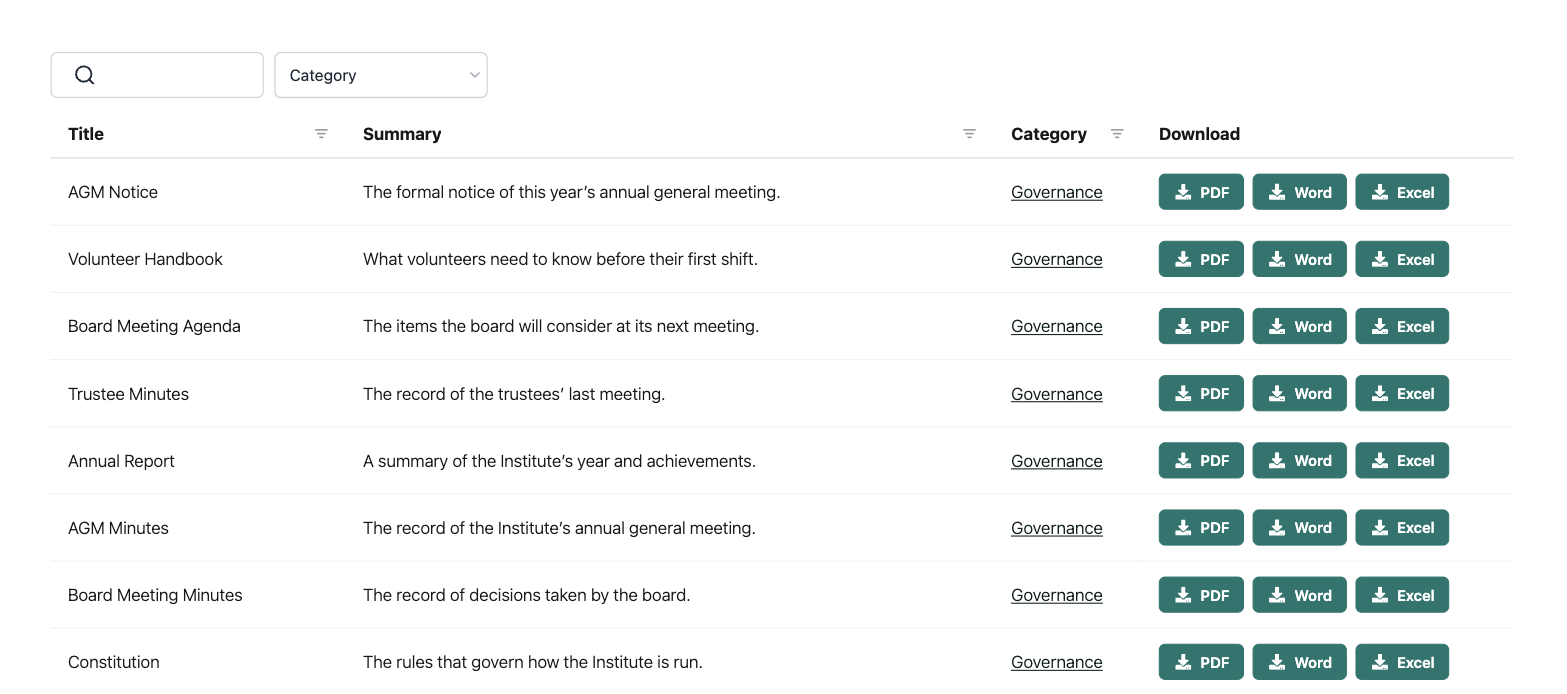
The document appears as one row in your library, exactly as it did before. Instead of a single download button, the row carries a download and a preview button for each file.
You name those buttons once for the whole library, so the same position means the same thing on every row.
When this is useful
- Meeting papers - The agenda, the minutes and the presentation, published as one set.
- Reports with a summary - A full policy document alongside the plain-English version most people will read.
- Forms in two formats - A Word file people can fill in on screen, and a PDF they can print.
- Translations - The original and the translated file as the same document, rather than two entries that compete in search.
You can mix files you upload with links to files you host somewhere else, so one document can hold an uploaded PDF and a Google Drive link side by side.
Each file keeps its own version history
On the Advanced plan, every file carries its own history. When you replace the minutes six weeks later, the agenda’s history stays exactly as it was, and you can still download either earlier version.
Separate histories let you show what a document said on a given date.
Name the second and third buttons
Every library already has this, so there’s nothing to switch on. Before you add a second file, name the extra buttons.
Until you do, all three buttons carry the same label, so a visitor can’t tell one file from another. Open Settings > Display and fill in ‘Button/link text 2’ and ‘Button/link text 3’. For example, a library that offers each document as a PDF, a Word file and a spreadsheet could use PDF, Word and Excel.
Those names apply to every document in the library, so choose words that fit all of them.
Documents with a single file are unaffected and look exactly as they did.