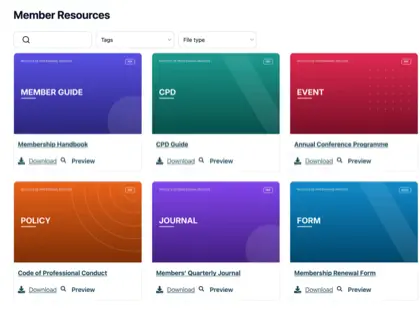
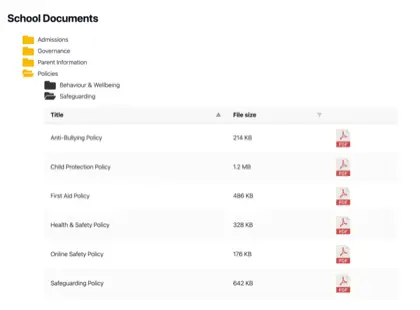
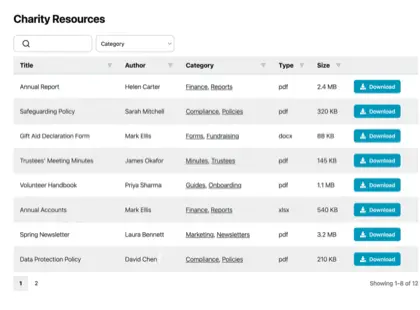
Most organizations have far more documents than their website was ever built to handle, and it creeps up on you. Think of a parish council with years of minutes, planning notices and policies it has a legal duty to publish, or a membership body sitting on a pile of handbooks, forms and training materials.
The files all exist somewhere, but nobody outside the office can find the right one.
A resource library solves that. Instead of a long page of links, you give people a searchable, filterable page where they find and download what they need themselves. I’ll explain when an organization needs one, how to build it, and what separates a resource library people use from one they ignore.
The limits of a plain list of links
For a handful of documents, a plain list of links is fine, and I wouldn’t bother with anything more. Things change once the list grows.
Past a dozen or so files, two problems show up. Visitors can’t spot the document they want without reading the whole list, and someone has to edit the page by hand every time a file is added or replaced. A part-time administrator ends up maintaining a wall of links that people still find hard to use.
You might assume the tools you already pay for would cover this. They don’t, because they were built for a different job. Google Drive, Dropbox and SharePoint store files and share them with people who log in. None of them puts a searchable library on your own public website, which is exactly what most organizations are missing.
When we looked at who uses Document Library Pro, it was mostly the kind of organization you’d expect to hold a lot of documents: nonprofits, universities, membership bodies and local councils. They have no shortage of places to store files. What they lack is a way to publish them so the public, or their members, can find the right one without emailing to ask.
Types of resources organizations publish
De inhoud hangt af van de organisatie, maar de baan is hetzelfde. Hier is wat verschillende sectoren doorgaans publiceren.
Bedrijven delen productdocumentatie, specificaties en certificaten.
Signs you need a resource library
Je hebt geen bibliotheek aan bronnen nodig voor een paar bestanden, waar een paar links volstaan, en ik zou je vertellen je geld te besparen. Het rechtvaardigt zijn plaats zodra een van de volgende situaties zich voordoet:
Je hebt meer documenten dan een bezoeker redelijkerwijs kan doorzoeken.
De wet vereist dat u bepaalde gegevens publiceert, net als voor veel raden en overheidsinstanties.
Mensen moeten filteren op onderwerp, jaar of afdeling om het juiste bestand te vinden.
Je wilt een e-mailadres verzamelen voor het downloaden, waardoor de bibliotheek een bron van leads wordt.
Sommige documenten mogen alleen toegankelijk zijn voor leden of personeel.
How to build a resource library
We built Document Library Pro to solve this exact problem: giving organizations a clean way to display and share documents, rather than just store them. It publishes your files as a resource library that people can search, filter by category and sort. They preview a document in the browser, then download it on its own, or tick several and take them as a zip.
It runs on any platform. A WordPress site adds it as a plugin. Anywhere else, a short embed code drops the library into your pages, whether they’re public or behind a members’ login.
Bekijk de volledige tutorial
Dit in vijf stappen samenstellen:
Voeg uw documenten toe. Upload de bestanden, of wijs de bibliotheek naar bestanden die je al ergens anders host. Elk bestand krijgt een titel, een beschrijving, een categorie en een optionele omslagafbeelding.
Groepeer ze in categorieën en tags. Sorteer bronnen op de manier waarop uw publiek erover denkt, op onderwerp, jaar of afdeling. Dit worden de filters die mensen gebruiken.
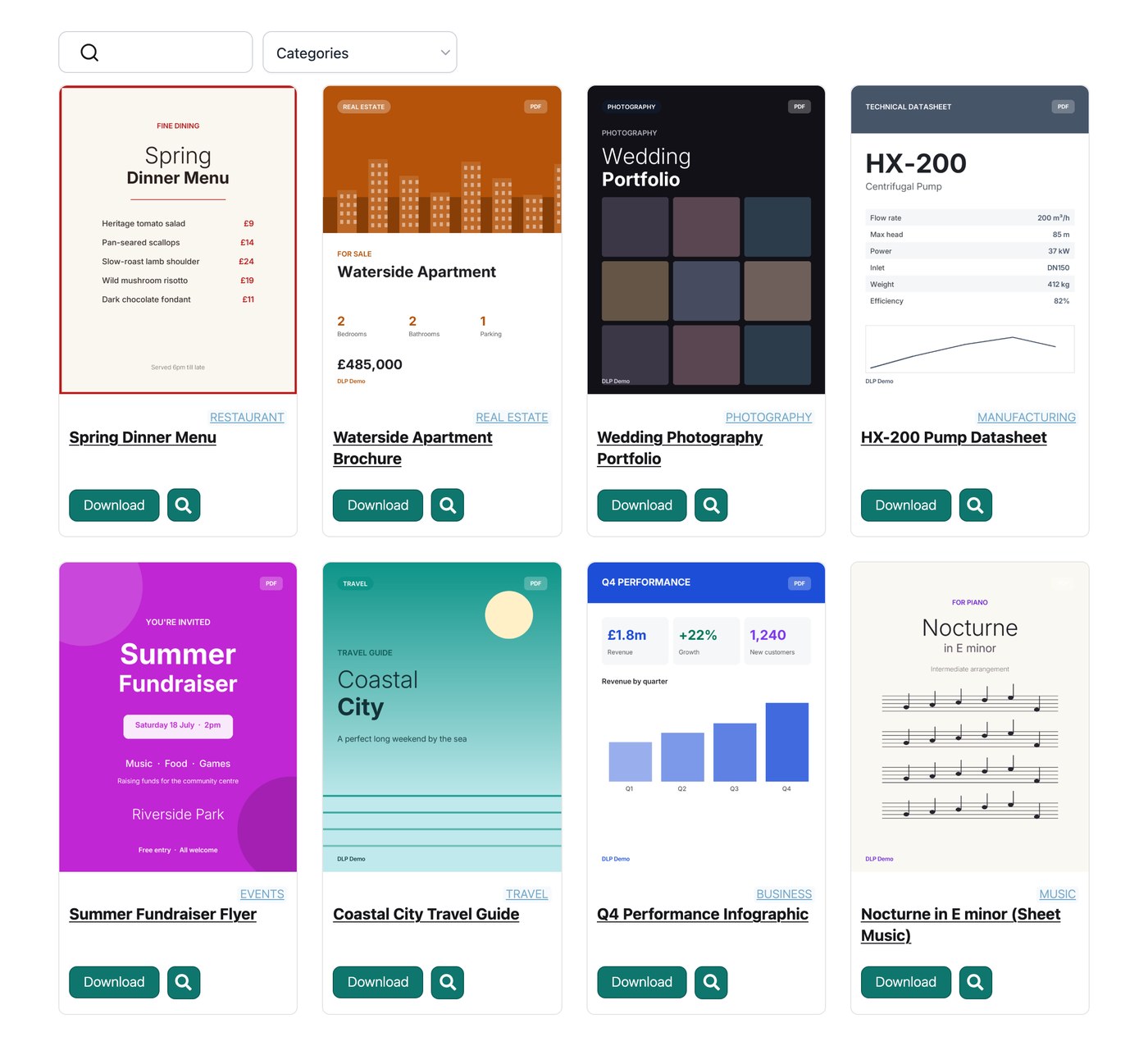
Kies een indeling. Een tabel is geschikt voor formele gegevens, een raster met omslagafbeeldingen is geschikt voor rapporten en handleidingen, en een mapweergave is geschikt om te bladeren.
Schakel zoeken en filters in. Een zoekvak en een paar vervolgkeuzelijsten stellen mensen in staat een document in seconden te vinden in plaats van te scrollen.
Stel in wie het kan zien. Publiceer het openbaar, vergrendel downloads achter een e-mailadres, of beperk de hele bibliotheek tot ingelogde leden.
Resource library examples
Drie organisaties laten zien hoe verschillend dit eruitziet als het goed is gedaan.
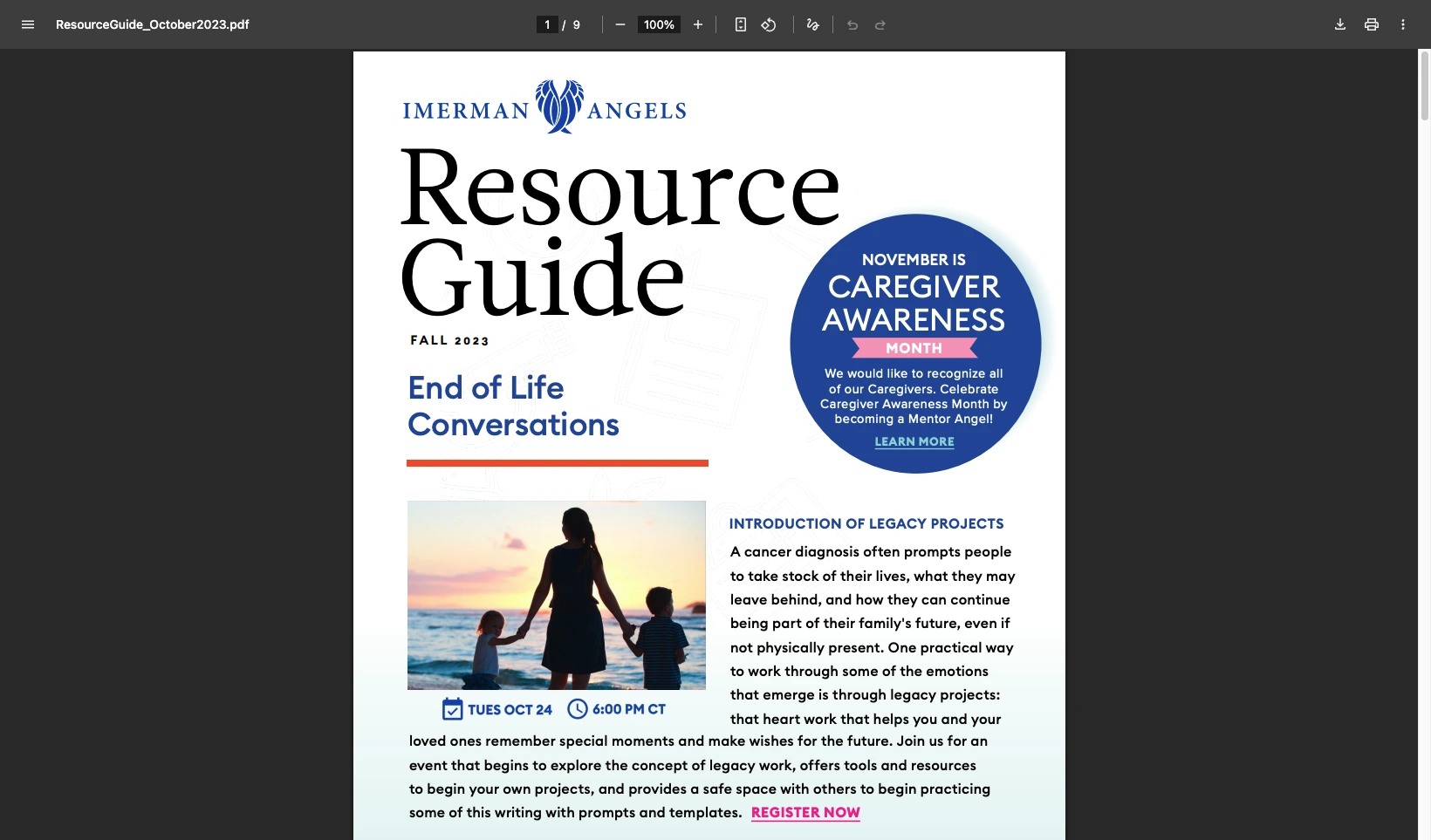
Imerman Angels, een liefdadigheidsorganisatie ter ondersteuning van kankerpatiënten, begon met bestanden die verspreid waren over verschillende locaties. Verouderde links bereikten nog steeds het publiek en het team had geen manier om te zien wat mensen downloadden. Ze hebben alles samengebracht in één bibliotheek met een rasterindeling en downloadknoppen, en kunnen nu bijhouden welke bronnen worden gebruikt.
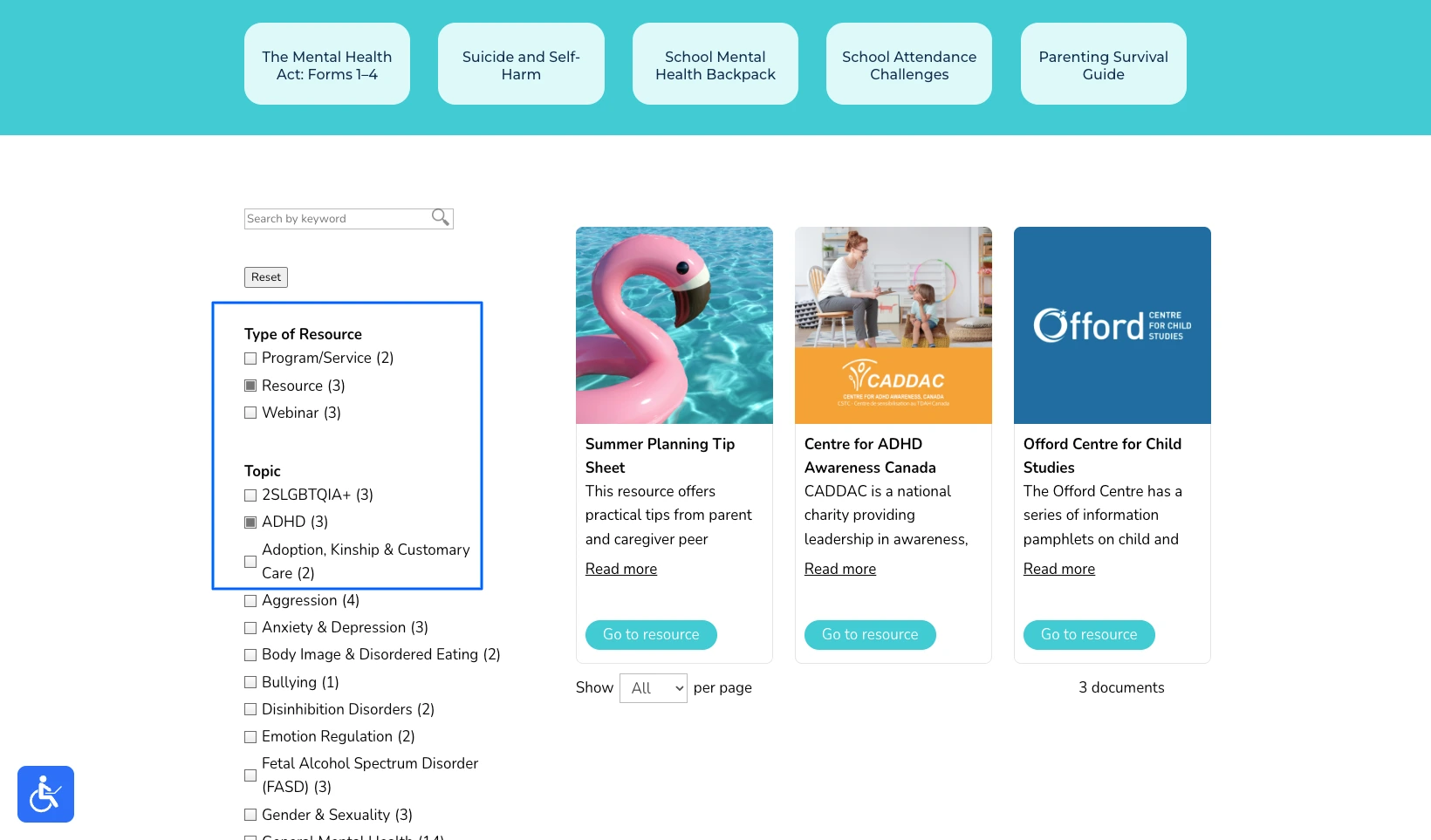
Kinder- en Jeugdgeestelijke Gezondheidszorg Ontario had het tegenovergestelde probleem. Hun bronnenpagina werkte, maar met hun eigen woorden was het “erg een waslijststijl”, en het scrollen op een lange, ongesorteerde pagina is het laatste wat een gestreste ouder nodig heeft. Ze hebben het opnieuw opgebouwd als een hub waar gezinnen kunnen filteren op onderwerp en in enkele seconden de juiste hulp kunnen vinden.
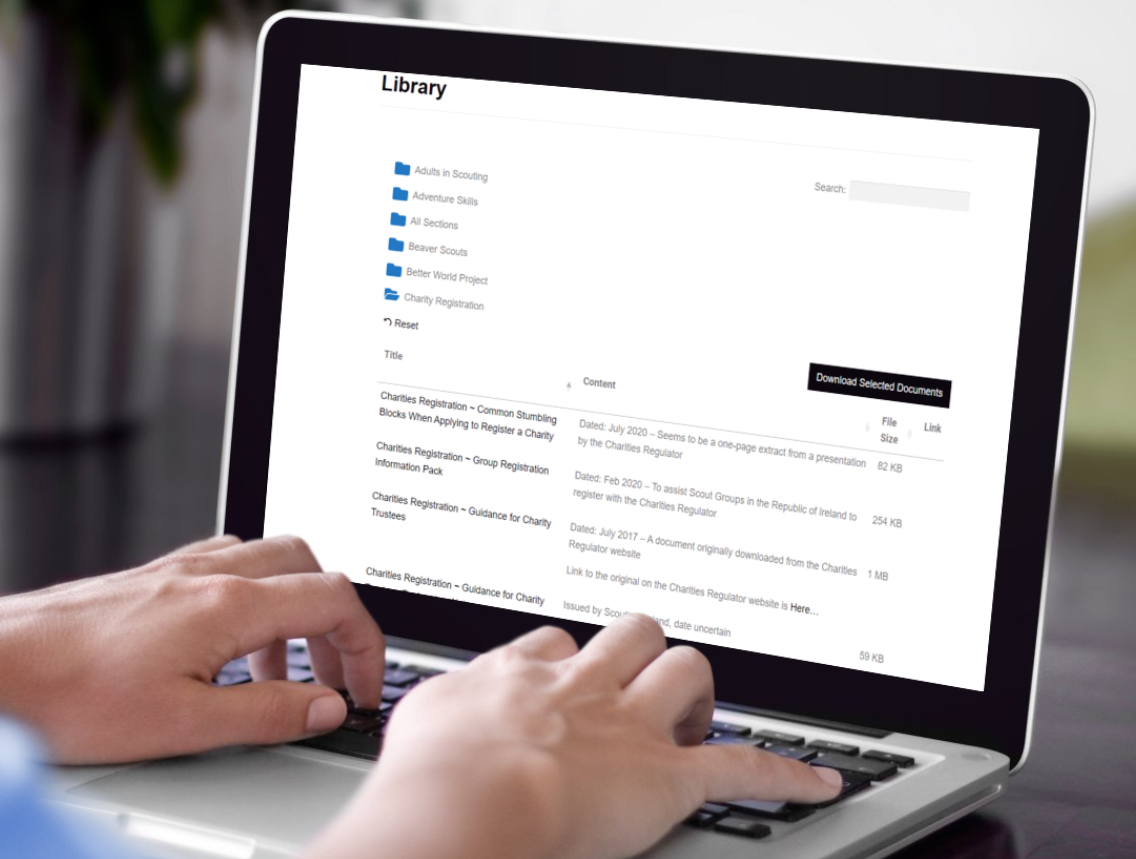
Scouting Ierland was simpelweg uitgegroeid van een pagina met links, met honderden artikelen, beleidsregels en formulieren voor vrijwilligers. Ze organiseerden alles in mappen, zodat een leider de juiste map opent en met één klik een hele reeks documenten downloadt.
Zie voor zes verdere voorbeelden uit verschillende sectoren mijn handleiding over een documentbibliotheek aanmaken.
Tips for a resource library people use
The software is the easy part. What turns a resource library into one people rely on is a handful of decisions you make along the way.
The most common mistake I see is organizing the library the way the files are stored internally, by department or by the year a document was filed. Visitors don’t think that way. They think “I need the membership form” or “where’s the latest annual report”, so build your categories around those questions instead.
Be selective with lead capture. Asking for an email before download can turn a library into a steady source of leads, but only when the resource earns it. Gating a genuinely useful report or toolkit is fair. Gating a meeting agenda or a routine form just irritates people and pushes them to phone instead.
Decide who owns it. A resource library is only as good as it’s kept, so a clerk or a communications person needs a simple routine for adding new documents and retiring old ones. Most tools make that a developer’s job, and the whole point of a proper library is that a non-technical person can keep it current.
Finally, watch what gets downloaded. Those numbers tell you which resources matter and which are dead weight, and the organizations that get the most from a library use them to decide what to publish next.
Veelgestelde vragen
What is a resource library?
Een bronnenbibliotheek is een doorzoekbare verzameling van downloadbare bronnen, zoals handleidingen, rapporten en formulieren, die op een website worden gepubliceerd zodat bezoekers ze zonder hulp kunnen vinden en downloaden.
Can I build an online resource library without WordPress?
Ja. Document Library Pro draait als een WordPress-plugin, maar kan ook worden ingebed in Shopify, Squarespace, Wix, Webflow, een aangepaste site of een intranet. Een online bibliotheek met bronnen werkt op elk platform dat u al gebruikt.
Can a resource library capture email addresses?
Ja. Document Library Pro kan een e-mailadres vereisen voordat iemand iets downloadt, waardoor de bibliotheek een leadgeneratietool wordt terwijl uw inhoud wordt gedeeld.
A resource library that earns its place
If your collection is small and only a few people need it, a couple of links will always be the simplest answer. However, the moment people have to find documents for themselves, a resource library pays for itself in the time it saves everyone, and in how much more capable the organization looks.
You can build your own with Document Library Pro en Probeer het 14 dagen gratis.
Over de auteur
Katie Keith
Katie Keith is de oprichter en CEO van Barn2, het team achter Document Library Pro. Ze heeft meer dan tien jaar ervaring met het helpen van organisaties bij het publiceren, beheren en delen van documenten online, en schrijft over hoe je dit goed kunt doen op elke website of platform.
Vertel ons over je documenten en we maken direct een mock-up die je kunt aanpassen en delen met collega's. Zodra je er klaar voor bent, gebruiken we die om je uiteindelijke bibliotheek voor je te bouwen.
Gratis. Geen spam.
Voordat je gaat...
Wil je een gratis, directe mockup van hoe je documentbibliotheek eruit komt te zien?
Vertel ons over je documenten en we maken direct een mock-up die je kunt aanpassen en delen met collega's. Zodra je er klaar voor bent, gebruiken we die om je uiteindelijke bibliotheek voor je te bouwen.







 Kinder- en Jeugdgeestelijke Gezondheidszorg Ontario had het tegenovergestelde probleem. Hun bronnenpagina werkte, maar met hun eigen woorden was het “erg een waslijststijl”, en het scrollen op een lange, ongesorteerde pagina is het laatste wat een gestreste ouder nodig heeft. Ze hebben het opnieuw opgebouwd als een hub waar gezinnen kunnen filteren op onderwerp en in enkele seconden de juiste hulp kunnen vinden.
 Scouting Ierland was simpelweg uitgegroeid van een pagina met links, met honderden artikelen, beleidsregels en formulieren voor vrijwilligers. Ze organiseerden alles in mappen, zodat een leider de juiste map opent en met één klik een hele reeks documenten downloadt.
 Zie voor zes verdere voorbeelden uit verschillende sectoren mijn handleiding over een documentbibliotheek aanmaken.