





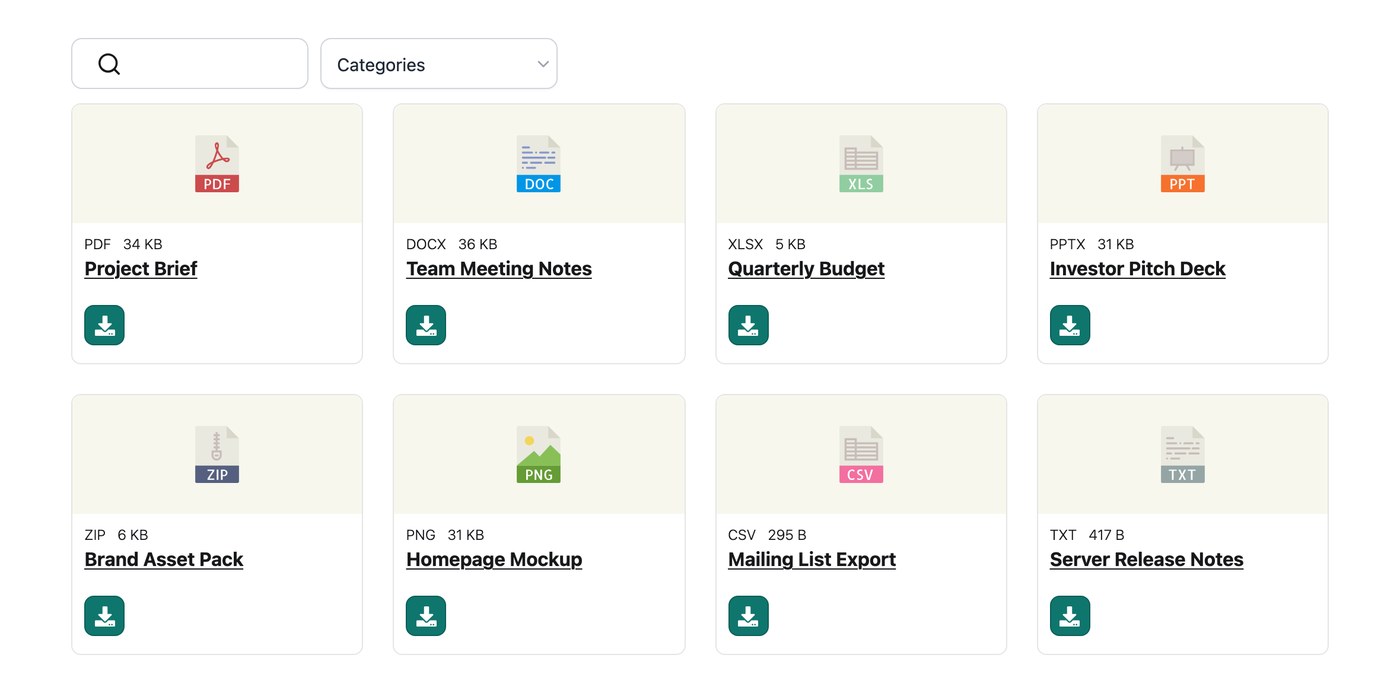
Deine gehostete Document Library Pro Bibliothek akzeptiert viele Dateitypen, ohne eingebaute Begrenzung für die Formate oder Größen, die du hinzufügen kannst. Egal ob du PDFs, Tabellen, Bilder, Audio oder Video teilst, du kannst sie direkt in deine Bibliothek hochladen. Dateien, die von einem Google Drive- oder Dropbox-Ordner bleiben in deinem eigenen Cloud-Speicher und deine Bibliothek verlinkt sie dort.
Eine Datei hinzufügen
Auf dem Bildschirm Dokument hinzufügen kannst du entweder eine Datei direkt in deine Bibliothek hochladen oder einen Link zu einer Datei einfügen, die anderswo online liegt. Beide Optionen fügen das Dokument mit einem funktionierenden Download- oder Ansichtslink in deine Bibliothek ein.
Wenn eine Datei nicht hochgeladen wird
Wenn eine bestimmte Datei nicht hochgeladen werden will, ist es am einfachsten, stattdessen die Link-Option zu verwenden. Hoste die Datei dort, wo sie bereits liegt, füge dann ein neues Dokument hinzu und füge ihre Webadresse ein, statt die Datei selbst hochzuladen. Das Dokument erscheint weiterhin in deiner Bibliothek, und der Download-Button verweist auf diese Adresse.
Dokumentenvorschau
Die Vorschaufunktion zeigt vor dem Download eine Schnellansicht bestimmter Dateitypen. Die vollständige Liste der Formate, die Vorschauen unterstützen, findest du im Artikel zur Dokumentvorschau.
Speicherort deiner Dateien
Wenn du auf dem Bildschirm Dokument hinzufügen eine Datei hochlädst, wird sie im Speicher deiner Bibliothek gespeichert und automatisch mit diesem Dokument verknüpft. Deine Bibliothek liest außerdem jede Datei aus, um Größe und Typ zu ermitteln, damit diese Details in deinen Bibliotheksspalten angezeigt werden können, wenn du sie einblendest.
Eine Datei per Link hinzufügen
Wenn eine Datei bereits anderswo online liegt, musst du sie nicht erneut hochladen. Wähle auf dem Bildschirm Dokument hinzufügen die Link-Option und füge die Webadresse der Datei ein, statt sie hochzuladen. Das Dokument erscheint dann ganz normal in deiner Bibliothek, und sein Download-Button verweist auf diese Adresse. Hochgeladene Dateien bieten dir den größten Funktionsumfang, einschließlich Downloads mehrerer Dokumente. Deshalb ist Hochladen die bessere Wahl, wenn du die Datei zur Hand hast.
Alle deine hochgeladenen Dateien ansehen
Um jede Datei zu prüfen, die in deine Bibliothek hochgeladen wurde, besuche diese versteckte Seite (ersetze sie durch deine eigene Bibliotheksadresse):
your-library.documentlibrary.app/wp-admin/upload.php?mode=list
Dort werden alle deine Dateien zusammen mit dem jeweils zugehörigen Dokument aufgelistet. Dateien, die seit 30 Tagen keinem Dokument zugeordnet sind, werden automatisch entfernt. Normalerweise musst du daher nichts aufräumen.
Automatische Bereinigung ungenutzter Dateien
Um Speicherplatz zu sparen, entfernt Document Library Pro automatisch jede hochgeladene Datei, die in den letzten 30 Tagen keinem Dokument zugeordnet war. Das läuft jeden Tag im Hintergrund, du musst also nichts tun.
Diese Bereinigung findet nicht statt, wenn du Versionskontrolle aktiviert hast. In diesem Fall werden deine Dateien dauerhaft behalten. Eine Datei gilt als zugeordnet, wenn sie die hochgeladene Datei eines Dokuments, sein Beitragsbild, eine gespeicherte Version oder in die Beschreibung eines Dokuments eingebettet ist.