





Es gibt zwei Möglichkeiten, eine Document Library Pro-Bibliothek zu einer Wix-Website hinzuzufügen. Die einfachste Option ist die Verwendung der Document Library Pro-App für Wix, die die Bibliothek als Wix-Widget hinzufügt. Der universelle Einbettungscode funktioniert weiterhin, wenn du die Bibliothek lieber manuell hinzufügen möchtest. Dieser Artikel beschreibt zuerst die Wix-App und anschließend den Einbettungscode.
Bibliothek mit der Wix-App hinzufügen
- Installiere die Document Library Pro-App aus dem Wix App Market. Wähle einen Tarif aus, um deine 14-tägige kostenlose Testphase zu starten, die über Wix abgerechnet wird. Die App erstellt deine Dokumentbibliothek für dich.
- Öffne die Willkommens-E-Mail und klicke auf Passwort festlegen. So meldest du dich an, um deine Dokumente zu verwalten.
- Öffne im Wix-Editor die Seite, auf der du die Bibliothek anzeigen möchtest.
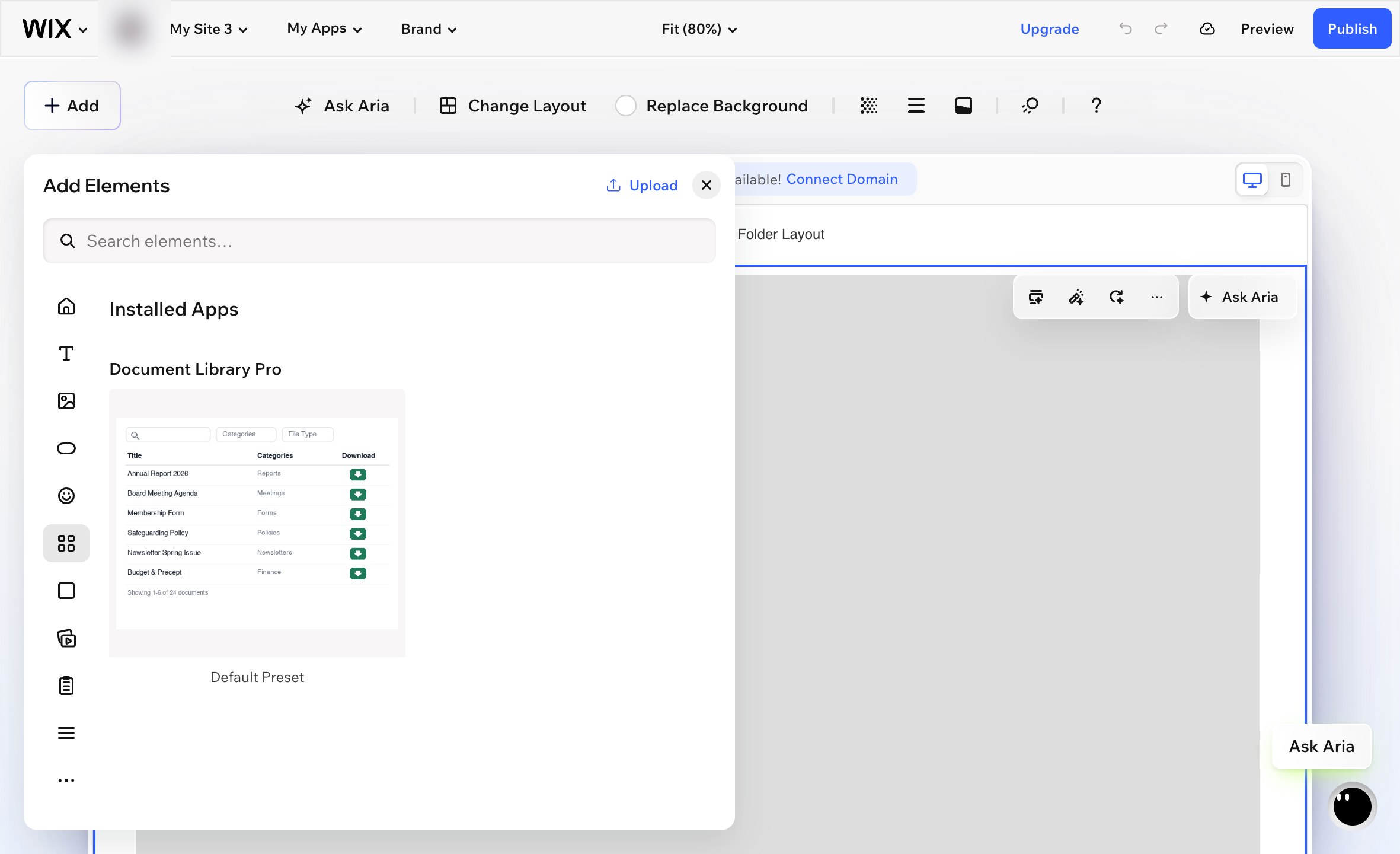
- Gehe zu Hinzufügen → Elemente.
- Zum Installierte Apps Abschnitt und wähle Document Library Pro. Bitte beachte, dass das Widget nicht angezeigt wird, wenn du seinen Namen in das Hinzufügen Suchfeld eingibst. Du musst den Installierte Apps Abschnitt.
- Wix fügt das Widget als kleinen Kasten in der Mitte der Seite hinzu. Ziehe das Widget an die richtige Position und ändere seine Größe so, dass es den Bereich ausfüllt, in dem die Dokumentbibliothek erscheinen soll.
- Wähle das Widget aus und klicke auf das Zahnradsymbol, um seine Einstellungen zu öffnen.
- unter Library, wähle die Dokumentbibliothek aus, die du auf dieser Seite anzeigen möchtest.
- Veröffentliche deine Wix-Website.
Deine Dokumente
Die App fügt außerdem die fertige Seite Dokumente zu deiner Website hinzu, auf der alle deine Dokumente aufgelistet werden. Veröffentliche deine Wix-Website, damit sie online geht. Es handelt sich um eine normale Wix-Seite. Du kannst sie umbenennen, in deinem Menü verschieben oder eigenen Text über und unter der Bibliothek hinzufügen.
Wo du deine Bibliothek verwaltest
Deine Dokumente und Bibliotheken werden auf der Document Library Pro-Plattform gespeichert. Die App zeigt sie auf deiner Wix-Website an. Öffne Document Library Pro in deinem Wix-Dashboard, um direkt zu deinem Konto zu gelangen. Dort kannst du Dokumente hinzufügen und bearbeiten, weitere Bibliotheken erstellen und verwalte deine Einstellungen.
Wenn eine Zahlung fehlschlägt oder die App entfernt wird, wird deine Bibliothek pausiert und nicht gelöscht. Installiere die App erneut oder wähle wieder einen Tarif aus. Deine Dokumente warten dort, wo du sie hinterlassen hast.
Bibliothek mit Einbettungscode hinzufügen
Du kannst deine Document Library Pro-Bibliothek auch mit dem universellen Einbettungscode zu Wix hinzufügen. Das ist nützlich, wenn du die Einbettung lieber manuell steuern möchtest, statt die Wix-App zu verwenden.
- Öffne dein Document Library Pro-Dashboard und gehe zum Publish Library Abschnitt für die Bibliothek, die du anzeigen möchtest.
- Kopiere den Einbettungscode.
- Gehe in Wix zu Seiten und Menü und erstelle eine neue leere Seite.
- eine Einbettungscode Element. Das ist das HTML-Einbettungselement in Wix.
- Füge den Document Library Pro-Einbettungscode in das Element ein.
- Ändere die Größe des Einbettungselements auf volle Breite und lege eine passende Höhe fest. Etwa 700 px ist ein sinnvoller Ausgangspunkt. Größere Bibliotheken benötigen möglicherweise mehr Höhe.
- Veröffentliche deine Wix-Website.
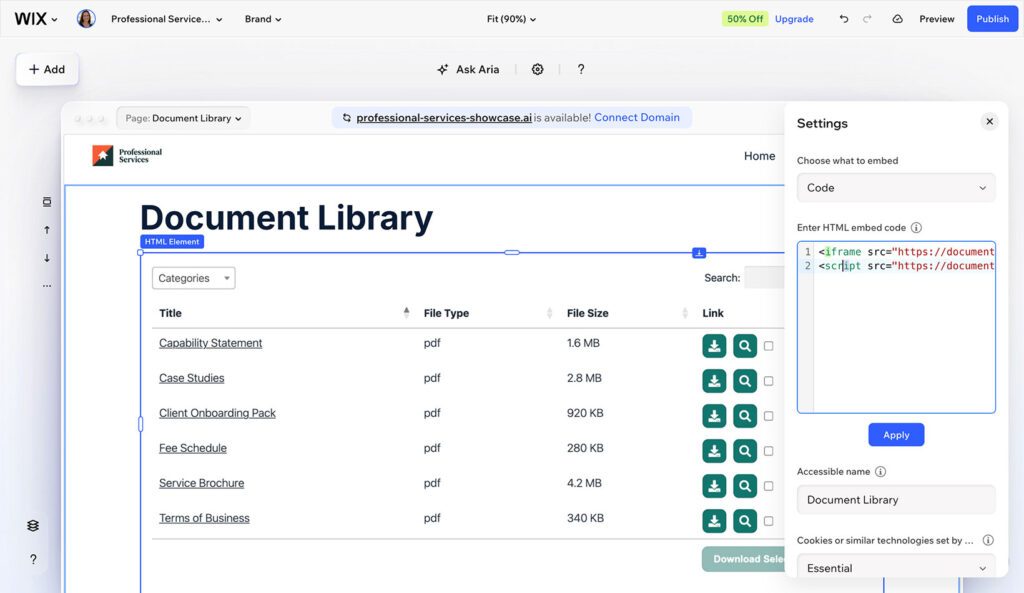
Die Größe des Einbettungselements ist wichtig. Wenn das Element zu klein ist, scrollt die Bibliothek möglicherweise innerhalb der Einbettungsbox oder fällt in eine einzelne Spalte zusammen.
Der Einbettungscode zeigt die Live-Dokumentbibliothek nicht im Wix-Editor an. Um die fertige Bibliothek zu sehen, prüfe deine veröffentlichte Website.
Nächste Schritte
Wenn du deine Dokumentbibliothek noch nicht erstellt hast, richte sie zuerst in deinem Document Library Pro-Dashboard ein. Kehre dann zu Wix zurück und wähle entweder die App-Methode oder die Einbettungscode-Methode oben.