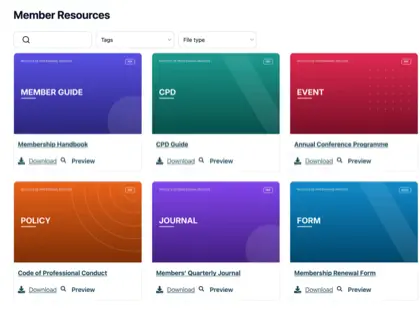
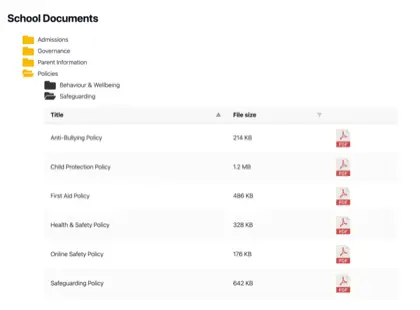
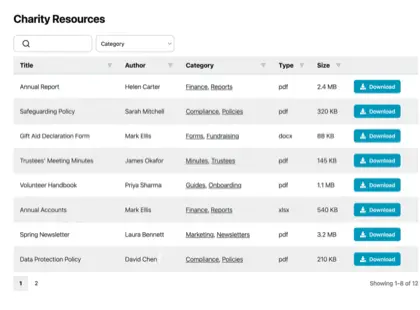
Most organizations have far more documents than their website was ever built to handle, and it creeps up on you. Think of a parish council with years of minutes, planning notices and policies it has a legal duty to publish, or a membership body sitting on a pile of handbooks, forms and training materials.
The files all exist somewhere, but nobody outside the office can find the right one.
A resource library solves that. Instead of a long page of links, you give people a searchable, filterable page where they find and download what they need themselves. I’ll explain when an organization needs one, how to build it, and what separates a resource library people use from one they ignore.
The limits of a plain list of links
For a handful of documents, a plain list of links is fine, and I wouldn’t bother with anything more. Things change once the list grows.
Past a dozen or so files, two problems show up. Visitors can’t spot the document they want without reading the whole list, and someone has to edit the page by hand every time a file is added or replaced. A part-time administrator ends up maintaining a wall of links that people still find hard to use.
You might assume the tools you already pay for would cover this. They don’t, because they were built for a different job. Google Drive, Dropbox and SharePoint store files and share them with people who log in. None of them puts a searchable library on your own public website, which is exactly what most organizations are missing.
When we looked at who uses Document Library Pro, it was mostly the kind of organization you’d expect to hold a lot of documents: nonprofits, università, membership bodies and local councils. They have no shortage of places to store files. What they lack is a way to publish them so the public, or their members, can find the right one without emailing to ask.
Types of resources organizations publish
Il contenuto dipende dall'organizzazione, ma l'obiettivo è lo stesso. Ecco cosa tendono a pubblicare i diversi settori.
Le aziende condividono documentazione di prodotto, specifiche e certificati.
Signs you need a resource library
Non serve una library di risorse per pochi file, dove bastano un paio di link, e in quel caso consiglio di risparmiare. Diventa utile quando si verifica almeno una di queste condizioni:
Hai più documenti di quanti un visitatore possa ragionevolmente scorrere.
La legge richiede la pubblicazione di determinati registri, come avviene per molti consigli ed enti pubblici.
Le persone devono filtrare per argomento, anno o reparto per trovare il file giusto.
Vuoi raccogliere un indirizzo email prima del download, trasformando la library in una fonte di contatti.
Alcuni documenti devono essere accessibili solo a membri o dipendenti.
How to build a resource library
We built Document Library Pro to solve this exact problem: giving organizations a clean way to display and share documents, rather than just store them. It publishes your files as a resource library that people can search, filter by category and sort. They preview a document in the browser, then download it on its own, or tick several and take them as a zip.
It runs on any platform. A WordPress site adds it as a plugin. Anywhere else, a short embed code drops the library into your pages, whether they’re public or behind a members’ login.
Guarda il tutorial completo
La configurazione richiede cinque passaggi:
Aggiungi i tuoi documenti. Carica i file o collega la library a quelli già ospitati altrove. Ciascuno riceve un titolo, una descrizione, una categoria e un'immagine di copertina facoltativa.
Raggruppali in categorie e tag. Organizza le risorse secondo la logica del tuo pubblico: per argomento, anno o reparto. Questi diventano i filtri a disposizione degli utenti.
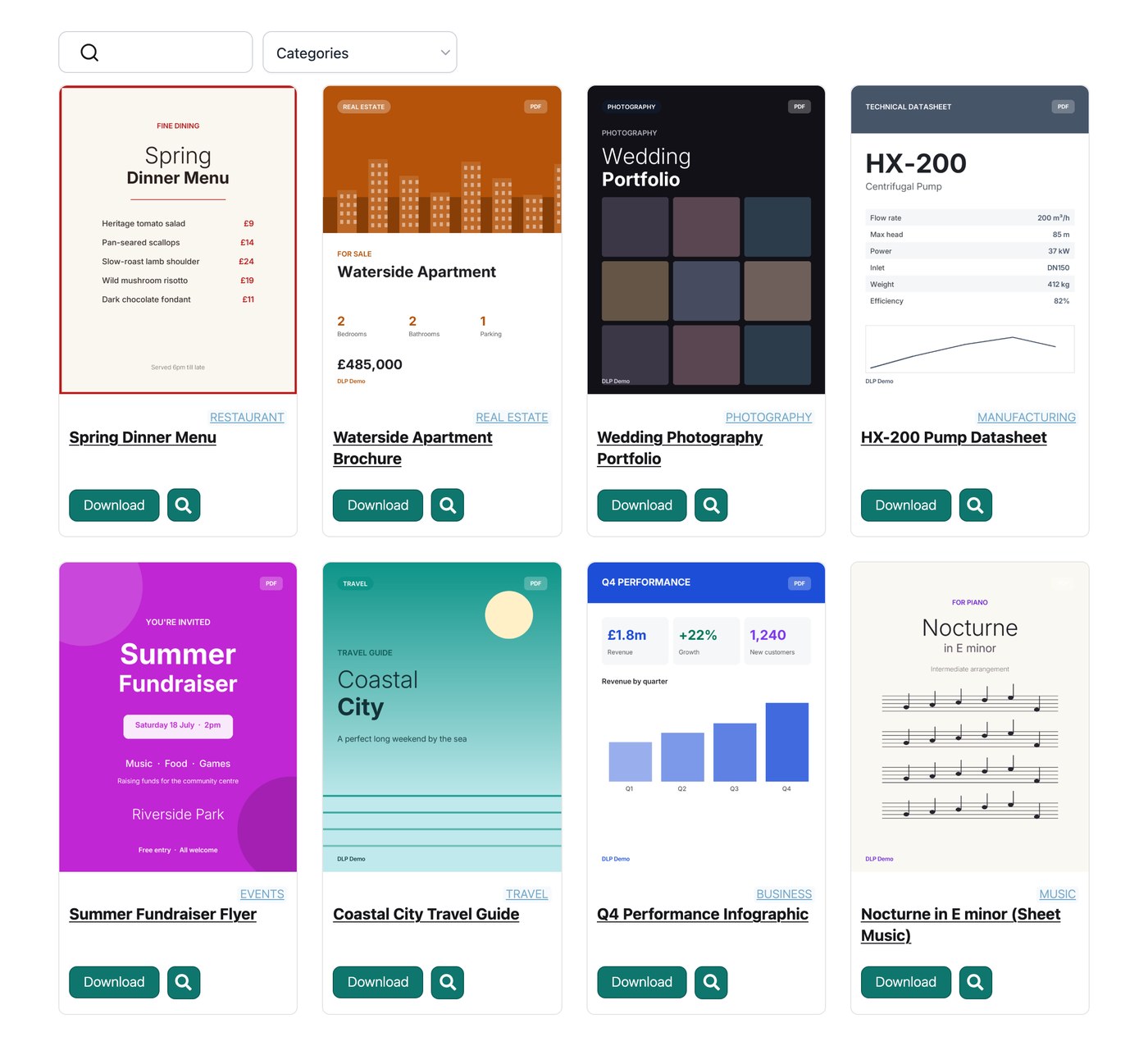
Scegli un layout. Una tabella è adatta ai registri formali, una griglia con immagini di copertina si presta a report e guide, una vista a cartelle è ideale per la navigazione.
Attivate ricerca e filtri. Un campo di ricerca e alcuni menu a discesa consentono di raggiungere un documento in pochi secondi senza scorrere.
Imposta chi può visualizzarla. Pubblicala liberamente, richiedi un indirizzo email per i download, o limita l'intera library ai membri registrati.
Resource library examples
Tre organizzazioni mostrano quanto diverso possa essere il risultato quando è fatto bene.
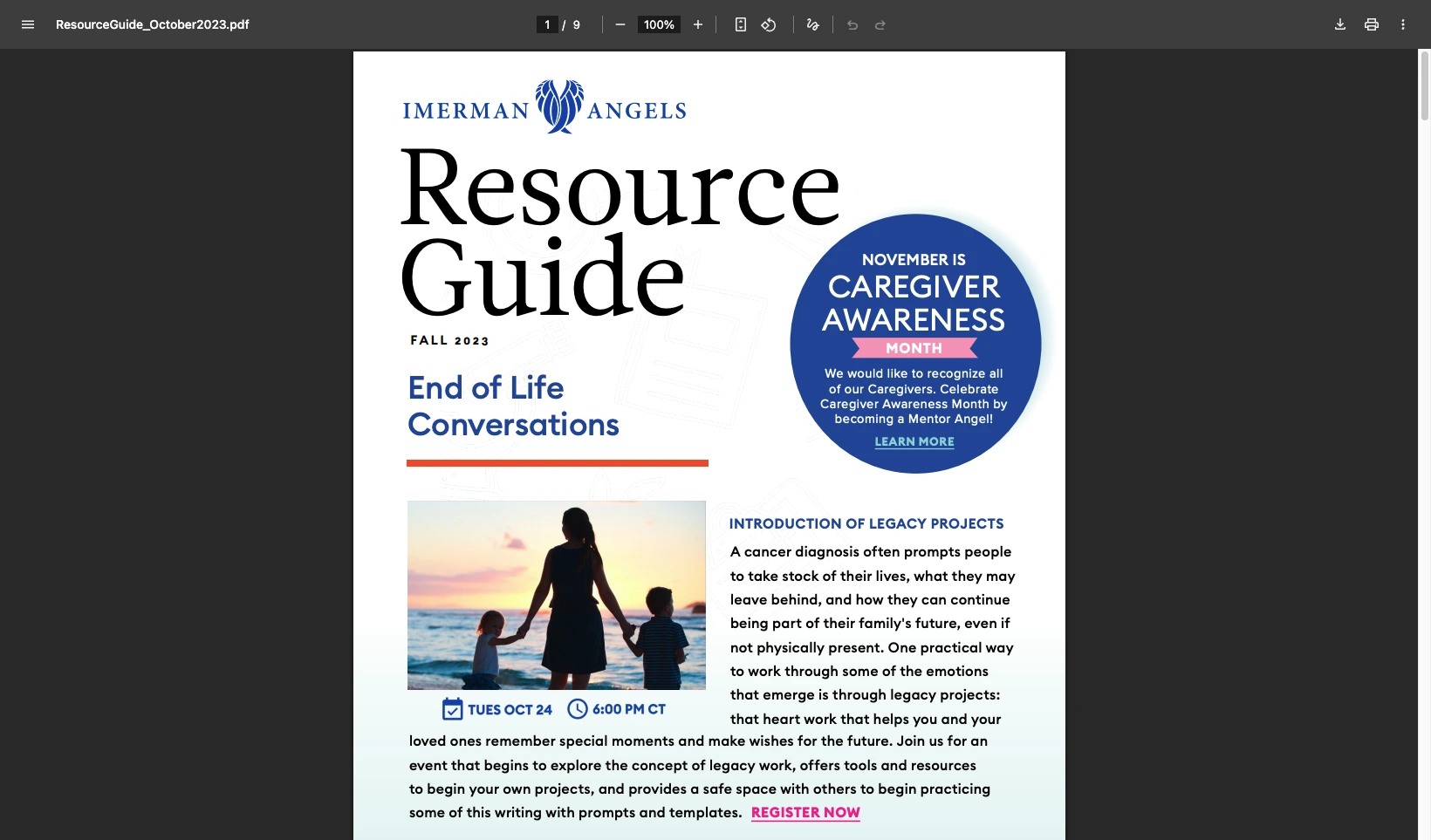
Imerman Angels, un'associazione di supporto per i malati di cancro, ha iniziato con i file dispersi in più posti. I link non aggiornati continuavano a raggiungere il pubblico e il team non aveva modo di vedere cosa veniva scaricato. Hanno raccolto tutto in un'unica library con layout a griglia e pulsanti di download, e ora possono monitorare quali risorse vengono utilizzate.
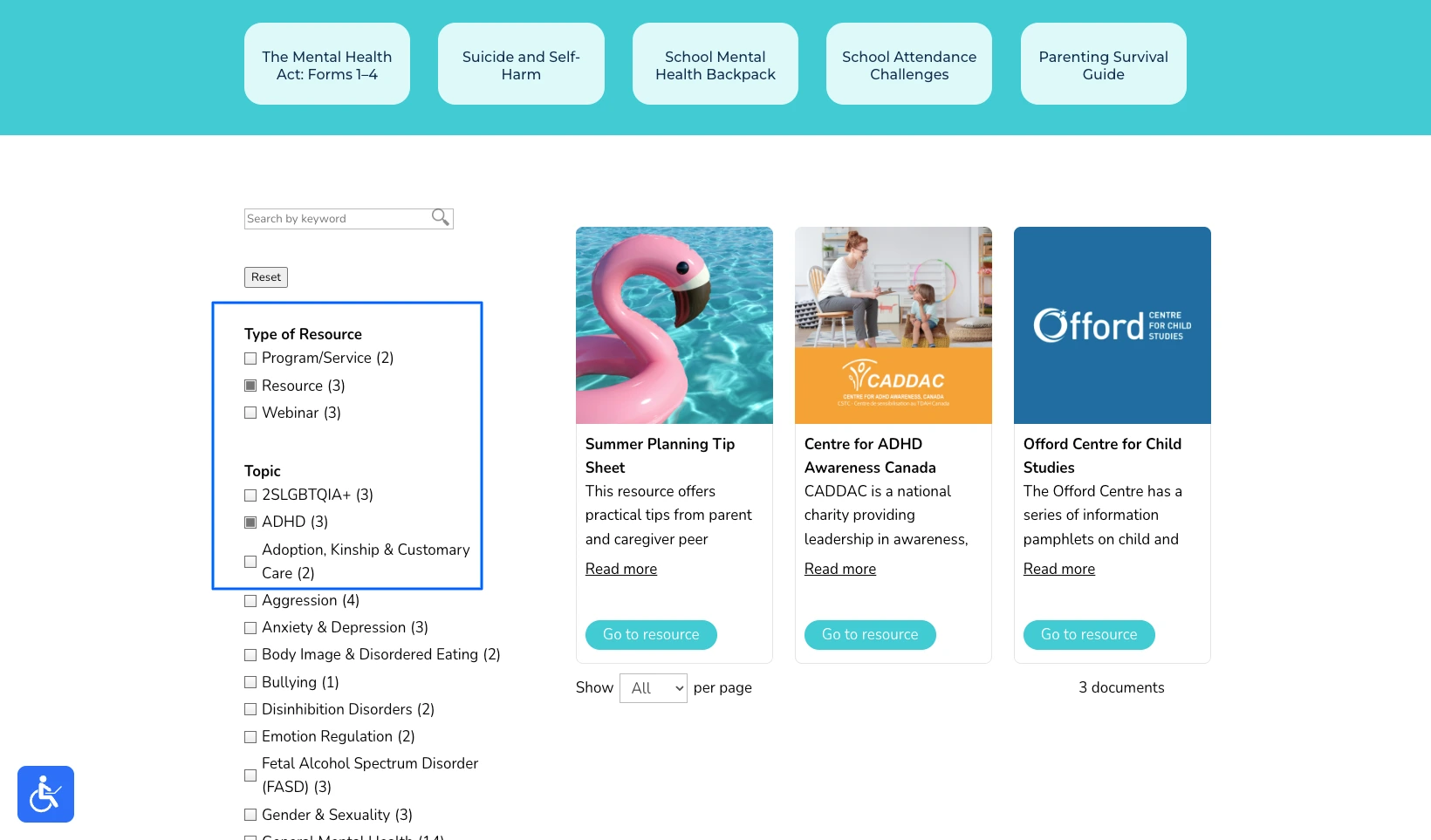
Children’s Mental Health Ontario aveva il problema opposto. La pagina delle risorse funzionava, ma a loro stesse parole era “molto in stile lista della lavanderia”, e scorrere una lunga pagina non ordinata è l'ultima cosa di cui un genitore stressato ha bisogno. L'hanno ricostruita come hub dove le famiglie filtrano per argomento e trovano l'aiuto giusto in pochi secondi.
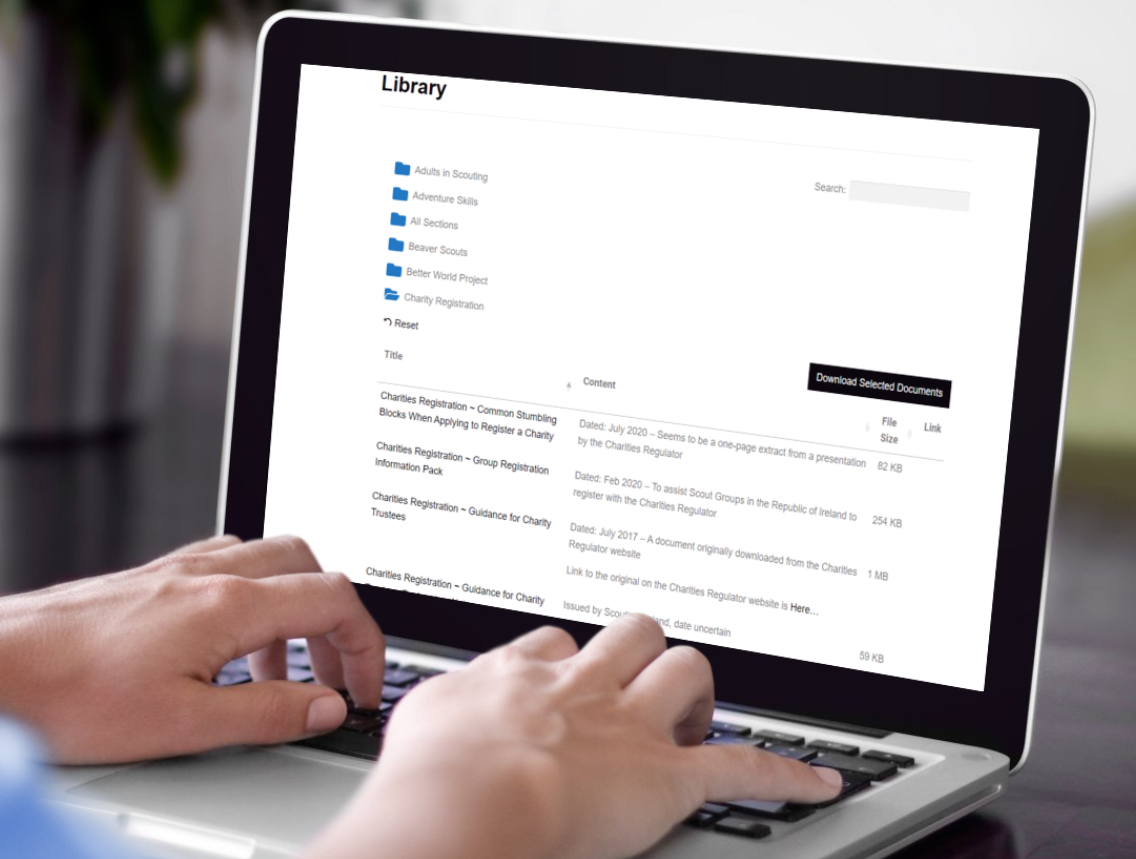
Scouting Ireland aveva semplicemente superato i limiti di una pagina di link, con centinaia di articoli, policy e moduli per i volontari. Ha organizzato tutto in cartelle, così un responsabile apre quella giusta e scarica un intero set di documenti con un solo clic.
Per altri sei esempi in diversi settori, consulta la mia panoramica su creare una document library.
Tips for a resource library people use
The software is the easy part. What turns a resource library into one people rely on is a handful of decisions you make along the way.
The most common mistake I see is organizing the library the way the files are stored internally, by department or by the year a document was filed. Visitors don’t think that way. They think “I need the membership form” or “where’s the latest annual report”, so build your categories around those questions instead.
Be selective with lead capture. Asking for an email before download can turn a library into a steady source of leads, but only when the resource earns it. Gating a genuinely useful report or toolkit is fair. Gating a meeting agenda or a routine form just irritates people and pushes them to phone instead.
Decide who owns it. A resource library is only as good as it’s kept, so a clerk or a communications person needs a simple routine for adding new documents and retiring old ones. Most tools make that a developer’s job, and the whole point of a proper library is that a non-technical person can keep it current.
Finally, watch what gets downloaded. Those numbers tell you which resources matter and which are dead weight, and the organizations that get the most from a library use them to decide what to publish next.
Domande frequenti
What is a resource library?
Una library di risorse è una raccolta ricercabile di risorse scaricabili - come guide, report e moduli - pubblicata su un sito web affinché i visitatori possano trovarle e scaricarle autonomamente.
Can I build an online resource library without WordPress?
Sì. Document Library Pro funziona come plugin WordPress, ma si incorpora anche in Shopify, Squarespace, Wix, Webflow, un sito personalizzato o una intranet. Una library di risorse online funziona su qualsiasi piattaforma già in uso.
Can a resource library capture email addresses?
Sì. Document Library Pro può richiedere un indirizzo email prima del download, trasformando la library in uno strumento di lead generation mentre condivide i contenuti.
A resource library that earns its place
If your collection is small and only a few people need it, a couple of links will always be the simplest answer. However, the moment people have to find documents for themselves, a resource library pays for itself in the time it saves everyone, and in how much more capable the organization looks.
You can build your own with Document Library Pro e prova gratis 14 giorni.
Sull'autrice
Katie Keith
Katie Keith è la fondatrice e CEO di Barn2, il team dietro Document Library Pro. Ha trascorso oltre un decennio ad aiutare le organizzazioni a pubblicare, gestire e condividere documenti online, e scrive su come farlo bene su qualsiasi sito o piattaforma.
Parlaci dei tuoi documenti e creeremo subito un mockup che potrai personalizzare e condividere con i colleghi. Quando sarai pronto, lo useremo per creare la tua raccolta finale per te.
Gratis. Niente spam.
Prima di andare...
Vuoi un'anteprima istantanea e gratuita di come sarà la tua raccolta documenti?
Parlaci dei tuoi documenti e creeremo subito un mockup che potrai personalizzare e condividere con i colleghi. Quando sarai pronto, lo useremo per creare la tua raccolta finale per te.







 Children’s Mental Health Ontario aveva il problema opposto. La pagina delle risorse funzionava, ma a loro stesse parole era “molto in stile lista della lavanderia”, e scorrere una lunga pagina non ordinata è l'ultima cosa di cui un genitore stressato ha bisogno. L'hanno ricostruita come hub dove le famiglie filtrano per argomento e trovano l'aiuto giusto in pochi secondi.
 Scouting Ireland aveva semplicemente superato i limiti di una pagina di link, con centinaia di articoli, policy e moduli per i volontari. Ha organizzato tutto in cartelle, così un responsabile apre quella giusta e scarica un intero set di documenti con un solo clic.
 Per altri sei esempi in diversi settori, consulta la mia panoramica su creare una document library.