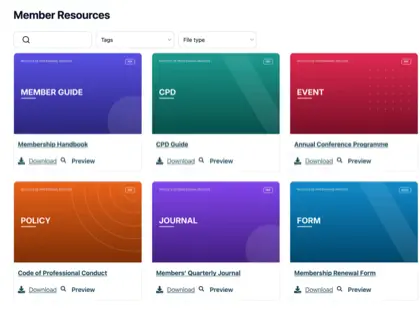
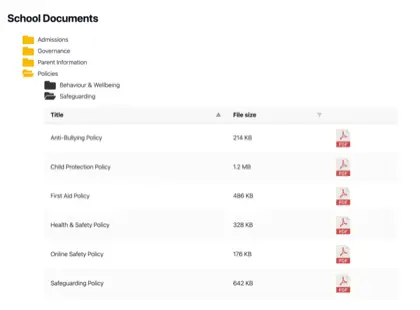
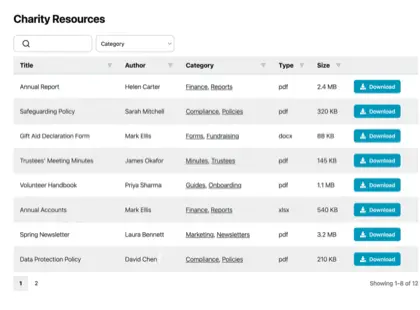
Most organizations have far more documents than their website was ever built to handle, and it creeps up on you. Think of a parish council with years of minutes, planning notices and policies it has a legal duty to publish, or a membership body sitting on a pile of handbooks, forms and training materials.
The files all exist somewhere, but nobody outside the office can find the right one.
A resource library solves that. Instead of a long page of links, you give people a searchable, filterable page where they find and download what they need themselves. I’ll explain when an organization needs one, how to build it, and what separates a resource library people use from one they ignore.
The limits of a plain list of links
For a handful of documents, a plain list of links is fine, and I wouldn’t bother with anything more. Things change once the list grows.
Past a dozen or so files, two problems show up. Visitors can’t spot the document they want without reading the whole list, and someone has to edit the page by hand every time a file is added or replaced. A part-time administrator ends up maintaining a wall of links that people still find hard to use.
You might assume the tools you already pay for would cover this. They don’t, because they were built for a different job. Google Drive, Dropbox and SharePoint store files and share them with people who log in. None of them puts a searchable library on your own public website, which is exactly what most organizations are missing.
When we looked at who uses Document Library Pro, it was mostly the kind of organization you’d expect to hold a lot of documents: nonprofits, universities, membership bodies and local councils. They have no shortage of places to store files. What they lack is a way to publish them so the public, or their members, can find the right one without emailing to ask.
Types of resources organizations publish
Der Inhalt hängt von der Organisation ab, aber die Aufgabe ist dieselbe. Hier ist, was verschiedene Sektoren tendenziell veröffentlichen.
Unternehmen teilen Produktdokumentationen, Spezifikationen und Zertifikate.
Signs you need a resource library
Sie brauchen keine Ressourcenbibliothek für ein paar Dateien, bei denen ein paar Links ausreichen, und ich würde Ihnen sagen, Sie sollen Ihr Geld sparen. Sie verdient sich ihren Platz, sobald eine der folgenden Aussagen zutrifft:
Sie haben mehr Dokumente, als ein Besucher vernünftigerweise durchsehen kann.
Das Gesetz verlangt von Ihnen, bestimmte Aufzeichnungen zu veröffentlichen, ebenso wie von vielen Räten und öffentlichen Körperschaften.
Leute müssen nach Thema, Jahr oder Abteilung filtern, um die richtige Datei zu finden.
Du möchtest vor dem Download eine E-Mail-Adresse sammeln und die Bibliothek so in eine Quelle für Leads verwandeln.
Einige Dokumente sollten nur für Mitglieder oder Mitarbeiter zugänglich sein.
How to build a resource library
We built Document Library Pro to solve this exact problem: giving organizations a clean way to display and share documents, rather than just store them. It publishes your files as a resource library that people can search, filter by category and sort. They preview a document in the browser, then download it on its own, or tick several and take them as a zip.
It runs on any platform. A WordPress site adds it as a plugin. Anywhere else, a short embed code drops the library into your pages, whether they’re public or behind a members’ login.
Sieh dir das vollständige Tutorial an
Zusammenbau erfordert fünf Schritte:
Fügen Sie Ihre Dokumente hinzu. Lade die Dateien hoch oder zeige mit der Bibliothek auf Dateien, die du woanders hostest. Jede Datei erhält einen Titel, eine Beschreibung, eine Kategorie und optional ein Titelbild.
Gruppieren Sie sie in Kategorien und Schlagwörter. Sortieren Sie Ressourcen so, wie Ihre Zielgruppe sie wahrnimmt, nach Thema, Jahr oder Abteilung. Dies sind die Filter, die die Leute verwenden.
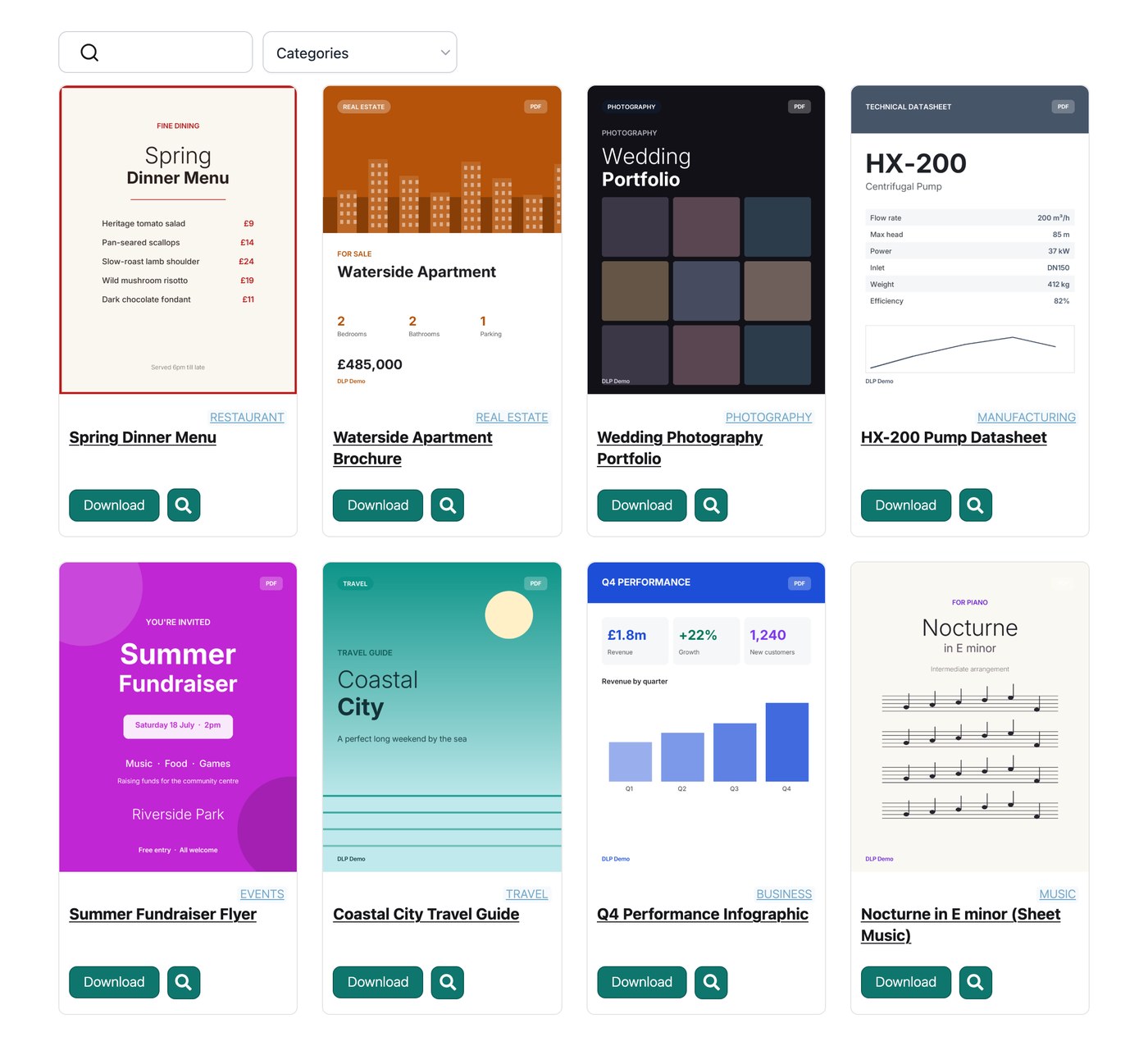
Wähle ein Layout. Eine Tabelle eignet sich für formale Aufzeichnungen, ein Raster mit Vorschaubildern für Berichte und Anleitungen und eine Ordneransicht zum Stöbern.
Suche und Filter einschalten. Eine Suchleiste und ein paar Dropdowns ermöglichen es den Nutzern, ein Dokument in Sekundenschnelle zu finden, anstatt zu scrollen.
Legen Sie fest, wer es sehen kann. Veröffentlichen Sie es offen, schränken Sie Downloads hinter einer E-Mail-Adresse ein oder beschränken Sie die gesamte Bibliothek auf angemeldete Mitglieder.
Resource library examples
Drei Organisationen zeigen, wie unterschiedlich das aussieht, wenn es gut gemacht ist.
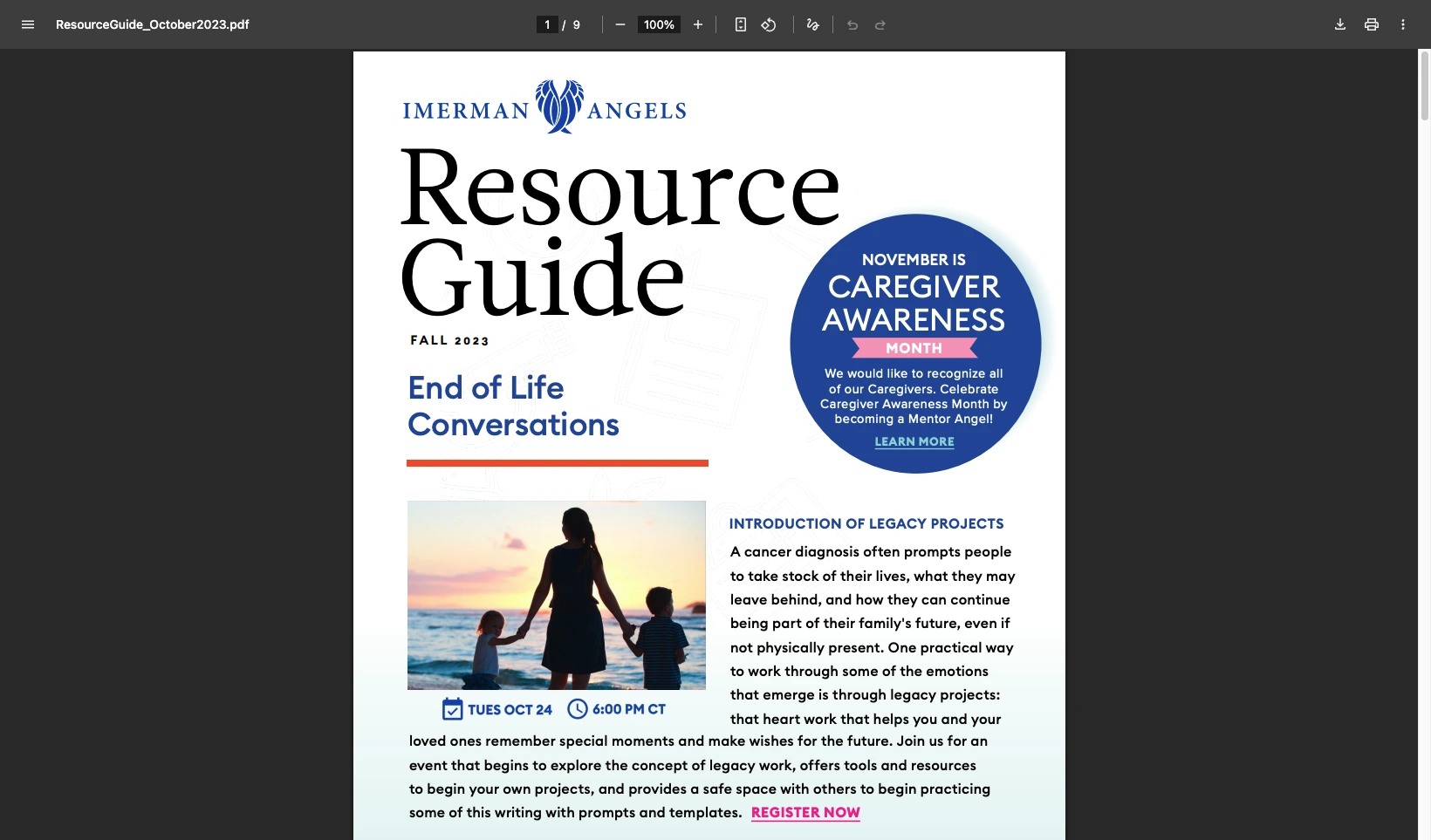
Imerman Angels, eine Krebsberatungsorganisation, begann mit Dateien, die an verschiedenen Orten verstreut waren. Veraltete Links erreichten weiterhin die Öffentlichkeit, und das Team hatte keine Möglichkeit zu sehen, was die Leute herunterluden. Sie fassten alles in einer Bibliothek mit einem Rasterlayout und Download-Buttons zusammen und können nun nachverfolgen, welche Ressourcen genutzt werden.
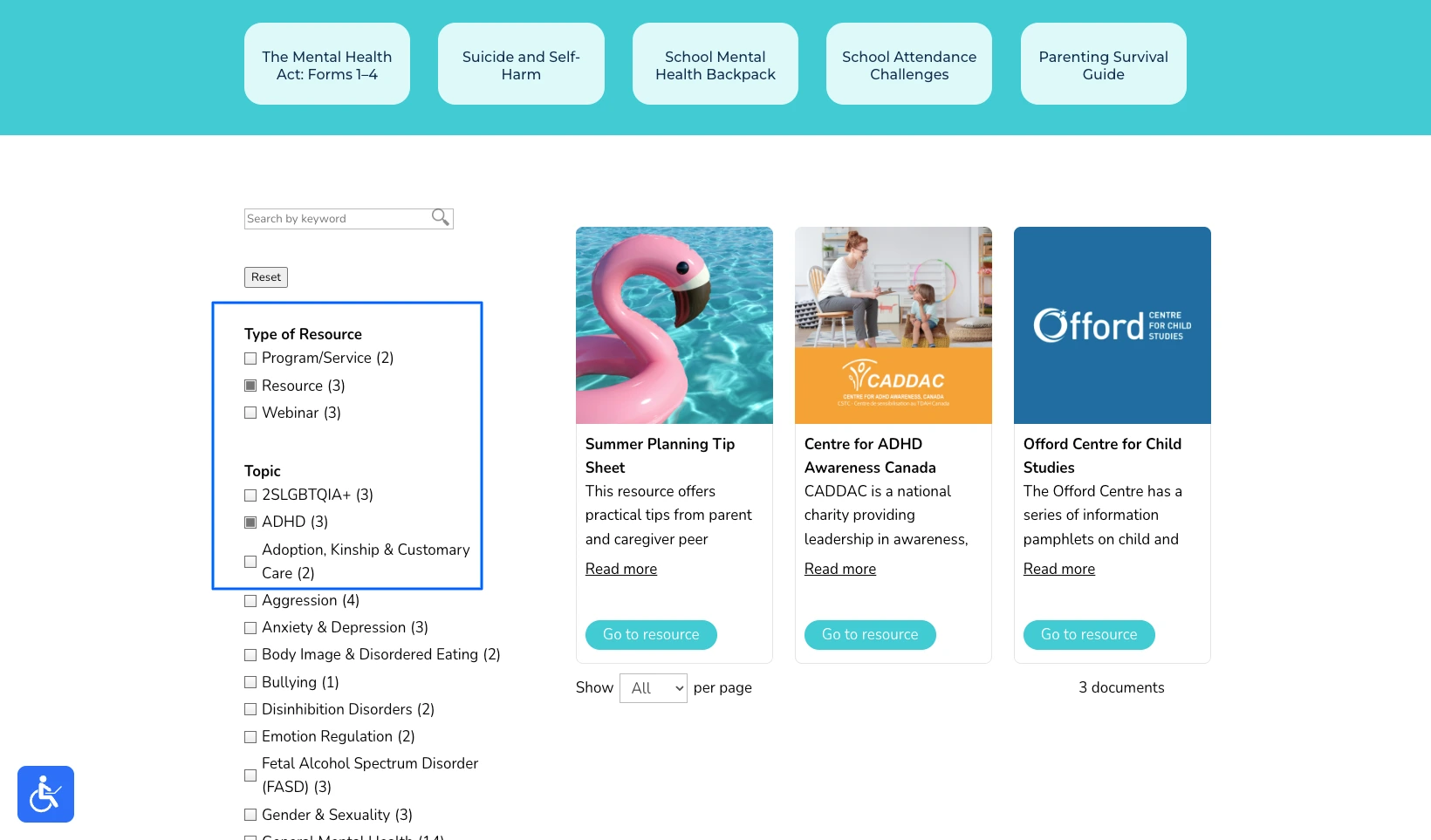
Kinder- und Jugendpsychiatrie Ontario hatten das gegenteilige Problem. Ihre Ressourcenseite funktionierte, aber in ihren eigenen Worten war sie “sehr wie eine Einkaufsliste” und das Durchscrollen einer langen, unsortierten Seite ist das Letzte, was ein gestresster Elternteil braucht. Sie haben sie als Hub neu aufgebaut, wo Familien nach Themen filtern und in Sekundenschnelle die richtige Hilfe finden können.
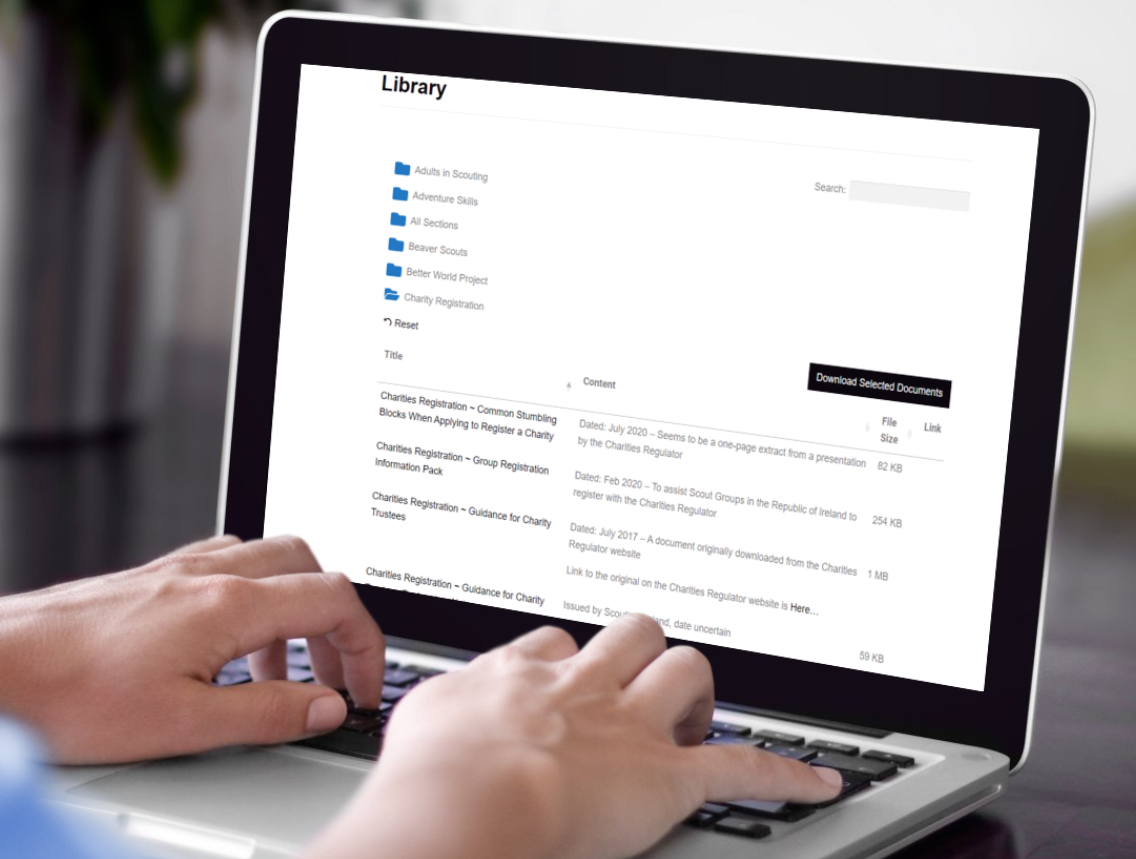
Pfadfinder Irland hatten einfach die Seite mit Links, mit Hunderten von Artikeln, Richtlinien und Formularen für Freiwillige überholt. Sie organisierten alles in Ordnern, sodass ein Leiter den richtigen öffnet und mit einem einzigen Klick einen ganzen Satz von Dokumenten herunterlädt.
Für sechs weitere Beispiele aus verschiedenen Sektoren siehe meine Schritt-für-Schritt-Anleitung auf Dokumentenbibliothek erstellen.
Tips for a resource library people use
The software is the easy part. What turns a resource library into one people rely on is a handful of decisions you make along the way.
The most common mistake I see is organizing the library the way the files are stored internally, by department or by the year a document was filed. Visitors don’t think that way. They think “I need the membership form” or “where’s the latest annual report”, so build your categories around those questions instead.
Be selective with lead capture. Asking for an email before download can turn a library into a steady source of leads, but only when the resource earns it. Gating a genuinely useful report or toolkit is fair. Gating a meeting agenda or a routine form just irritates people and pushes them to phone instead.
Decide who owns it. A resource library is only as good as it’s kept, so a clerk or a communications person needs a simple routine for adding new documents and retiring old ones. Most tools make that a developer’s job, and the whole point of a proper library is that a non-technical person can keep it current.
Finally, watch what gets downloaded. Those numbers tell you which resources matter and which are dead weight, and the organizations that get the most from a library use them to decide what to publish next.
Häufig gestellte Fragen
What is a resource library?
Eine Ressourcenbibliothek ist eine durchsuchbare Sammlung von herunterladbaren Ressourcen, wie z. B. Leitfäden, Berichten und Formularen, die auf einer Website veröffentlicht werden, damit Besucher sie ohne Hilfe finden und herunterladen können.
Can I build an online resource library without WordPress?
Ja. Document Library Pro läuft als WordPress-Plugin, kann aber auch in Shopify, Squarespace, Wix, Webflow, eine benutzerdefinierte Website oder ein Intranet integriert werden. Eine Online-Ressourcenbibliothek funktioniert auf jeder Plattform, die Sie bereits verwenden.
Can a resource library capture email addresses?
Ja. Document Library Pro kann vor dem Download eine E-Mail-Adresse verlangen, wodurch die Bibliothek zu einem Lead-Generierungs-Tool wird, während sie Ihre Inhalte teilt.
A resource library that earns its place
If your collection is small and only a few people need it, a couple of links will always be the simplest answer. However, the moment people have to find documents for themselves, a resource library pays for itself in the time it saves everyone, and in how much more capable the organization looks.
You can build your own with Document Library Pro und 14 Tage kostenlos testen.
Über den Autor
Katie Keith
Katie Keith ist die Gründerin und CEO von Barn2, dem Team hinter Document Library Pro. Sie hat über ein Jahrzehnt damit verbracht, Organisationen bei der Veröffentlichung, Verwaltung und Weitergabe von Dokumenten online zu unterstützen, und schreibt darüber, wie man dies auf jeder Website oder Plattform gut umsetzt.
Sieh dir deine Dokumentbibliothek anbevor du sie erstellst
Erzähl uns von deinen Dokumenten und wir erstellen sofort ein Mockup, das du anpassen und mit Kolleginnen und Kollegen teilen kannst. Wenn du bereit bist, nutzen wir es, um deine fertige Bibliothek für dich zu erstellen.
Kostenlos. Kein Spam.
Bevor du gehst...
Möchtest du ein kostenloses Sofort-Mockup, das zeigt, wie deine Dokumentbibliothek aussehen wird?
Erzähl uns von deinen Dokumenten und wir erstellen sofort ein Mockup, das du anpassen und mit Kolleginnen und Kollegen teilen kannst. Wenn du bereit bist, nutzen wir es, um deine fertige Bibliothek für dich zu erstellen.







 Kinder- und Jugendpsychiatrie Ontario hatten das gegenteilige Problem. Ihre Ressourcenseite funktionierte, aber in ihren eigenen Worten war sie “sehr wie eine Einkaufsliste” und das Durchscrollen einer langen, unsortierten Seite ist das Letzte, was ein gestresster Elternteil braucht. Sie haben sie als Hub neu aufgebaut, wo Familien nach Themen filtern und in Sekundenschnelle die richtige Hilfe finden können.
 Pfadfinder Irland hatten einfach die Seite mit Links, mit Hunderten von Artikeln, Richtlinien und Formularen für Freiwillige überholt. Sie organisierten alles in Ordnern, sodass ein Leiter den richtigen öffnet und mit einem einzigen Klick einen ganzen Satz von Dokumenten herunterlädt.
 Für sechs weitere Beispiele aus verschiedenen Sektoren siehe meine Schritt-für-Schritt-Anleitung auf Dokumentenbibliothek erstellen.