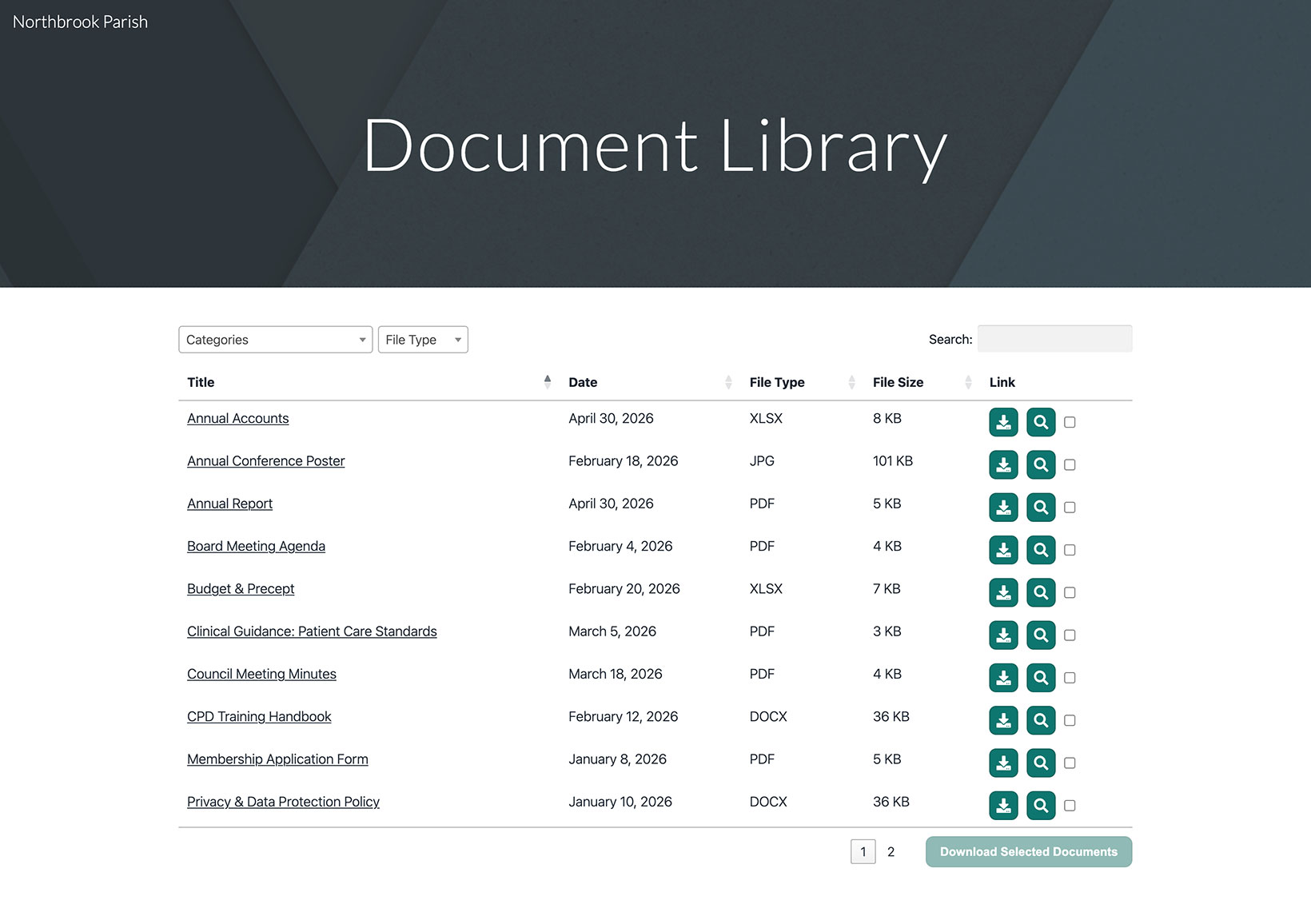
Google Sites hat ein integriertes Einbetten-Tool, mit dem du deine gehostete Dokumentbibliothek auf jeder Seite anzeigen kannst. So richtest du sie von Anfang bis Ende ein.
Bevor du beginnst: jede Einbettung in Google Sites erhält eine feste Größe, daher musst du den Kasten um deine Bibliothek herum anpassen (siehe Schritt 5). Die Bibliothek wird sowohl in der Vorschau als auch auf deiner veröffentlichten Website angezeigt.
Schritt 1: Kopiere deinen Einbettungscode
Öffne in deinem gehosteten Dashboard Publish Library , um deinen Einbettungscode zu finden, und kopiere ihn dann. Die meisten Websites haben eine einzige Bibliothek, und auf der Seite Bibliothek veröffentlichen befindet sich ihr Einbettungscode. (Wenn du mehr als eine Bibliothek erstellt hast, kopiere stattdessen den Code für die gewünschte Bibliothek aus dem Libraries Bildschirm.) Füge immer den exakten Code aus deinem eigenen Dashboard ein, nicht das Beispiel unten:
<iframe src="https://your-library.documentlibrary.app/?dlp_embed=1" title="Document library" style="width:100%;border:0;height:600px;" loading="lazy"></iframe>
<script src="https://your-library.documentlibrary.app/?dlp_embed_resize=1" async></script>
Schritt 2: Erstelle eine Seite für deine Bibliothek
Wechsle im Google Sites-Editor zum Seiten Tab und füge eine neue Seite hinzu oder verwende eine vorhandene. Nenne sie zum Beispiel Dokumentenbibliothek. Google Sites fügt sie automatisch deinem Navigationsmenü hinzu.
Schritt 3: Öffne das Einbetten-Tool
Öffne auf deiner Seite das Einfügen Panel und klicke auf Einbetten. Wenn sich der Dialog öffnet, wechsle zum Einbettungscode Tab.
Schritt 4: Füge deinen Einbettungscode ein
Füge den Einbettungscode aus Schritt 1 in das Feld ein und klicke dann auf Weiter gefolgt von Einfügen.
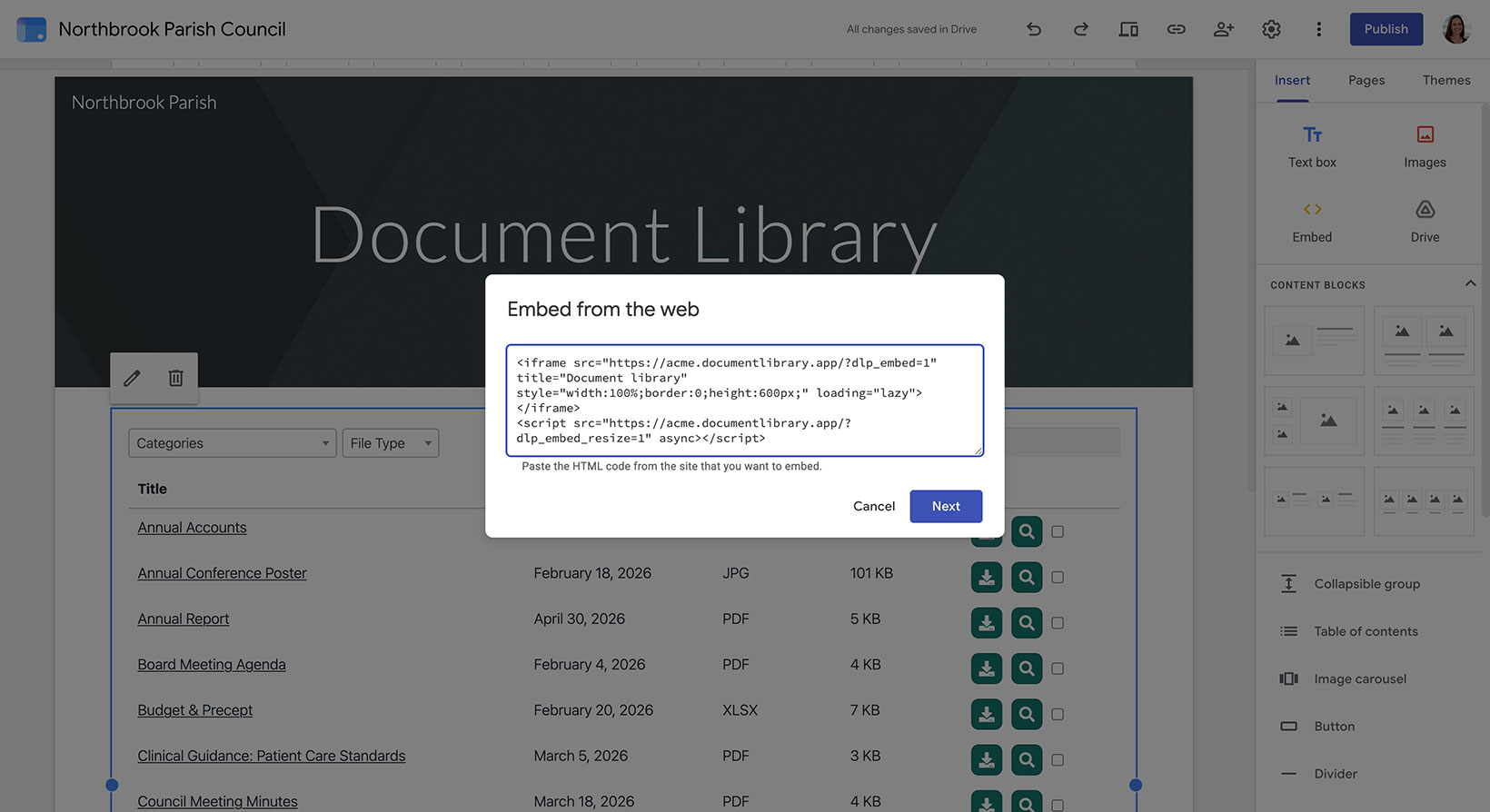
Schritt 5: Passe die Einbettung an deine Bibliothek an
Überspringe diesen Teil nicht. Da Google Sites der Einbettung eine feste Größe zuweist, ziehe an den Griffen, bis der Kasten sowohl breiter als auch höher als deine Bibliothekist. So passt die gesamte Tabelle hinein, ohne abgeschnitten zu werden, und hat noch etwas Platz. Wechsle außerdem zur Desktop Ansicht, damit die Bibliothek genug Raum hat, um alle Spalten anzuzeigen.
Schritt 6: Veröffentliche deine Bibliothek und sieh sie dir an
Klicken Veröffentlichen oben rechts oder verwende Vorschau , wenn du sie zuerst prüfen möchtest. Sobald sie live ist, öffne die Seite, um deine Dokumentbibliothek dort zu finden. Besucher können darin suchen, nach Kategorie filtern und jedes Dokument herunterladen oder in der Vorschau ansehen.