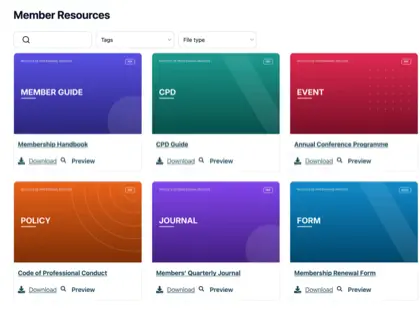
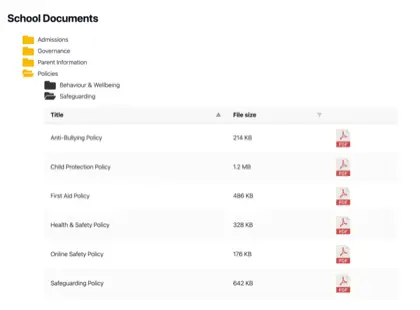
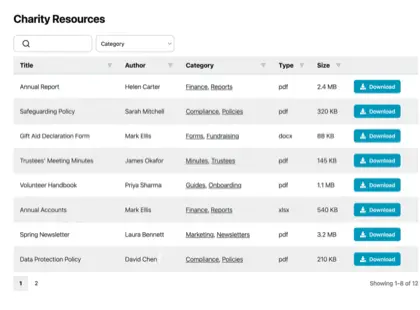
A document library is a searchable, filterable collection of files that customers browse and download themselves, right on your store. On Shopify, it solves a problem most product-heavy stores know well.
Shoppers want to see a product spec sheet, manual, safety certificate or warranty before they buy, and a standard product page was never built to hold all of it. So the files scatter across a Dropbox link, an old email thread and a PDF buried at the bottom of a description. Meanwhile your team answers the same “where do I find…” question every week.
There’s a better way to handle product documents in a Shopify store. Instead of bolting files onto a page that wasn’t designed for them, you can give customers one place to search, filter and download everything attached to a product. Below I’ll walk through where this matters most, organized by the kinds of stores that live or die on their documentation.
The limits of a standard Shopify product page
Shopify’s product page is built to sell a single item with an image, a text-based description, a price, and an Add to Cart button. That works beautifully for a t-shirt. However, it’s not ideal for products that need a stack of supporting files.
You can paste a download link into the description, but what happens when you need to provide a manual, a datasheet, a compliance certificate and three installation guides? There’s no way for a shopper to search those files, no way to filter them by type, and no tidy way to show a different set of documents on every product.
As the catalog grows, the files drift out of date and nobody can tell which version is current. Buyers give up and email you instead, which is the exact work you were trying to avoid.
The fix: A searchable document library customers use themselves
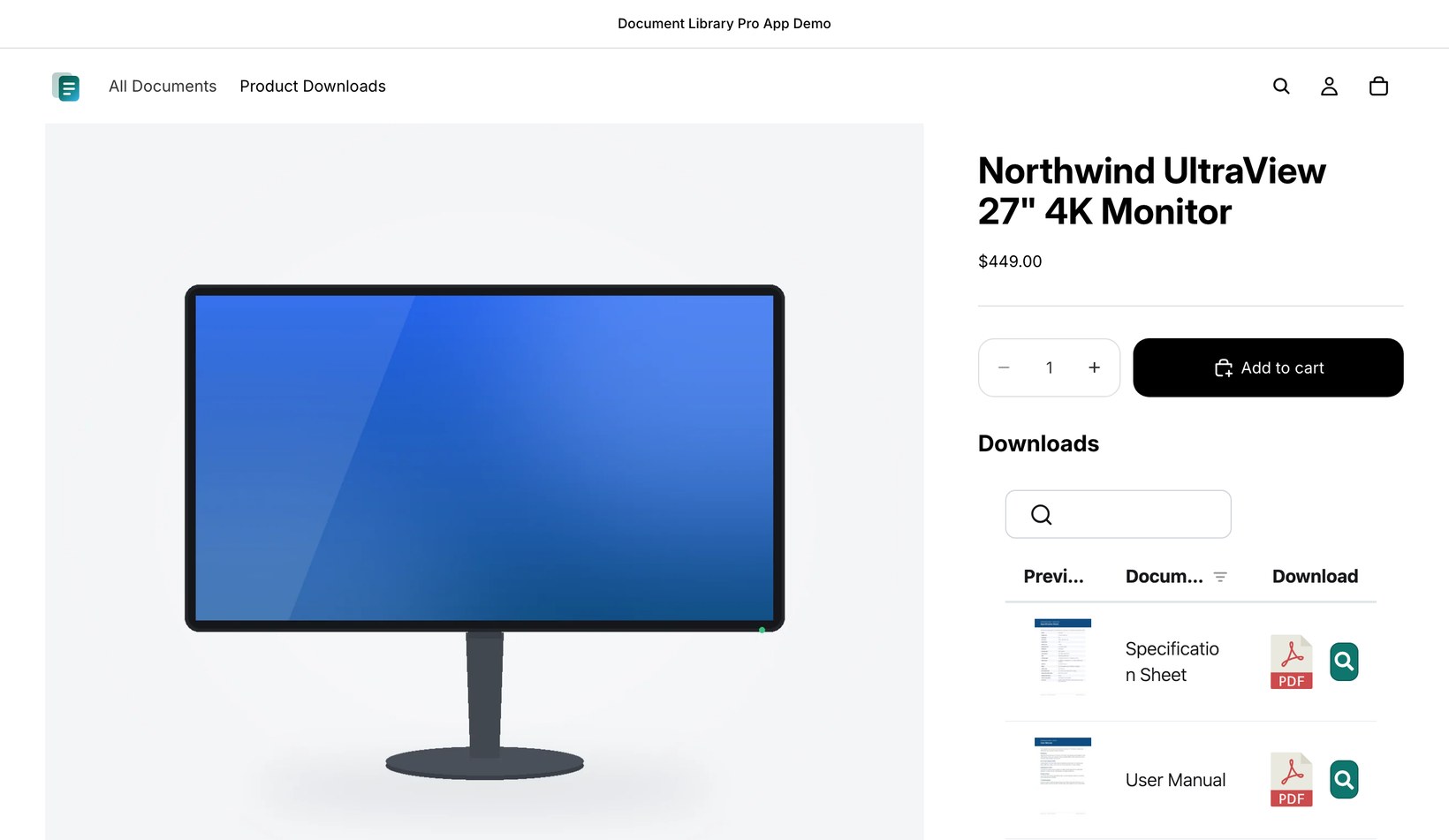
The answer is to put the documents right on the Shopify product page, in a format built for browsing files rather than buying a single product. Document Library Pro adds a searchable, filterable library to any page or product on your store. Customers type a keyword, filter by category, preview a file without downloading it, and grab one document or several at once.
It’s the same document library software that already runs more than 13,000 sites, now available as a Shopify app. You organize files by category and tag, then choose a table, grid or folder layout and let people find the exact file themselves.
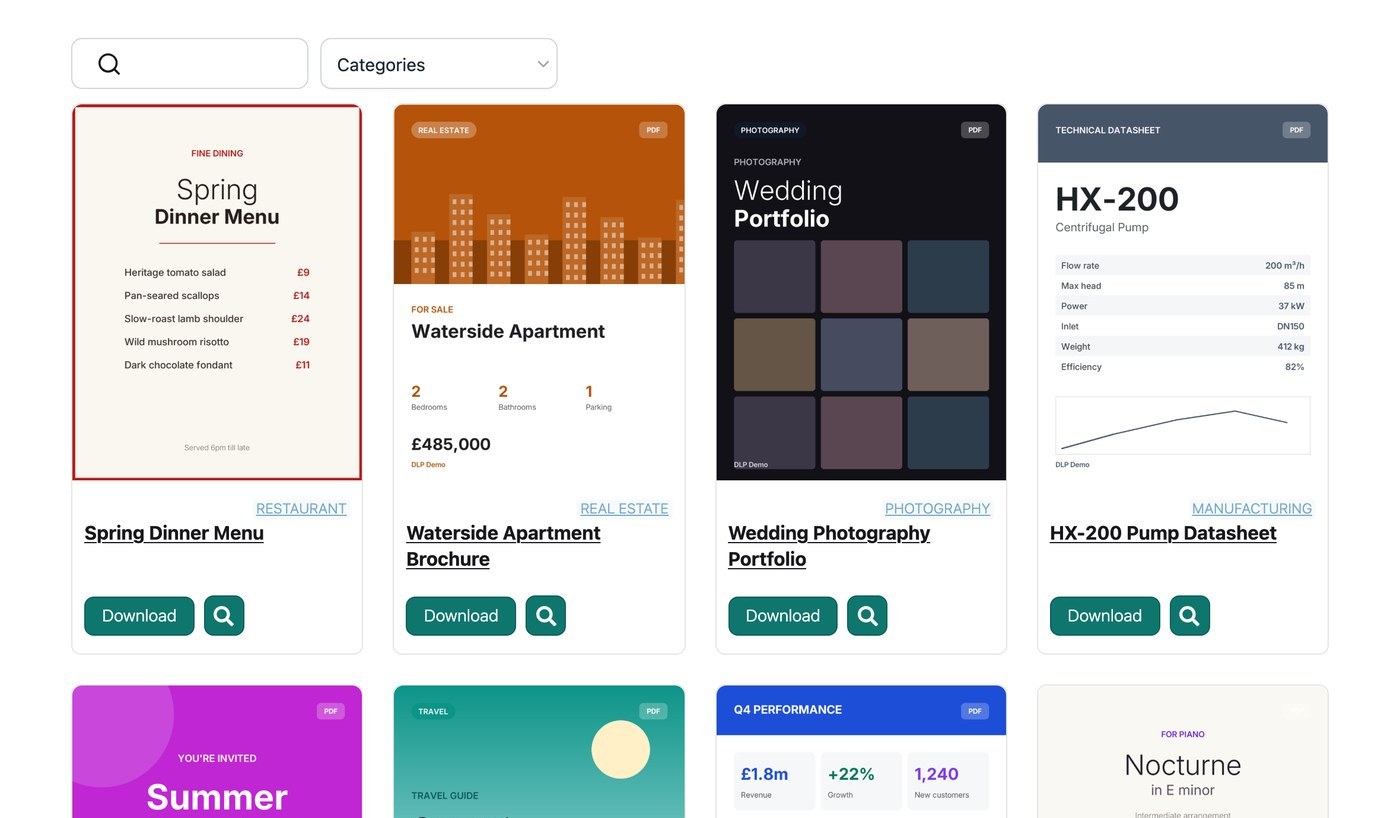
Customers can find the product documents they need, so they can get all the information they need to buy without having to email you.
Manufacturers: Datasheets, spec sheets and installation guides
If you sell industrial or technical products, the document is often what closes the sale. An engineer comparing two pumps cares more about the performance curve and dimensions than the product image.
A document library on the product page lets you attach the datasheet, CAD file and installation guide to the exact product they’re viewing. Everything sits organized by category, so they reach the right revision in seconds. You can give each product its own library, so a buyer never has to wade through files for a part they aren’t looking at.
This also fixes the version problem. When the spec changes, you update one file in one place and every customer sees the current one.
Distributors and wholesalers: Catalogs, price lists and bulk documents
Distributors deal in volume, and so do their documents. A wholesale buyer often wants the full catalog, the current price list and a batch of product PDFs in one go, not a click-through-each-product experience.
A document library suits this perfectly, because customers can select several files and download them together as a zip rather than saving them one at a time. As well as letting you display documents on product pages, Document Library Pro provides a central library listing all your documents. This is perfect for B2B users who want documents across your entire catalog.
Loading those documents is its own job when you have hundreds of them. Rather than uploading files one by one, you can import a whole catalog at once with a CSV or by dragging and dropping the files in. For a distributor refreshing price lists every quarter, can be a huge time saver.
B2B, members and regulated sellers: Gated documents and compliance files
Some documents aren’t designed to be publicly available. For example, a trade account’s pricing, a member’s resource pack or a restricted safety data sheet needs to sit behind a login, while your public spec sheets stay open to all. For sellers in regulated categories, this is where a real library earns its keep. Safety data sheets, certificates of conformity and compliance documents have to be available, current and easy to find. An auditor or a customer should never have to ask you for the latest version.
Document Library Pro lets you password-protect individual libraries, so the same store can serve an open catalog to retail shoppers and a private one to approved accounts. It also works with any content restrictions already in place on your store. For example, if you’re using a B2B app to restrict certain products, then the document library on those product pages will only be available to the correct B2B buyers.
Vedo anche che l'accesso varia per mercato, non solo per tipo di cliente. Se il tuo negozio Shopify vende in diversi paesi, la documentazione di conformità per una regione potrebbe non valere in un'altra. In questo caso, raccolte separate possono aiutare ogni mercato a vedere i certificati, i file di sicurezza o i documenti di prodotto pertinenti.
Hai bisogno di una raccolta di documenti per Shopify?
Quando parlo con i proprietari di negozi, faccio domande pratiche prima di consigliare una raccolta di documenti. Le risposte mostrano se i documenti sono una piccola attività di contenuto o una parte operativa del processo di acquisto. Mostrano anche se il rischio riguarda la facilità di trovare i file, il tempo dell'assistenza, l'accesso o i file non aggiornati.
- Quanti documenti separati devono poter trovare i clienti?
- Quanti prodotti coprono quei documenti?
- Quante richieste di assistenza al mese riguardano la ricerca del documento giusto?
- Quante volte all'anno cambiano i file stessi?
- L'accesso deve variare per tipo di cliente o per mercato?
Se hai solo pochi file statici, una semplice pagina di link può andare bene. Potresti non averne bisogno. Però il caso diventa più convincente quando aumenta il numero di documenti, le richieste di assistenza si ripetono o i file cambiano.
How to add document libraries to your Shopify store
The setup is deliberately light. You simply install the Document Library Pro app from the Shopify App Store, and a hosted library is created for you in the background.
You’ll be directed to your Document Library Pro account area, where you can use the setup wizard to choose the most important settings for your libraries. After that, you can configure the advanced settings, add or bulk-upload documents, structure documents into categories, create additional libraries, and so on.
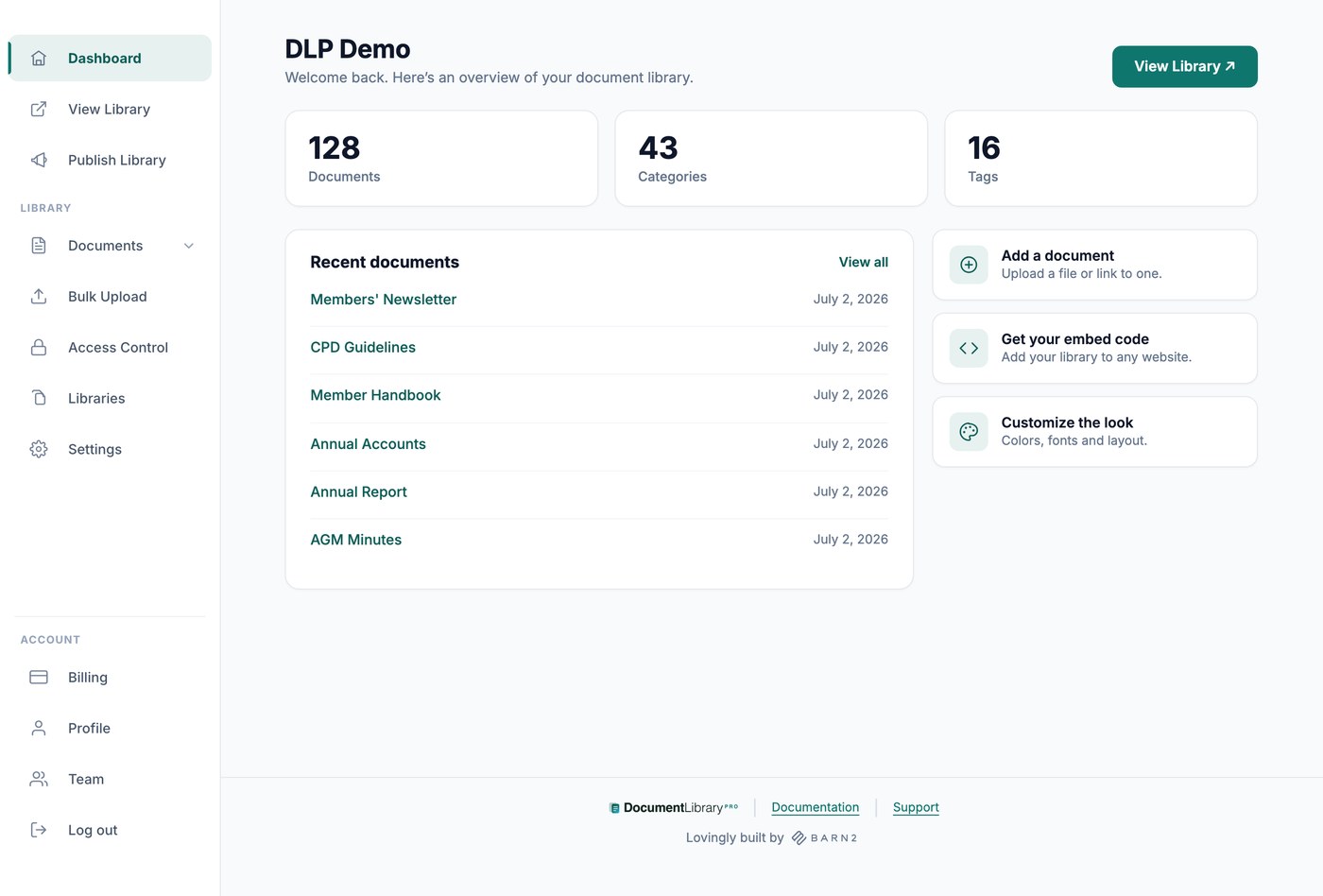
You can then add document libraries to your store in several ways:
- The app auto-creates a main document library page listing all your documents. If you want to use this, then just add it to the menu so people can find it. If you only need product specific documents, delete it.
- To add document libraries to product pages, edit the products and use the “Insert Document Library” action to select a library. This will add it straight into your product or page content.
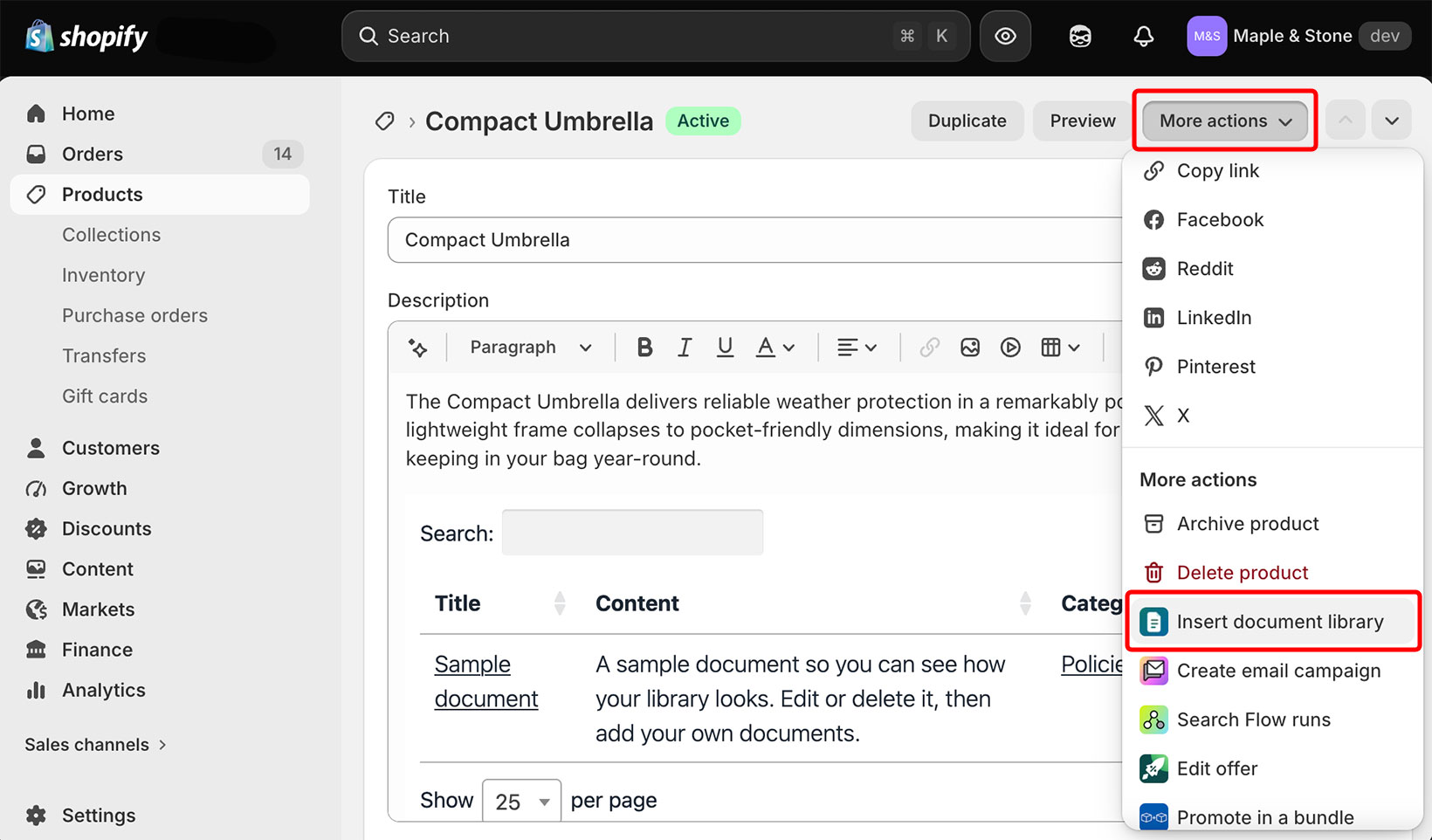
You can run multiple libraries and point a different one at each product. I recommend using a category for each product. Once you’ve done that, you can easily create a library containing only document for the relevant category and insert it into the product page.
The app supports files of every type, from PDFs and Word documents to spreadsheets, slide decks and images. You can also watch download stats from the dashboard to see which documents people use most.
The difference a self-serve Shopify document library makes
If your products come with documentation that shoppers read before they buy, a self-serve library is one of the higher-leverage changes you can make to a Shopify store. While it’s not relevant to every store, document libraries are essential for the types of products that require specification documents, manuals, and so on.
Whether you need a central page listing all your downloads or product specific documents added directly to the product page, Document Library Pro takes care of everything for you. Buyers can access the information they need to make a purchasing decision without waiting on a reply, which tends to mean faster, more confident purchases.
You can see the plans and try Document Library Pro per Shopify on your own store to find out how much email it takes off your plate.